2023-Nov-03-R11.1a
Define Execution Settings for Intent-based Triggered Diagnosis
After selecting an intent and configure the settings for the intent, you can continue to define its execution settings. Two options are provided: Run Once and Repeat.
- Run Once: If this option is selected, the triggered diagnosis will run only once.
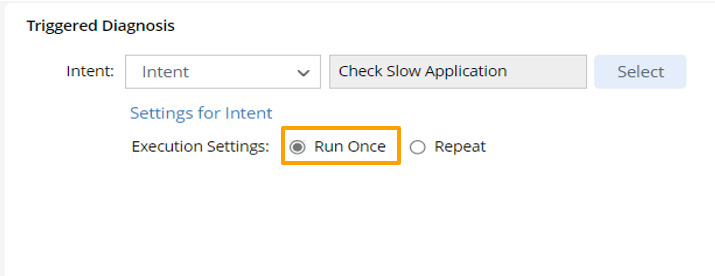
- Repeat: One Diagnosis can run for a fixed number of times at specified intervals by Execution Settings. You can set to run triggered diagnosis to check the issue a few times, making sure there is no transient problem.
Select this option to repeatedly run diagnosis, then set how the diagnosis will run repetitively. You need to configure the frequency and conditions for stopping running the diagnosis.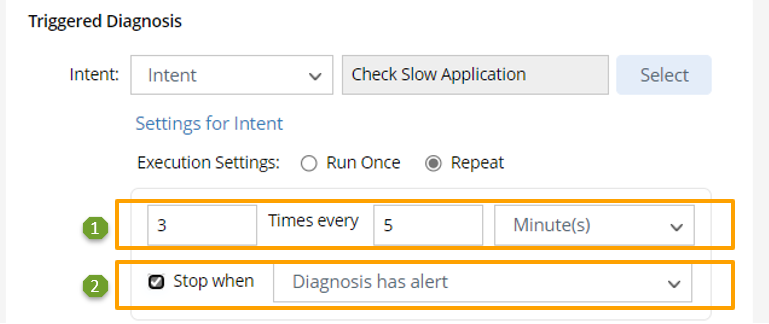
Follow the steps below to compete the settings for repetitive executions of diagnosis.
- X Times every X Minutes/Hours/Days/Weeks: Set the frequency for running diagnosis. input the number of times (e.g., 4 times) and the interval (e.g., 5 minutes). The time units include "Minute(s)", "Hour(s)", "Day(s)" and "Week(s)".
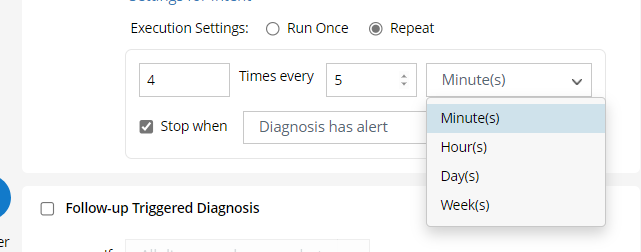

Note: The default setting is “3 Times every 5 Minutes”. - Stop when: Check the Stop when checkbox in the field, set the condition for stopping execution of diagnosis (Diagnosis has no alert; Diagnosis has alert).
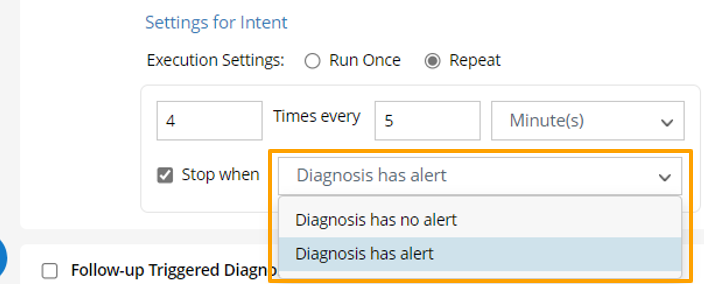
Note: Any alert from home intent and the follow-up intents counts as alert.