2023-Nov-03-R11.1a
Define Settings for Intent Template
After an intent template is selected, you can set more settings for the diagnosis based on this intent template.
- After the intent template is selected, the Settings for Intent Template-based Triggered Diagnosis dialog will pop out, or you can click Settings for Intent Template, then define the settings in this dialog.
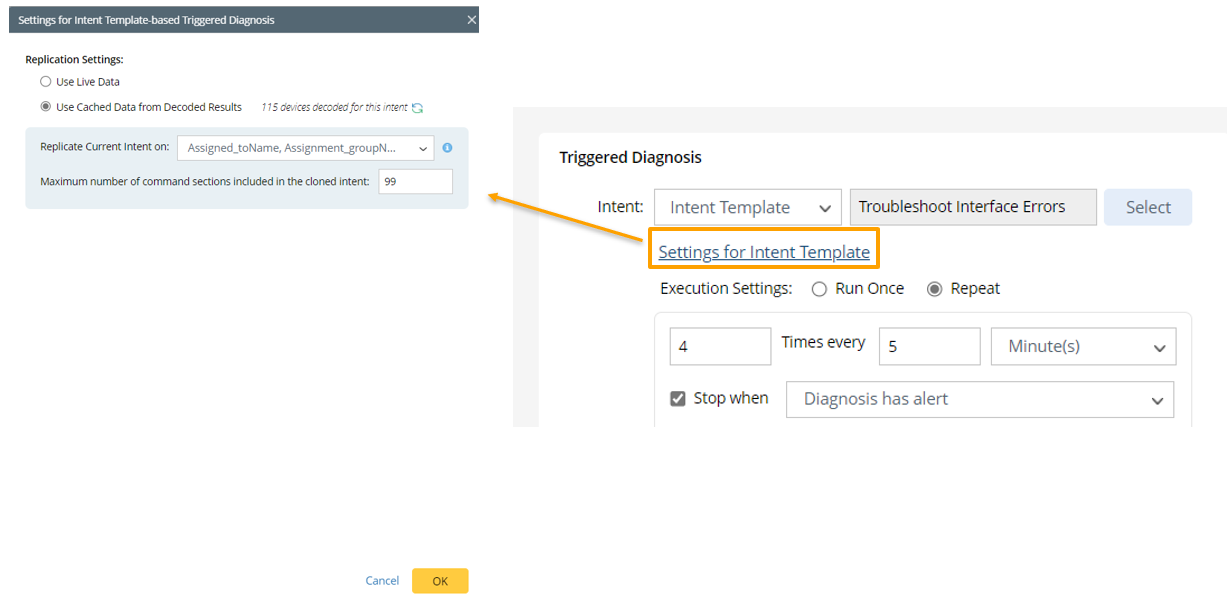
- In this dialog, you can define Replication Settings: Define the settings for replicating intent using the selected intent template.
- Use Live Data: Use retrieved live data as data source for intent replication.
- Use Cached Data from Decoded Results: Use the pre-decode results that are cached as the data source for intent replication.
- Replicate Current Intent on: Select data fields (e.g., Assigned_toName, Call_Back_URL) of the selected incident to define what devices will be used as incident devices, in other words, the problem devices. The incident device will be extrapolated from the data field(s) of the selected incident type.
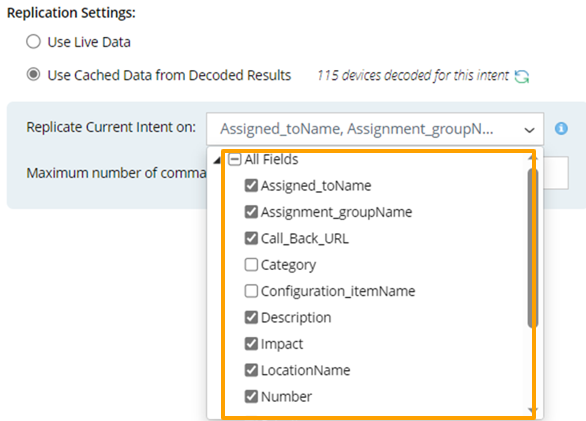
- Set Macro Variables of Seed Intent Template: This block is only visible when the seed intent template has pre-defined macro variables. In order to install the intent template to TAF, in some cases, some macro variables of the intent template should be set to a certain specific value. To define the macro variable value, click
 and select data fields of the selected incident, then the values in the data fields will be used as the macro variable values for the seed device. Alternatively, you can directly input macro variable value.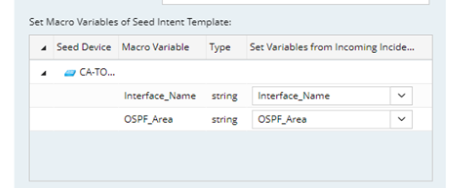
- Maximum number of command sections included in the cloned intent: Input a number (the default value is 99), which is the maximum number of command sections in the cloned intent. This is for limiting the command sections in the cloned intent.
- Set Parameter Settings: To define the task variable, click
 from the Set Value from Incoming Incident field and select an incoming incident value (for example, ticketID) as the task variable value.

Note: The Parameter Settings block is only visible when the intent template has task variables defined. - Click OK.