2023-Nov-03-R11.1a
Define the Conditions for the Intent Template to be Triggered
The triggered condition defines when this Diagnosis will be executed.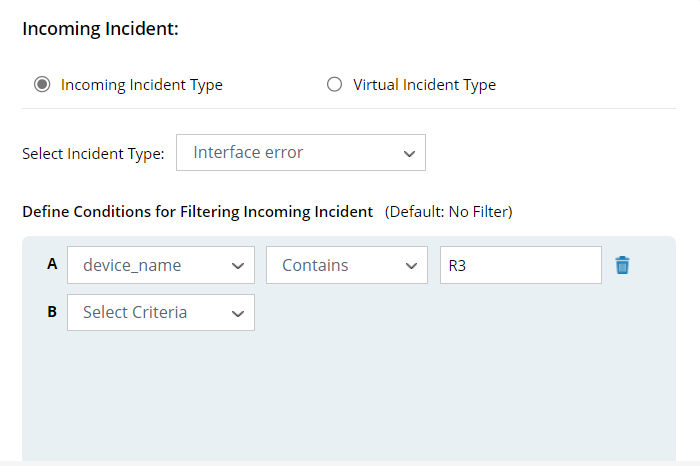
Example: You can select Interface error. All incidents belonging to this incoming incident type can trigger associated ADT intents to run for diagnosis or mapping.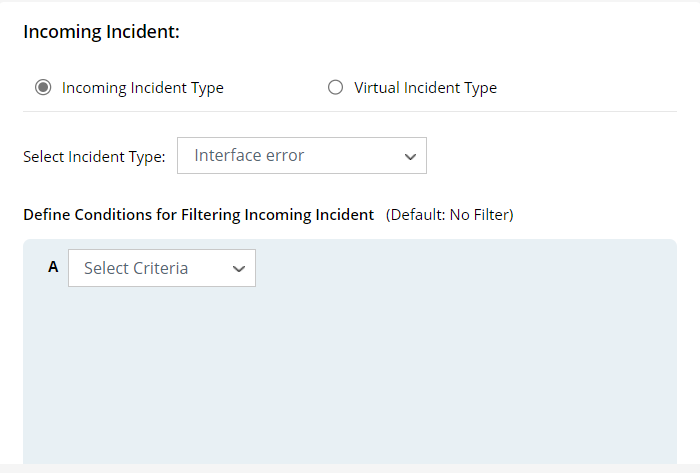
- Select the Incoming Incident Type or Virtual Incident Type to trigger this Diagnosis (Incoming Incident Type is selected in this example).
- Select Incident Type: Select an incident type for categorizing incoming teckets, e.g., Interface error.
- (Optional) Define the filters.
- Select a data field of the Incident Type as the filter condition.
- Select an operator (contains, does not contain, matches, does not match, is not null).
- Enter a keyword.
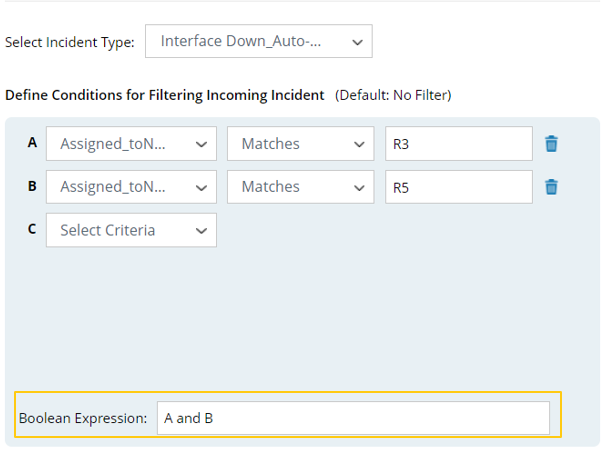
You can combine multiple simple filters with the standard Boolean AND/OR operations (A and B in this example).