2023-Nov-03-R11.1a
Manage Hostname-Changed Devices
The system uses the hostname as the unique identifier for each device in a live discovery, so the device with the hostname change will be treated as a new one and be re-added to a domain. It will lead to duplicated IPs and reduce topology accuracy.
Complete the following steps to identify and manage the devices with hostname change.
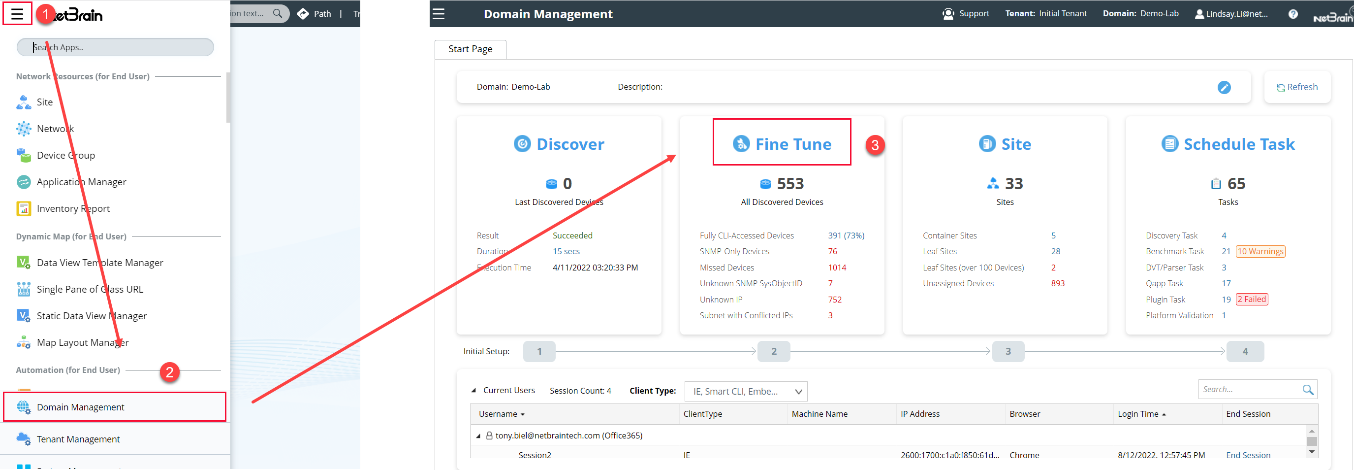
- Log into the Domain Management page, and then click Fine Tune on the Start Page.
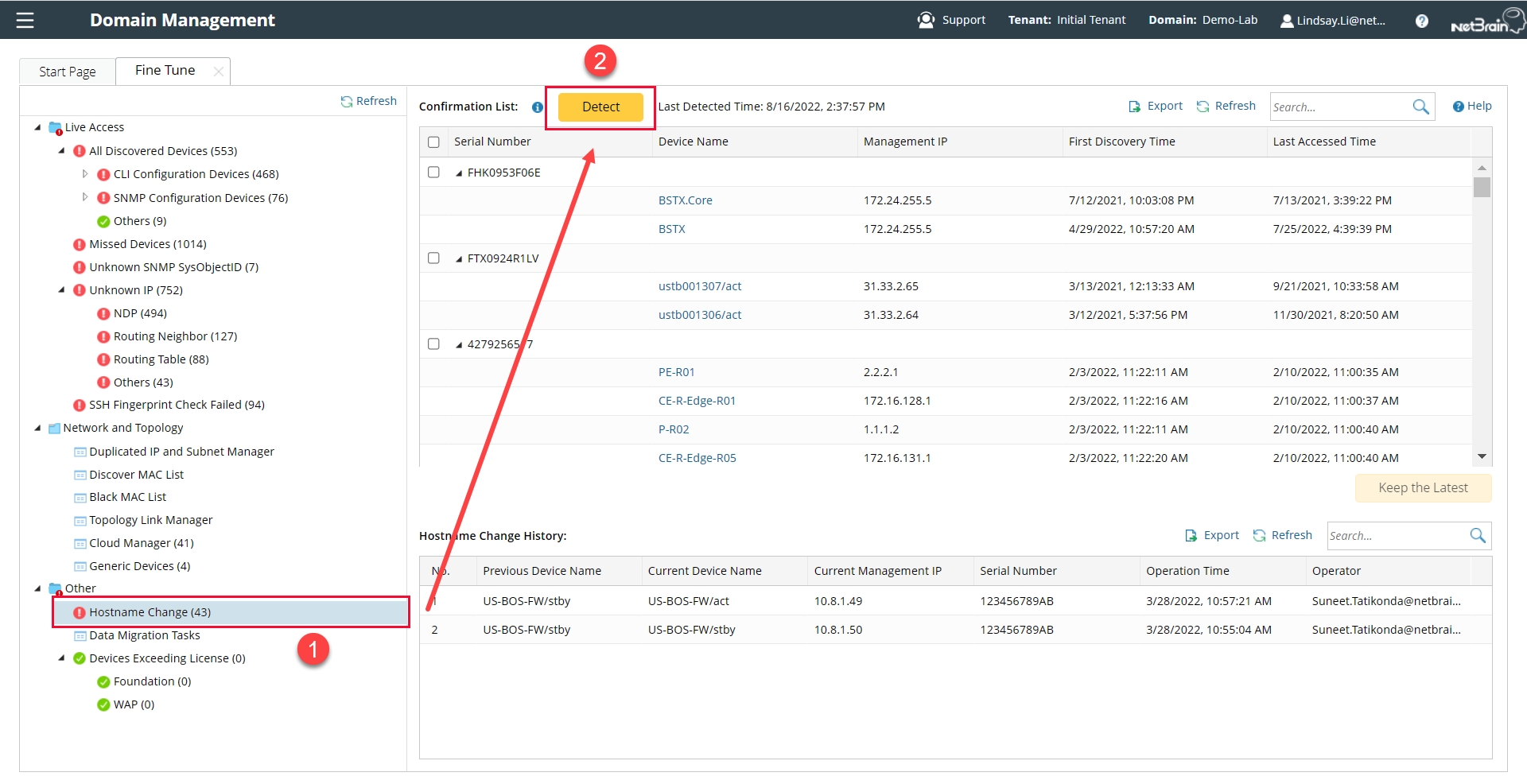
- In the Fine Tune tab, click Hostname Change in the left pane.
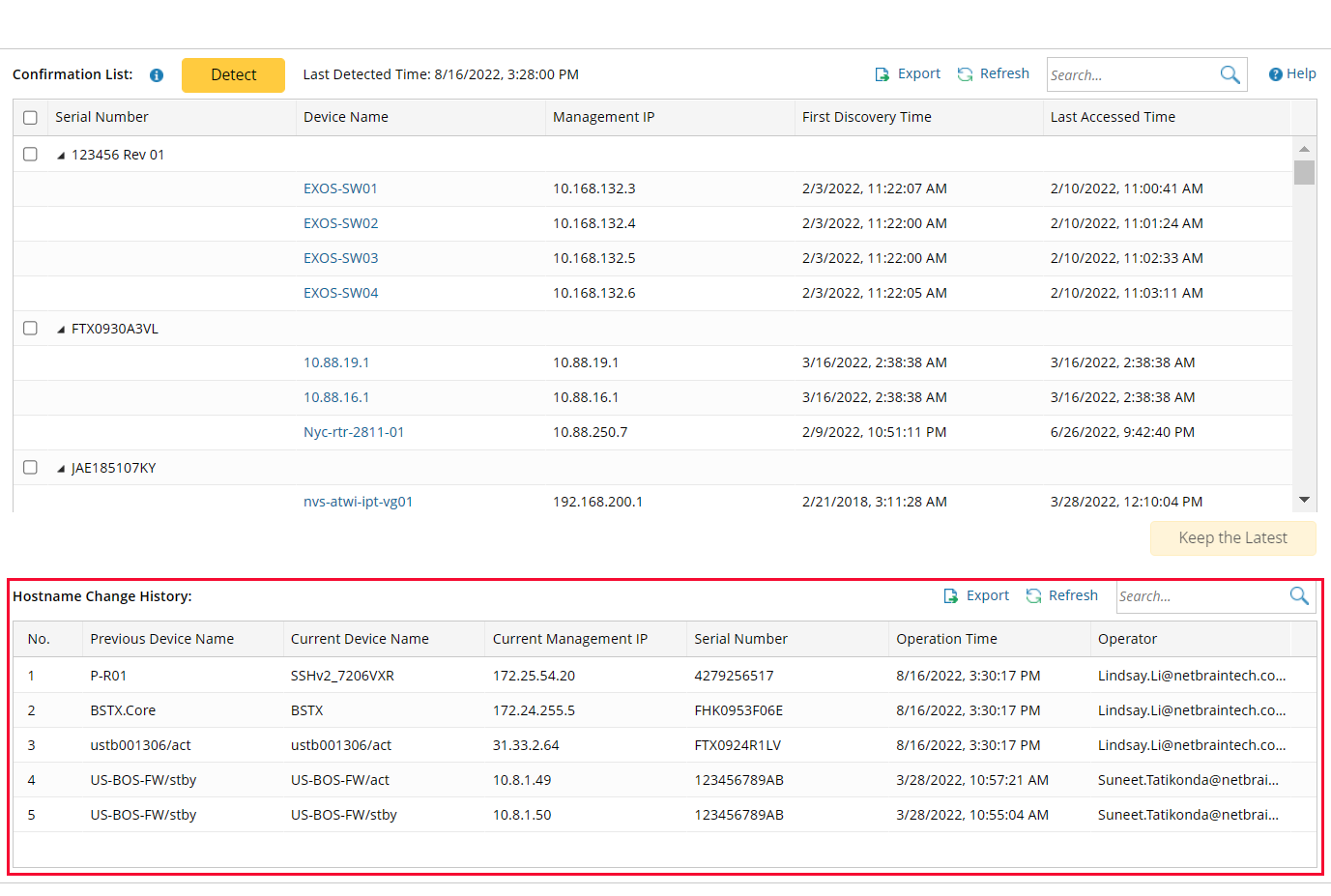
1) Click Detect to list the devices with the same serial number but different hostnames.
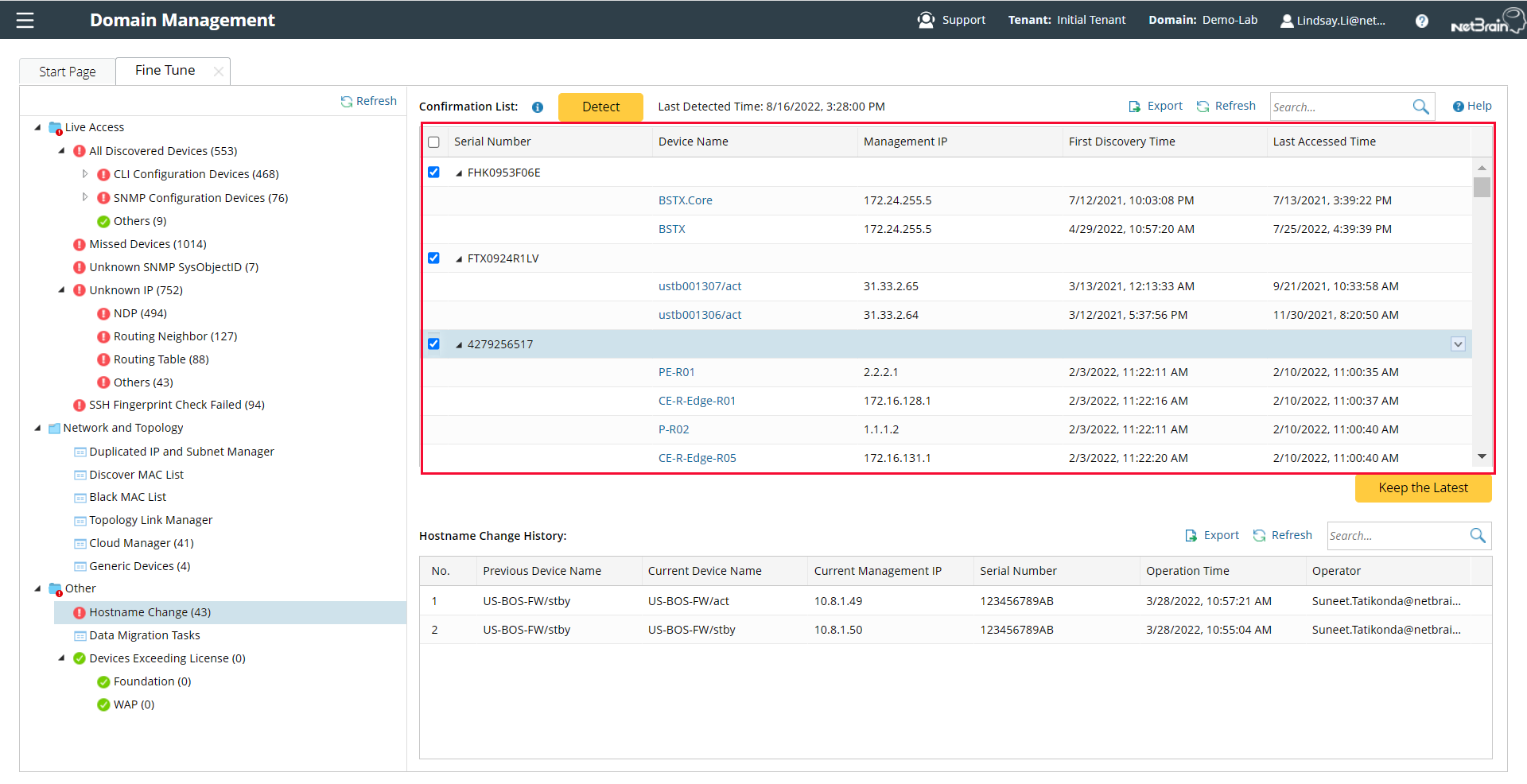
2) Review the devices in the Confirmation List and select the check box for target serial numbers.
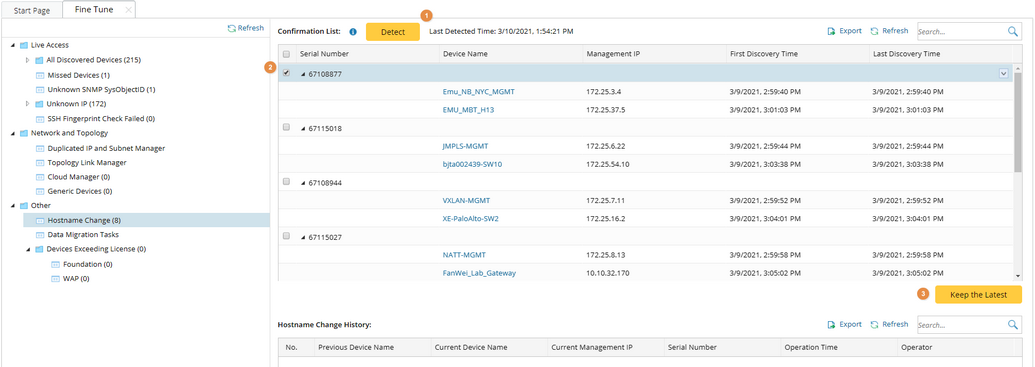
3) Click Keep the Latest. The old hostnames saved in some features will be updated with the new ones. See Updated Feature/File for more information about what has been updated.

|
Note: The Keep the Latest operation is irreversible, but you can view the change history: |
|
|
Note: After updating devices' hostnames, you will need to manually build the topology to assure the topology accuracy. |