2023-Nov-03-R11.1a
Resolve Latest CLI configuration Retrieval Failed Devices
The Latest CLI configuration Retrieval Failed Devices refers to the devices that NetBrain successfully retrieved configurations via CLI before but failed to update CLI configuration in the last attempt.
To resolve the latest CLI failed devices, complete the following steps:
- Log in to the Domain Management Page and click Fine Tune on the Start Page.
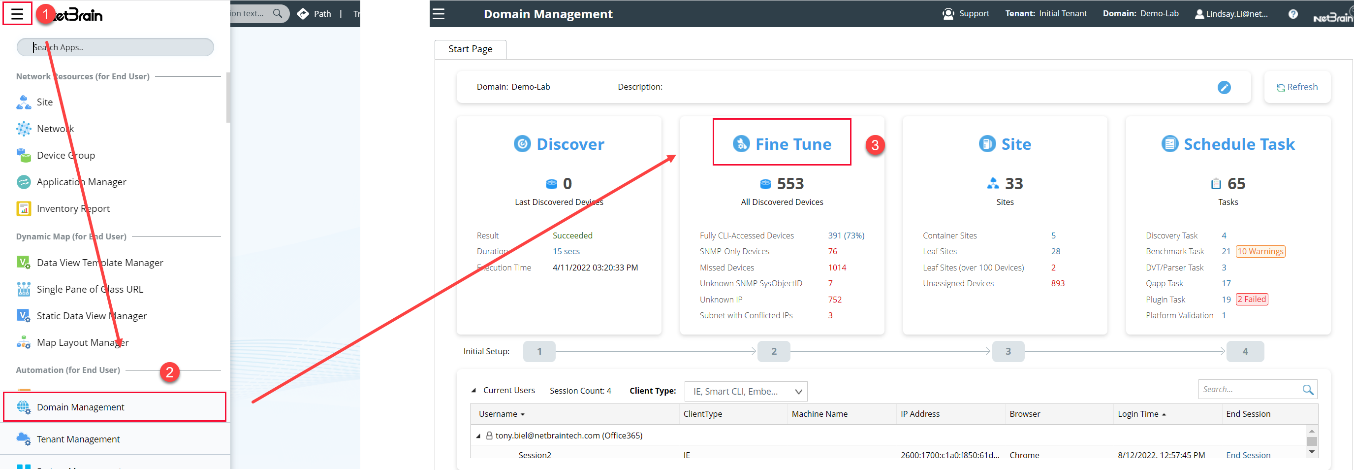
- In the Fine Tune tab, click Latest CLI configuration Retrieval Failed in the left pane. All the latest CLI failed devices are listed.
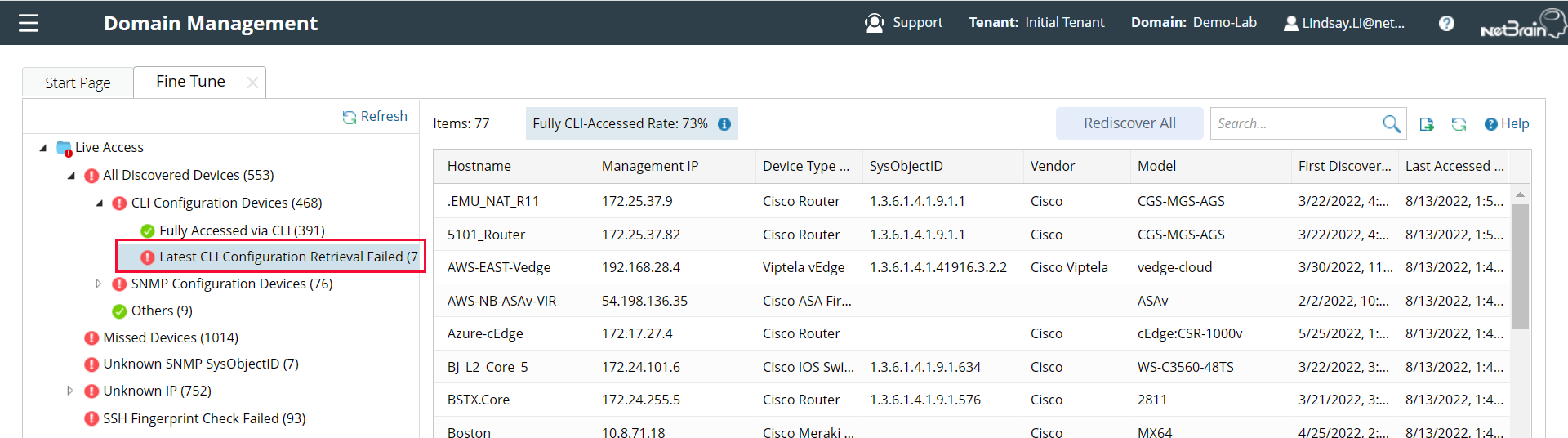
- Select the device, right-click it, and select the task you want to accomplish.
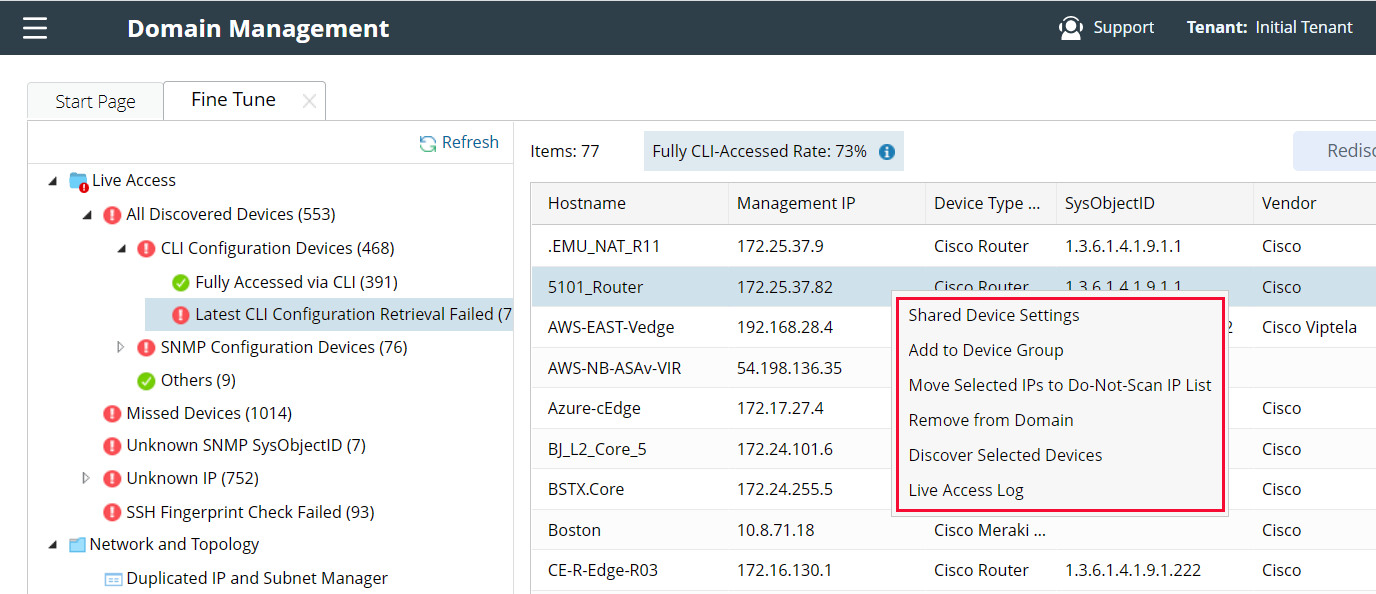
- Shared Device Setting: you can change the management IP, Live Status, Front Server and CLI credentials in Shared Device Setting.
- Add to Device Group: you can either add the selected devices to an existing device group or create a new device group for the selected devices.
- Move Selected IPs to the Do-Not-Scan IP list: you can add the selected devices to the Do-Not-Scan IP list, and the devices will be immediately removed from the table.
- Remove From Domain: you can directly remove the devices from the domain. It may appear in the next Discover task, depending on your Discover settings.
- Discover Selected Devices: you can directly discover the selected devices, and If these devices are rediscovered successfully, they can be automatically moved from the Latest CLI configuration Retrieval Failed to the Fully CLI-Accessed Devices category.
- Live Access Log: you can check the live access log for the selected device. This will help to understand the reason for CLI configuration retrieval failure.