2023-Nov-03-R11.1a
Lock a Topology Link
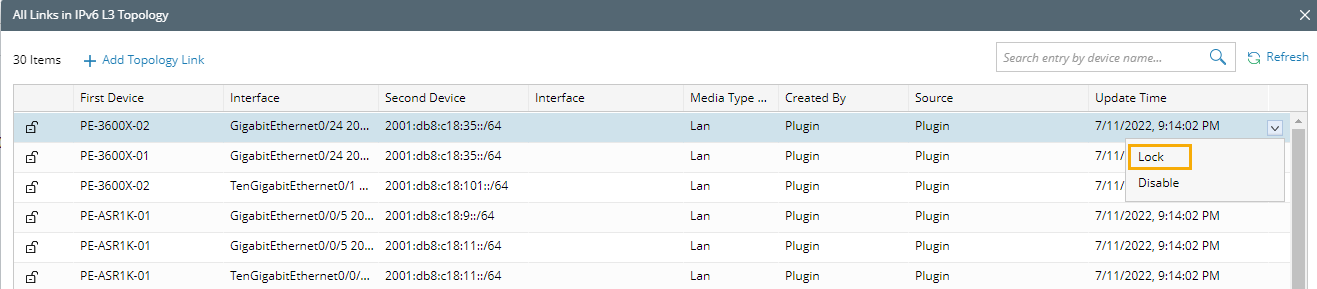
To protect the topology from being modified or disabled in a collaborative environment, you can lock a topology link manually. A locked topology link cannot be deleted or even overwritten after the topology is rebuilt.
- Log in to the Domain Management page.
- On the Domain Management page, select Topology Link Manager from the
 start menu.
 - In the Topology Link Manager, click the hyperlink in the Total Topology Link column of the topology type.
- Point to the topology link entry in the table and click the
 icon to select Lock from the drop-down menu.