2023-Nov-03-R11.1a
Managing Configuration Templates
To reuse configurations for network change tasks in the future, you can predefine it as a config template. When Defining the Change Node, you can directly load a config template instead of writing commands manually.
Proceed with the following steps to create a configuration template:
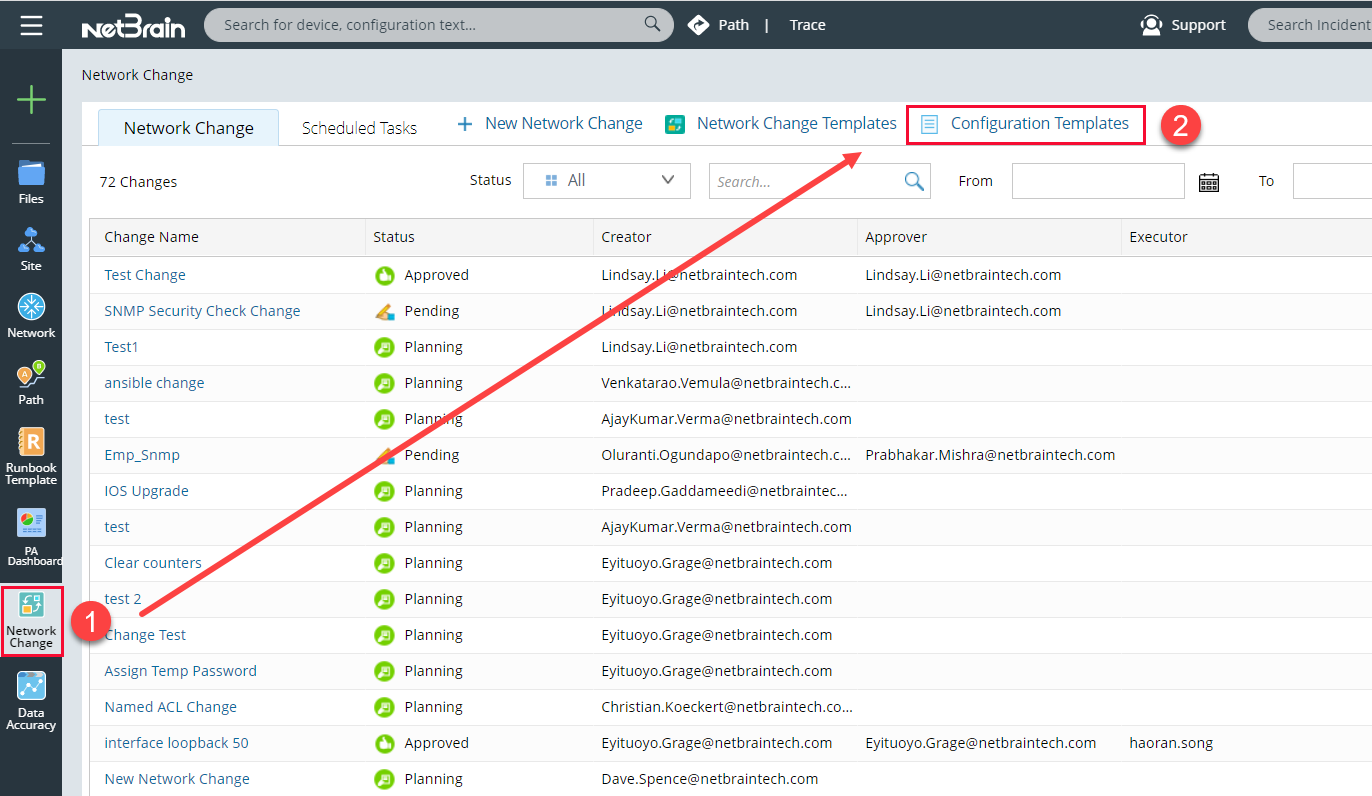
- Click Network Change on the taskbar.
- In the Network Change pane, click Configuration Templates.
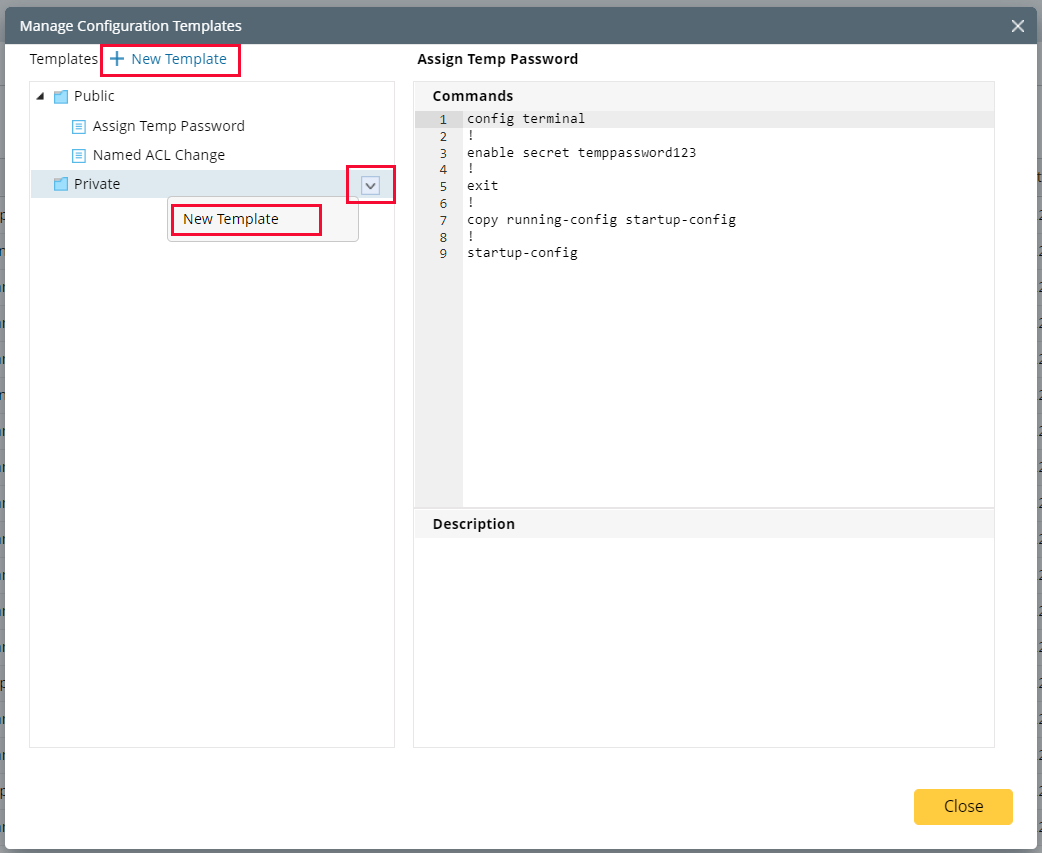
- In the Manage Configuration Templates pane, point to a folder and click the drop-down menu to select New Template.
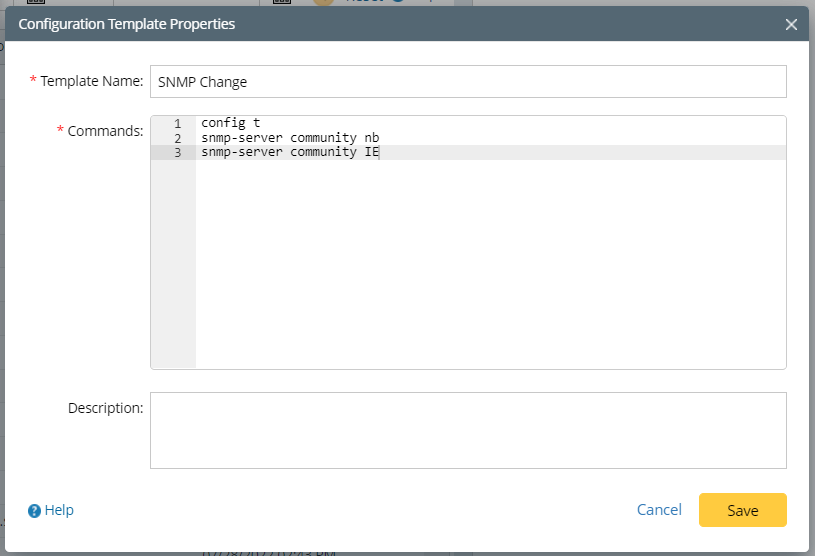
-
Click Save to complete the configuration template.