2023-Nov-03-R11.1a
Resolve Inaccessible Devices
Inaccessible Devices refer to the devices in the current domain which cannot be accessed via SNMP and CLI. You can check whether there are any inaccessible devices in the Fine Tune.
To resolve Inaccessible devices, complete the following steps:
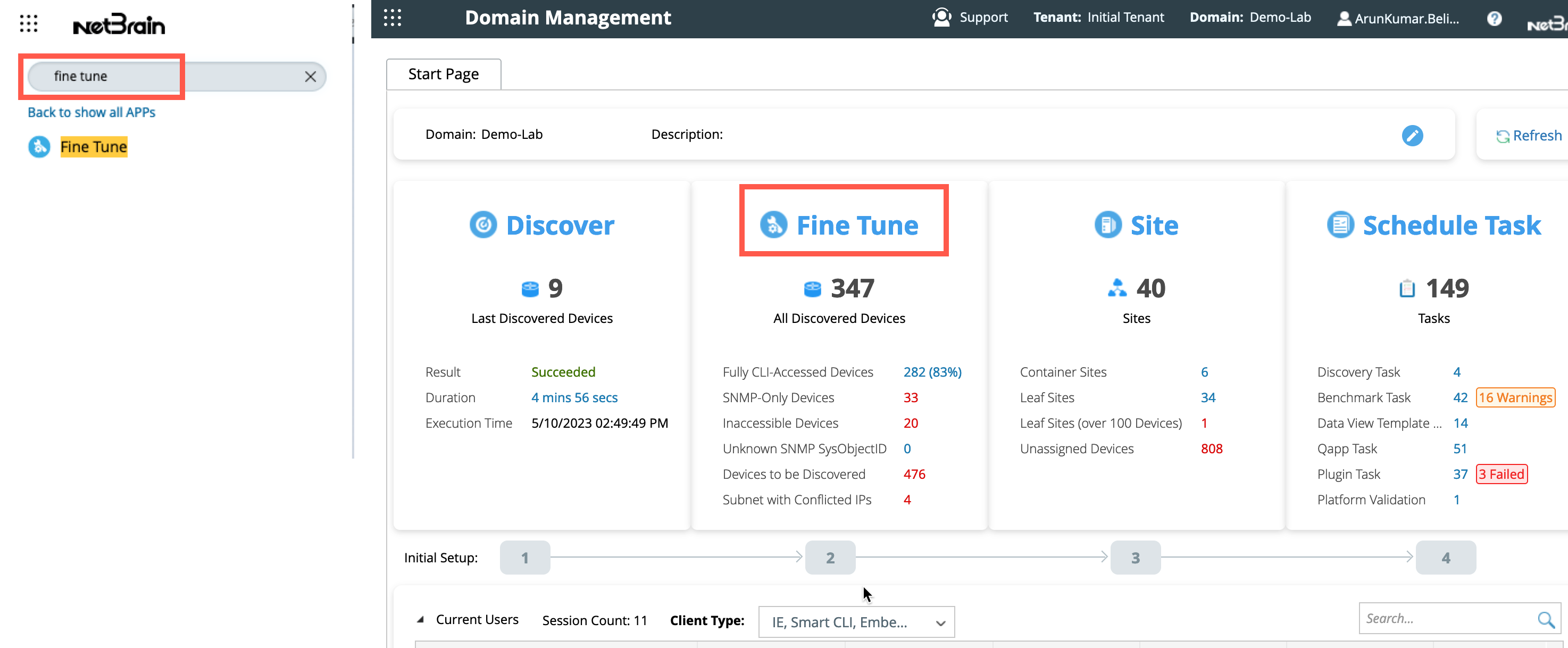
- Search Fine Tune in the start menu or log in to the Domain Management page, and then click Fine Tune on the Start Page.
- In the Fine Tune tab, click Inaccessible Devices in the left pane to list out the devices.
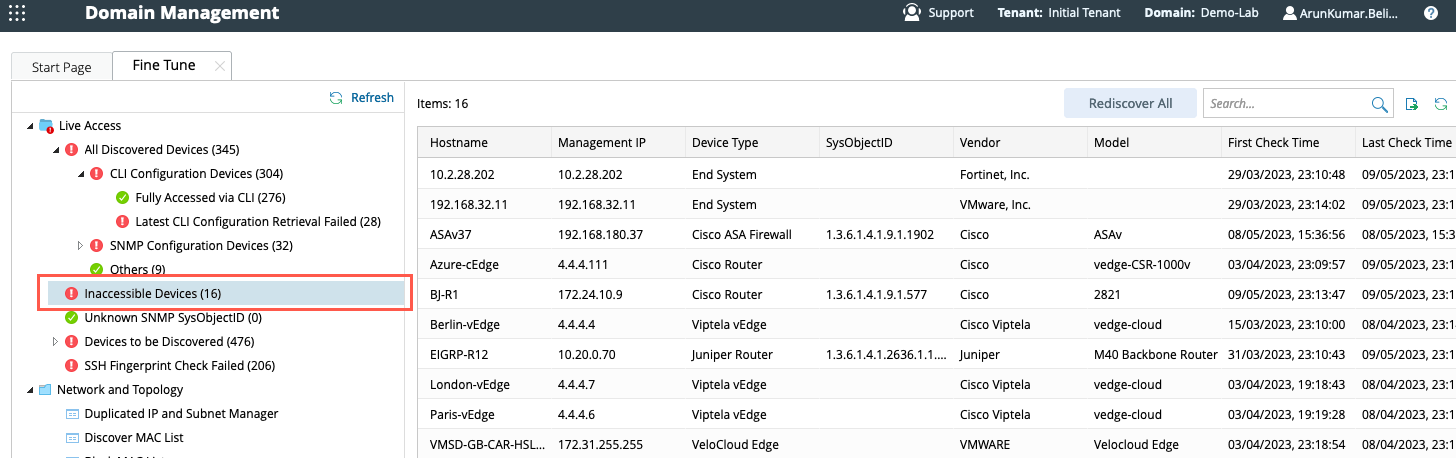
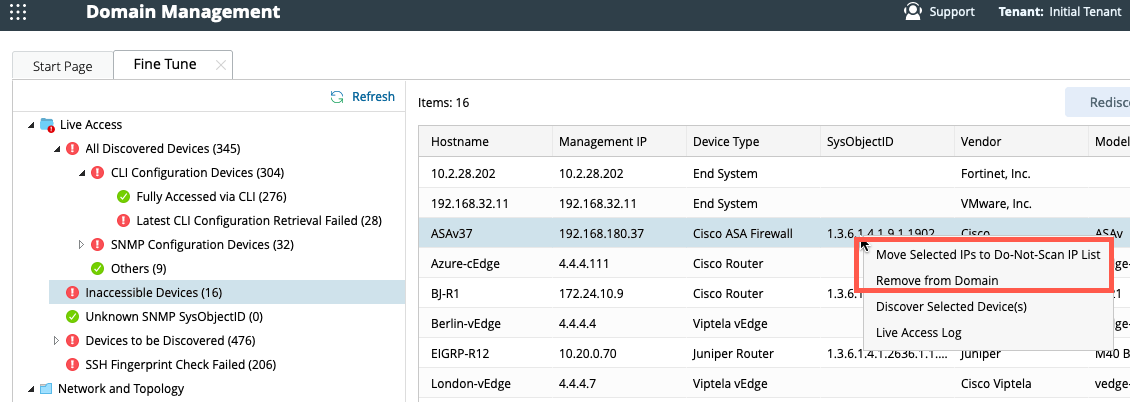
- Select the devices, right-click them, and select Discover Selected Device(s).

|
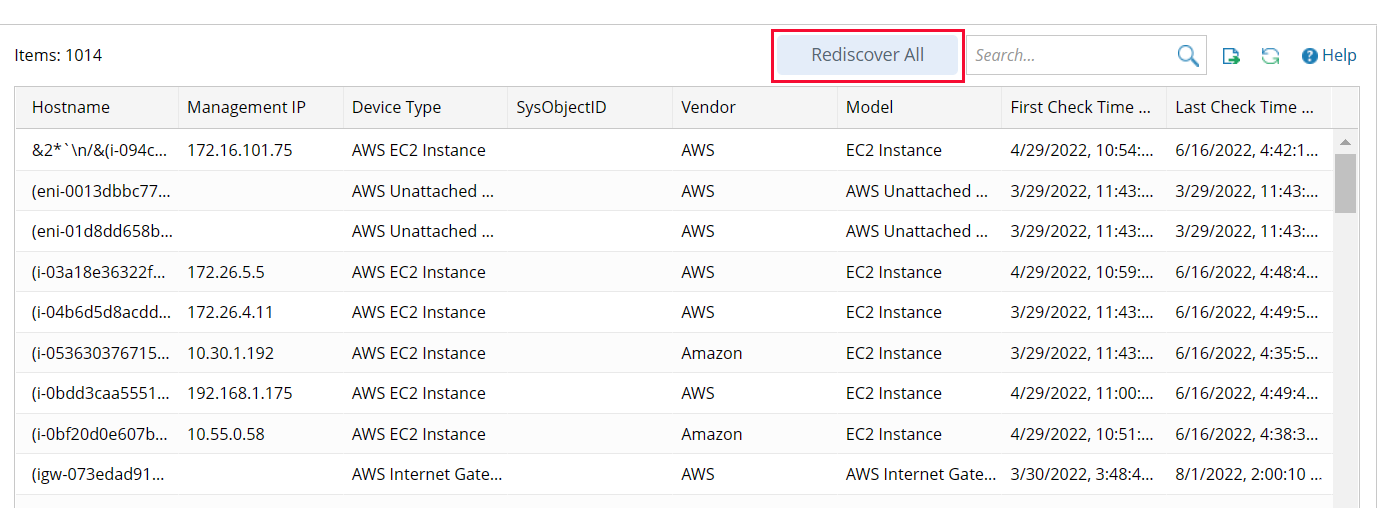
Tip: if you want to discover all devices in this list, you can click Rediscover All in the upper right corner: |
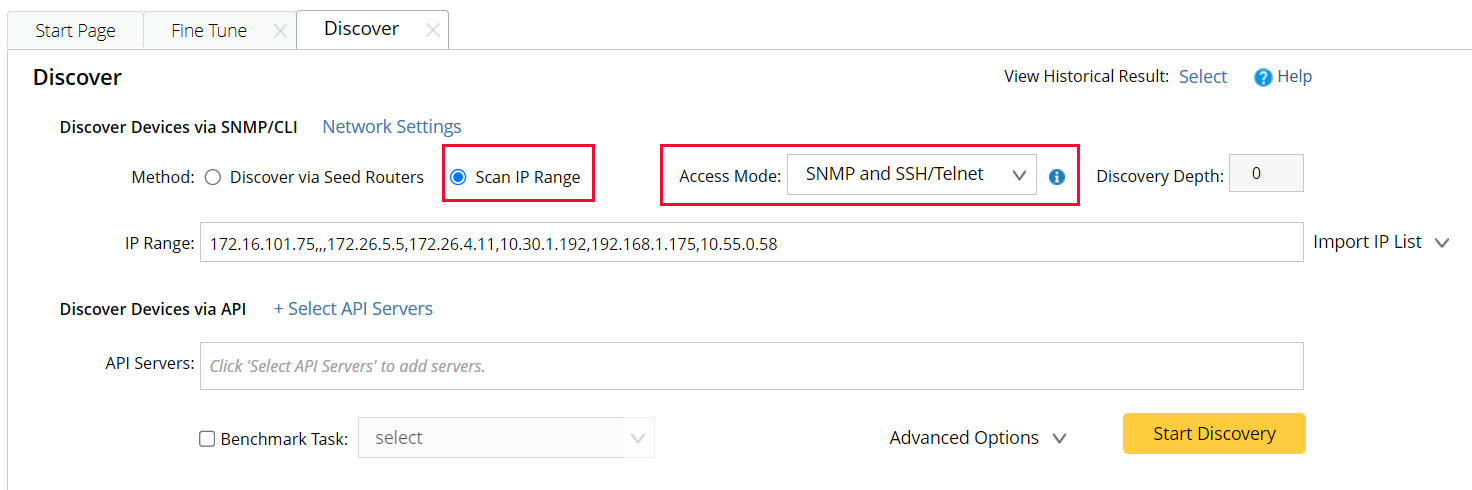
- On the Discover tab, rediscover the decommissioned devices to verify whether they can be discovered.
-
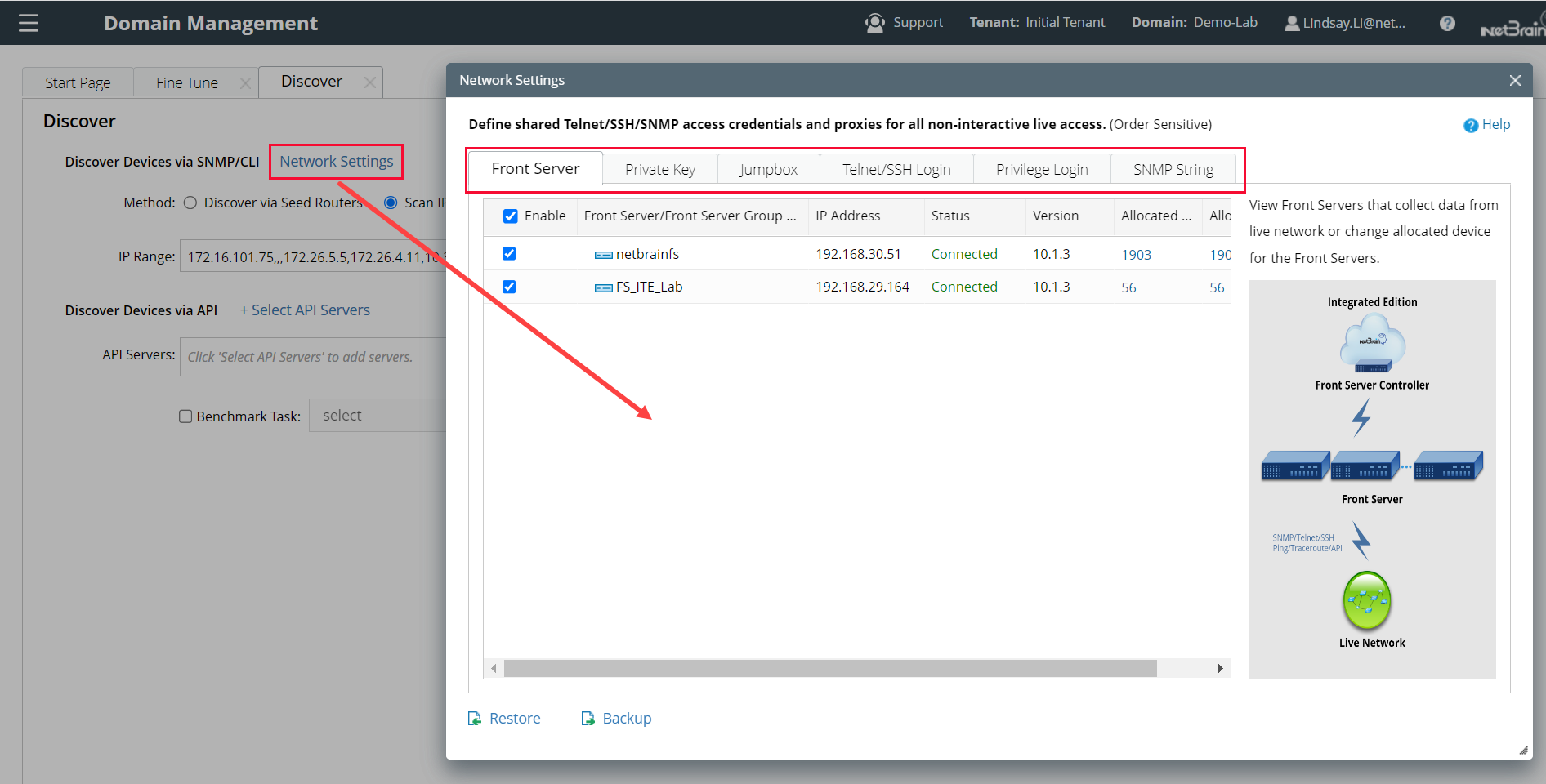
Select Scan IP Range to only discover the specified IPs.
-
Select one access method according to the configuration on your devices.
-
Click Network Settings to specify the proxies and credentials used in the discovery or keep it as default.
-
Click Start Discovery.
If these devices are rediscovered successfully, they can be automatically moved from the Inaccessible Devices category to the Fully Accessed via CLI category. Otherwise, you can manually remove them from your domain or move them to the Do-Not-Scan IP list. See more details in Do-Not-Scan list.
|
|
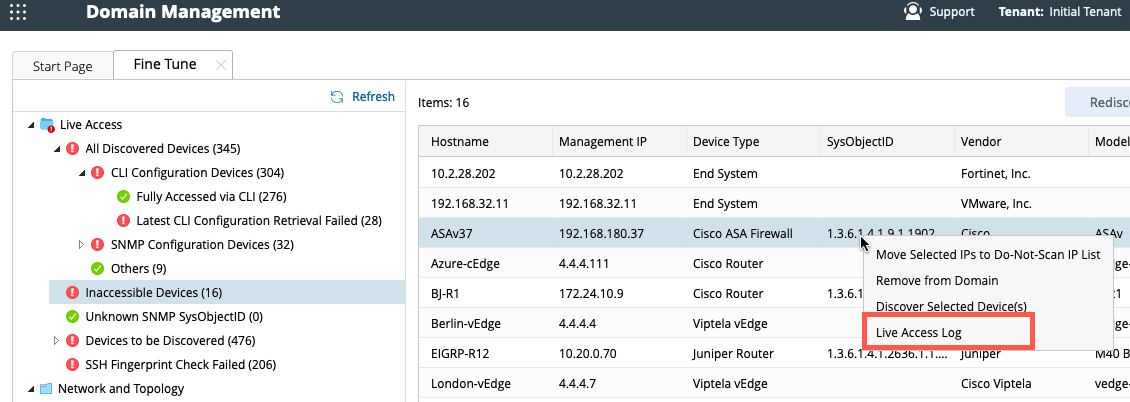
Tips: Before changing network settings, you can first view the Access Log for each device, which may help specify the network issue. |
See also: