2023-Nov-03-R11.1a
Select Intent Template for Triggered Diagnosis
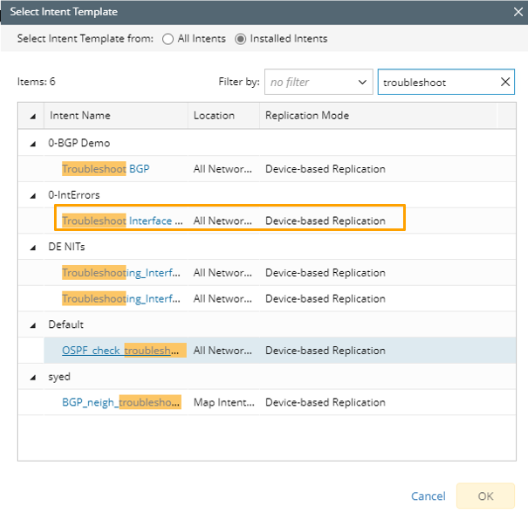
Example: Select the intent template "Troubleshoot Interface Errors". Repetitively run the intent template to check if there is any interface issue.
- In the Intent field, click the
 icon, then select Intent Template.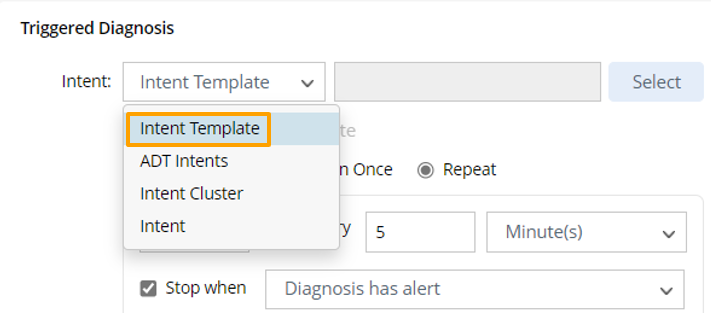
- Click Select. In the Select Intent Template dialog, enter search keyword to find the proper intent, then select the intent template "Troubleshoot Interface Errors".

Note: NITs can be categorized into device-based NIT and path-based NIT. Check the checkbox in the Filter by field to select from the two options Device-based and Path-based to filter intent templates by the replication mode, so that the scope of selectable NITs is narrowed down to make selecting NIT easier. 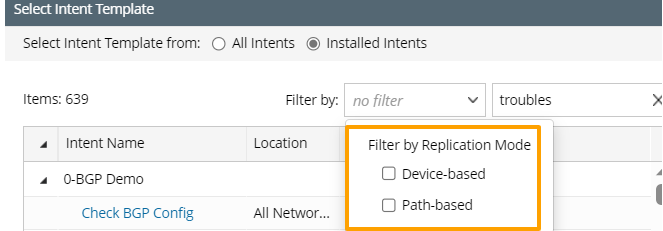
- Click OK.