2023-Nov-03-R11.1a
Select NIC for Triggered Diagnosis
Example: Select the NIC "Check_NTP_config_NIC". Repetitively run the member intents to check if there is any NIT configuration issue.
- In the Intent field, click the
 icon, then select Intent Cluster.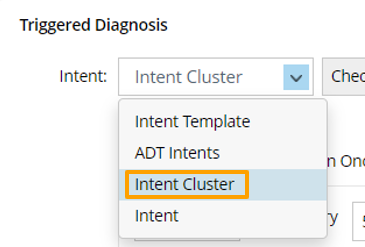
- Click Select. In the Select Intent Cluster dialog, enter search keyword to find the proper NIC, then select the NIC "Check_NTP_config_NIC".
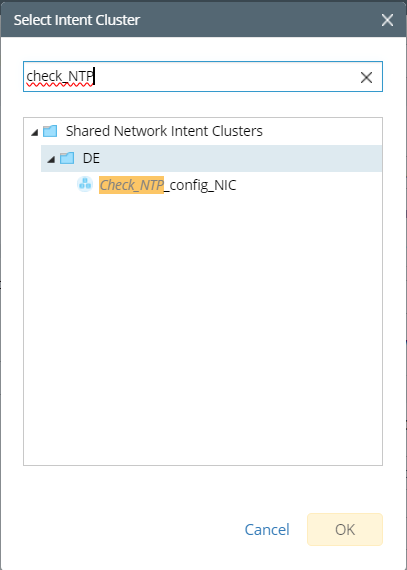
- Click OK.