Build Data View Template for Azure Network
Out-of-box, NetBrain enables you to monitor various Azure network data on a dynamic map by using the built-in Data View Template for Azure. This section focuses on explaining how NetBrain manages to visualize your Azure data. For how to use Data View Template, refer to Apply Data View Template.
In general, there are two kinds of Azure data that can be visualized:
- Azure Infrastructure Data: this involves the basic information of Azure operational status, routing/security, tag information, and so on. See DVT for Azure Infrastructure for more details.
- Azure Insight Metrics: this involves the monitoring metrics (usually data plane status) from the cloud-native monitoring tools, such as Azure Monitoring. See DVT for Azure Insight Metrics for more details.
To visualize the relevant data using Data View Template, you can leverage the following two types of data:
- GDR Data is retrieved during the discovery/benchmark process and ready for use. See Build Data View Template with GDR Data for more details.
- API Parser Data can be customized and retrieved by using API parsers. See Build Data View Template with API Parser Data for more details.
Built-in Data View Templates for Azure Infrastructure
This type of DVT shows the logs retrieved from the GCP Monitor and the analytic results on a map.
- [Azure] Basic Info
This DVT displays the basic information or properties of an Azure resource. The different types of resources have different types of properties. For example, Address Space, Location of Virtual Network, or Load Balancer Type, SKU of Load Balancer, Network security group and Project name, VPC ID, and VPC name for the Google Firewall; subnet auto-creation, MTU, and routing configuration for the Google VPC router.
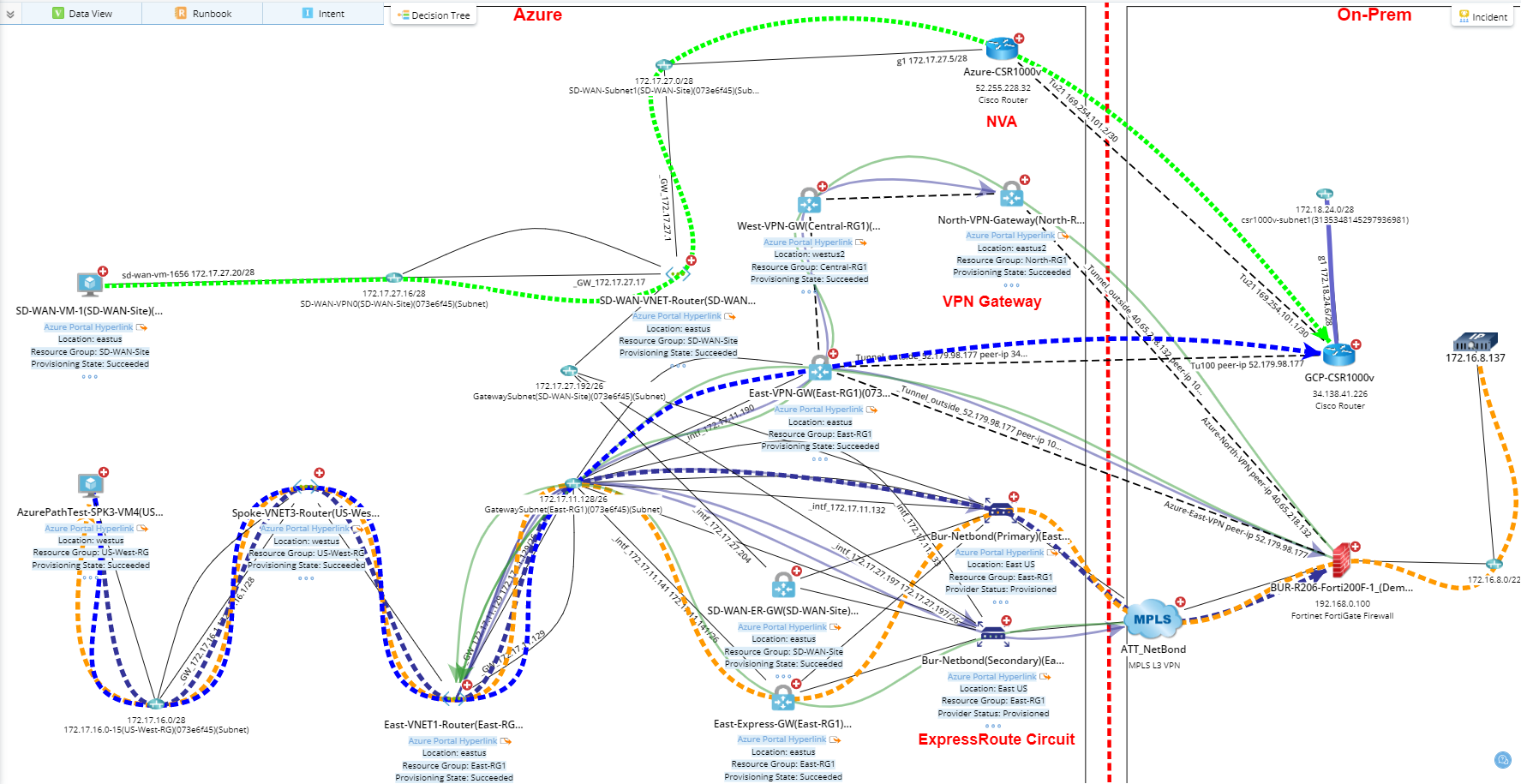
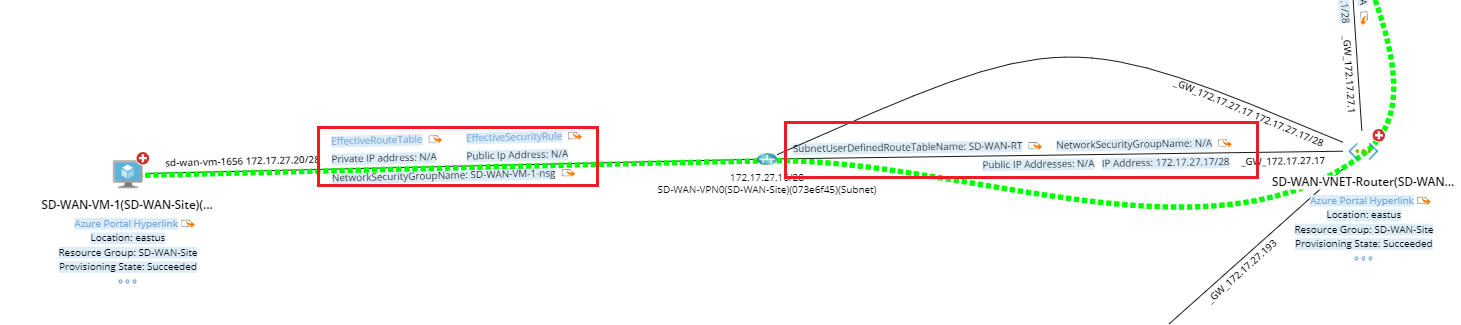
Also, this DVT includes Effective Route Table, Effective Security Rules, and User Defined Route Table associated with a network interface (NIC) or subnet level.
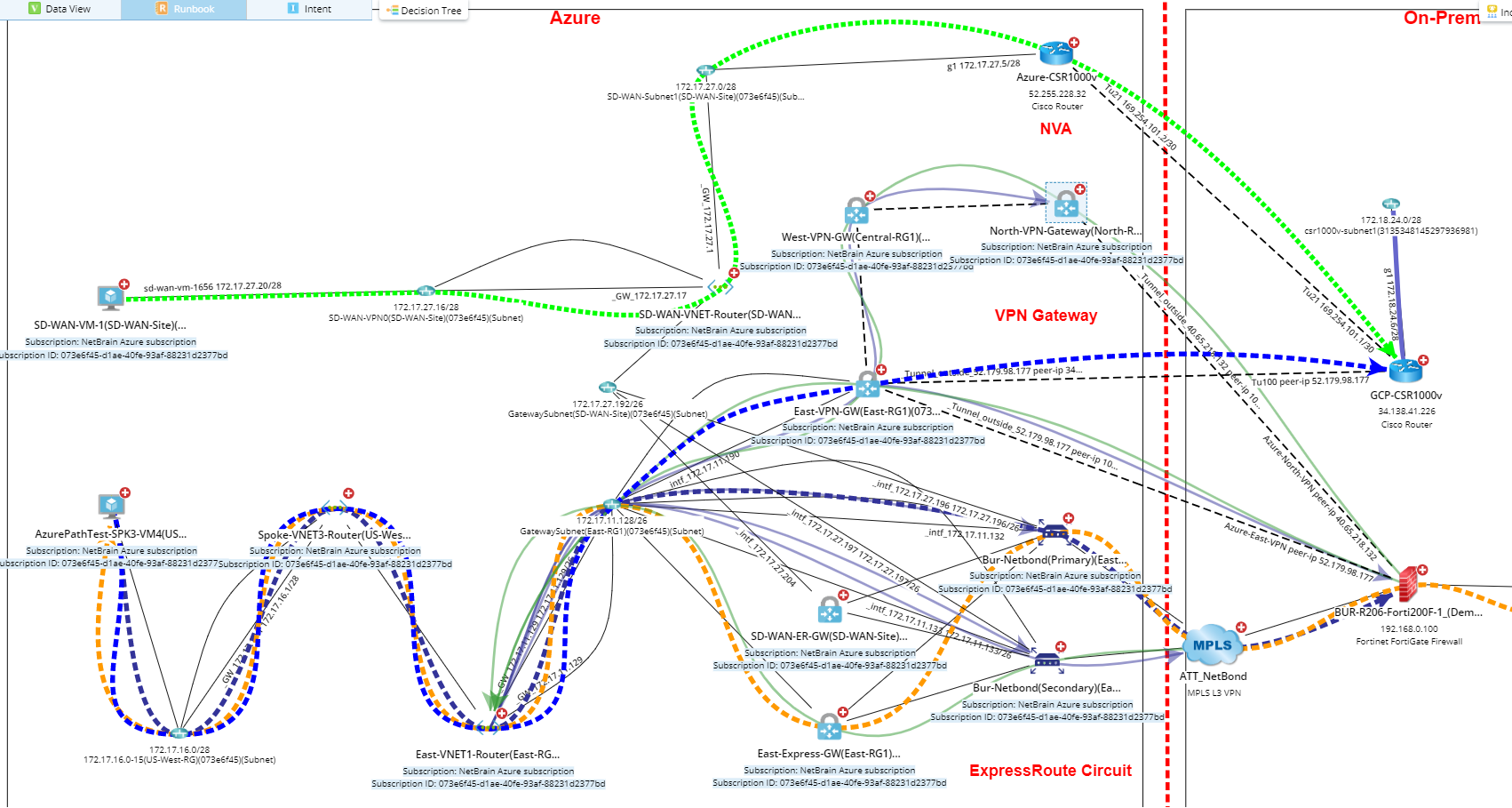
- [Azure] Subscription Info
This DVT displays the subscription name and ID.
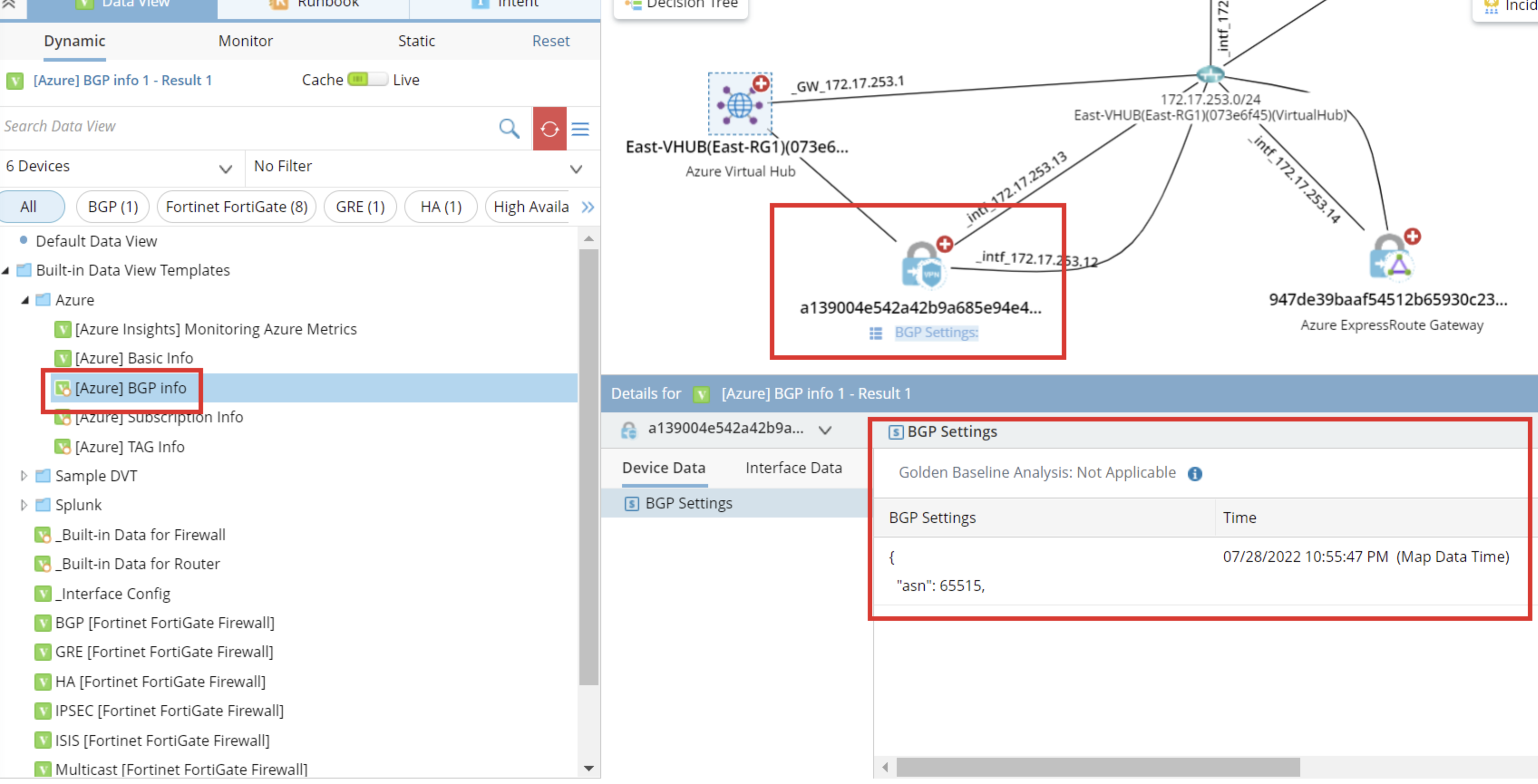
- [Azure] BGP Info
This DVT displays the BGP settings.
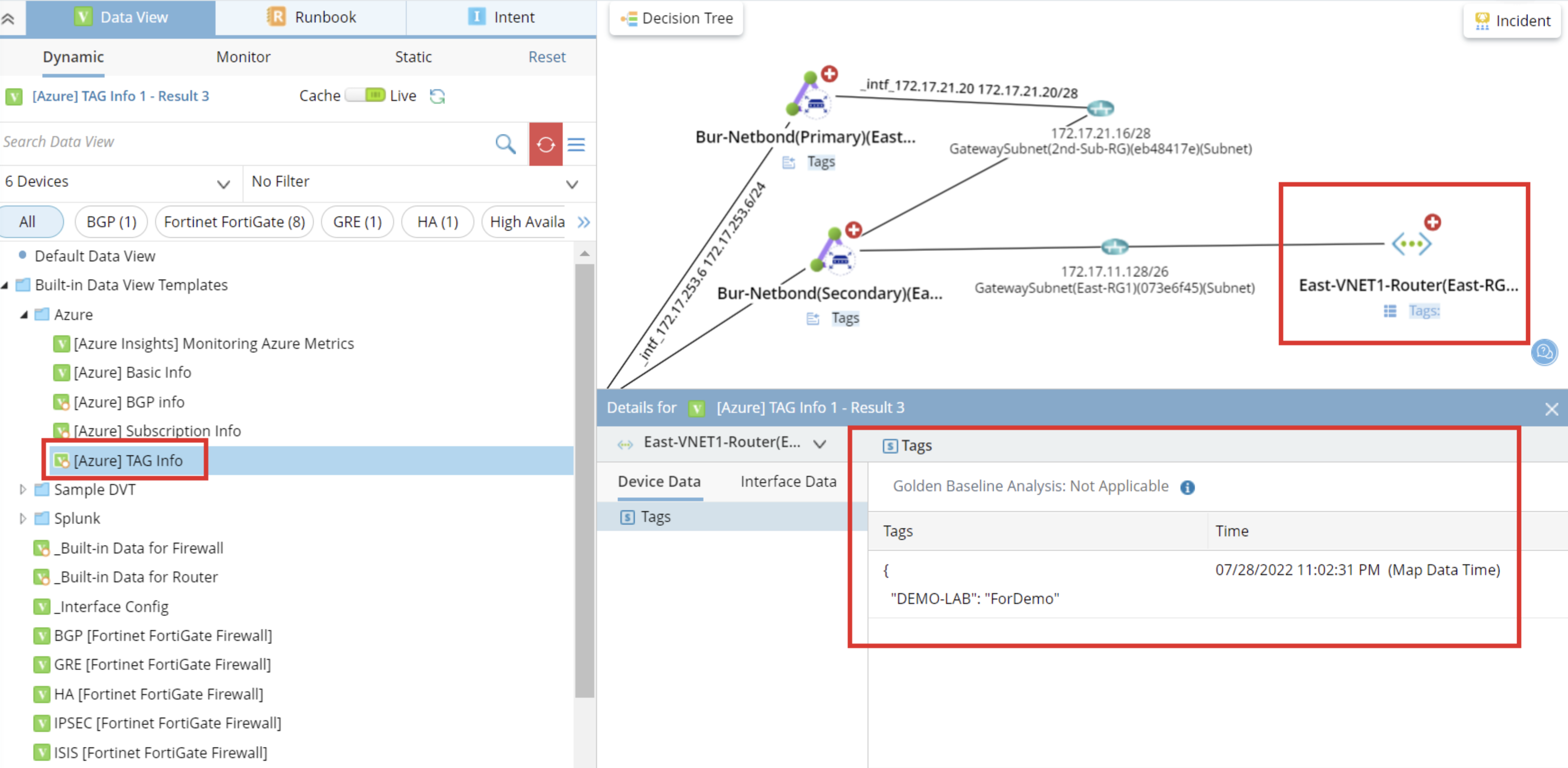
- [Azure] TAG info
This DVT displays the TAG information.
Built-in Data View Template for Azure Insight Metrics
- [Azure Insights] Monitoring Azure Metrics
This DVT displays the pre-defined Azure Insight Metrics for different network objects.
