R11.0a-March2023
Define Execution Settings
NIC defines the logic to check the network state against the Intent and create a map for the Intent. You can specify which to execute.
- Select the Execution mode:
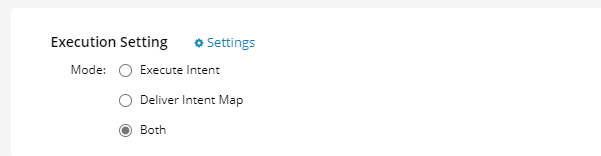
- Execute Intent: Only execute the intent, but not deliver the intent map. The Diagnosis will be available for the manual Trigger NetBrain Diagnosis (in the Integrated IT system and Incident Portal)
- Deliver Intent Map: Only deliver the intent map, but not the intent result. The Diagnosis will be available for the manual Trigger NetBrain Map (in the Integrated IT system and Incident Portal).
- Both: Execute intent and deliver intent map.
- Select the Intent Execution Setting: define how the results are displayed in the Incident Portal.
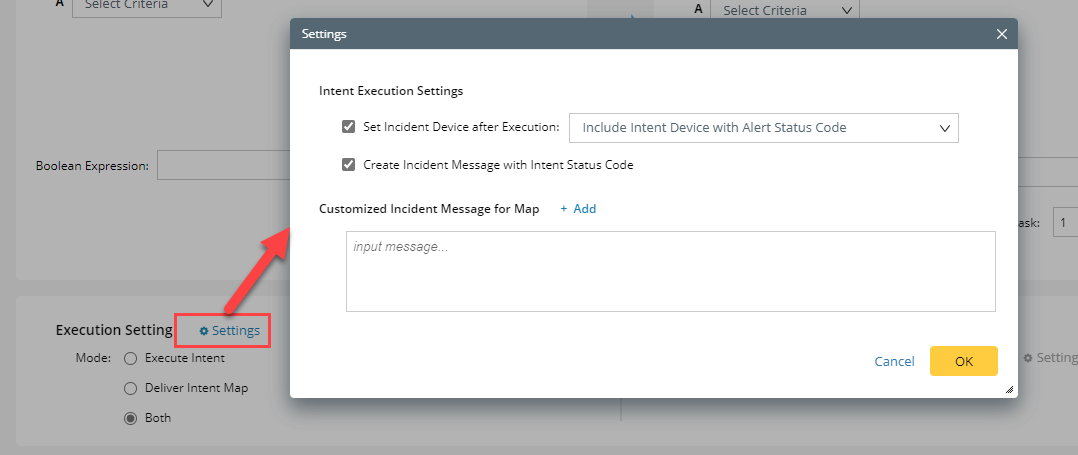
- Set Incident Device after Execution:
- Include All Intent Devices: Set the incident device(s) to include all Network Intent devices.
- Include Intent Device with Alert Status Code: Set the incident device(s) to include only the Network Intent Devices with the alert status codes.
- Create Incident Message by Status Code: This will create an Incident message with the status code.
- Customized Incident Message for Map. For example, View devices.
You can also insert the data field or custom variable defined in the incident type.- Click +Add.
- Select Insert Data Field> Select the desired data field> Click OK.
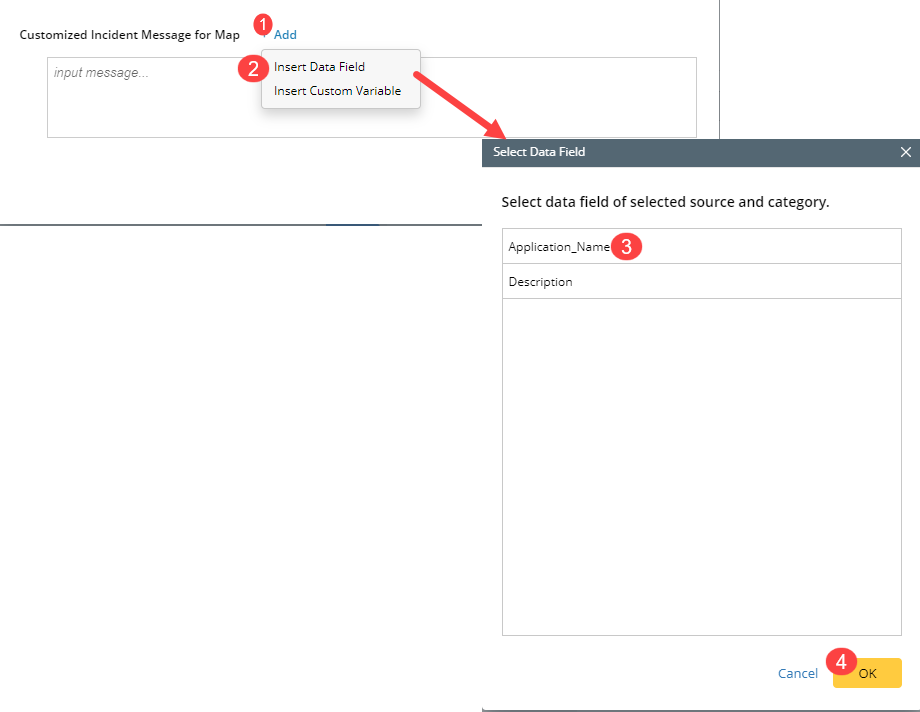
- Select Insert Custom Variable> Select the desired custom variable> Click OK.
- Select Insert Data Field> Select the desired data field> Click OK.
- Click +Add.
- Click OK to save the settings.