R11.0a-March2023
Manage the Incoming Incident Type
- Click
 and select Triggered Automation Manager.
 - Click the Incoming Incident Type tag.
- Select an Incoming Incident Type, and click
 .
.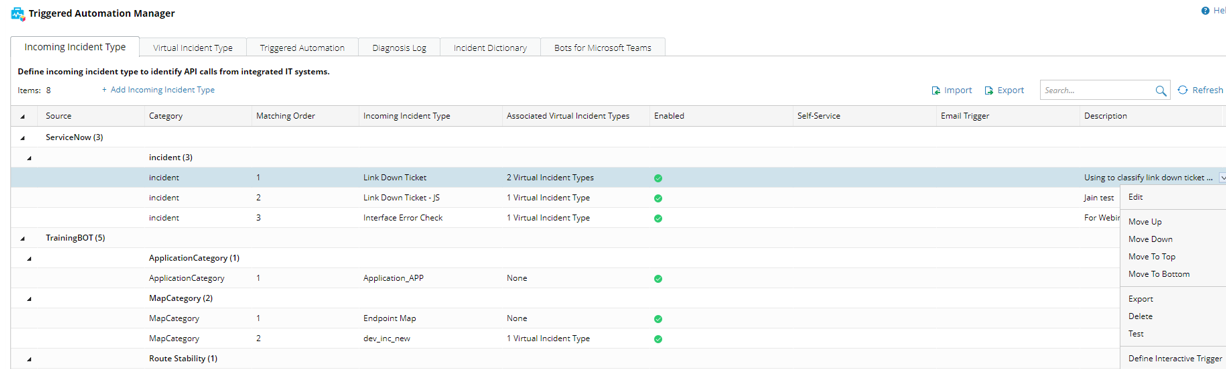
You can:
- Edit, delete and test this incident type.
- Export this incident type to a local file.
- Move this incident type up, down, to top, and to bottom.

Note: As the incident types are grouped by their source and category, the incident type can only be moved within their source.
Note: The system will match an incoming API call to Incident Types according to the order. - Define the Interactive Trigger for this incident type, so the incoming incident type can also classify sources from Email or self-service.
- To export all Incident Types, click
 .
. - To import Integrated IT systems from a file, click
 > click Add Incoming Incident Type … > select a local file in the pop-up window.