R11.0a-March2023
Migrate Data for Front Server
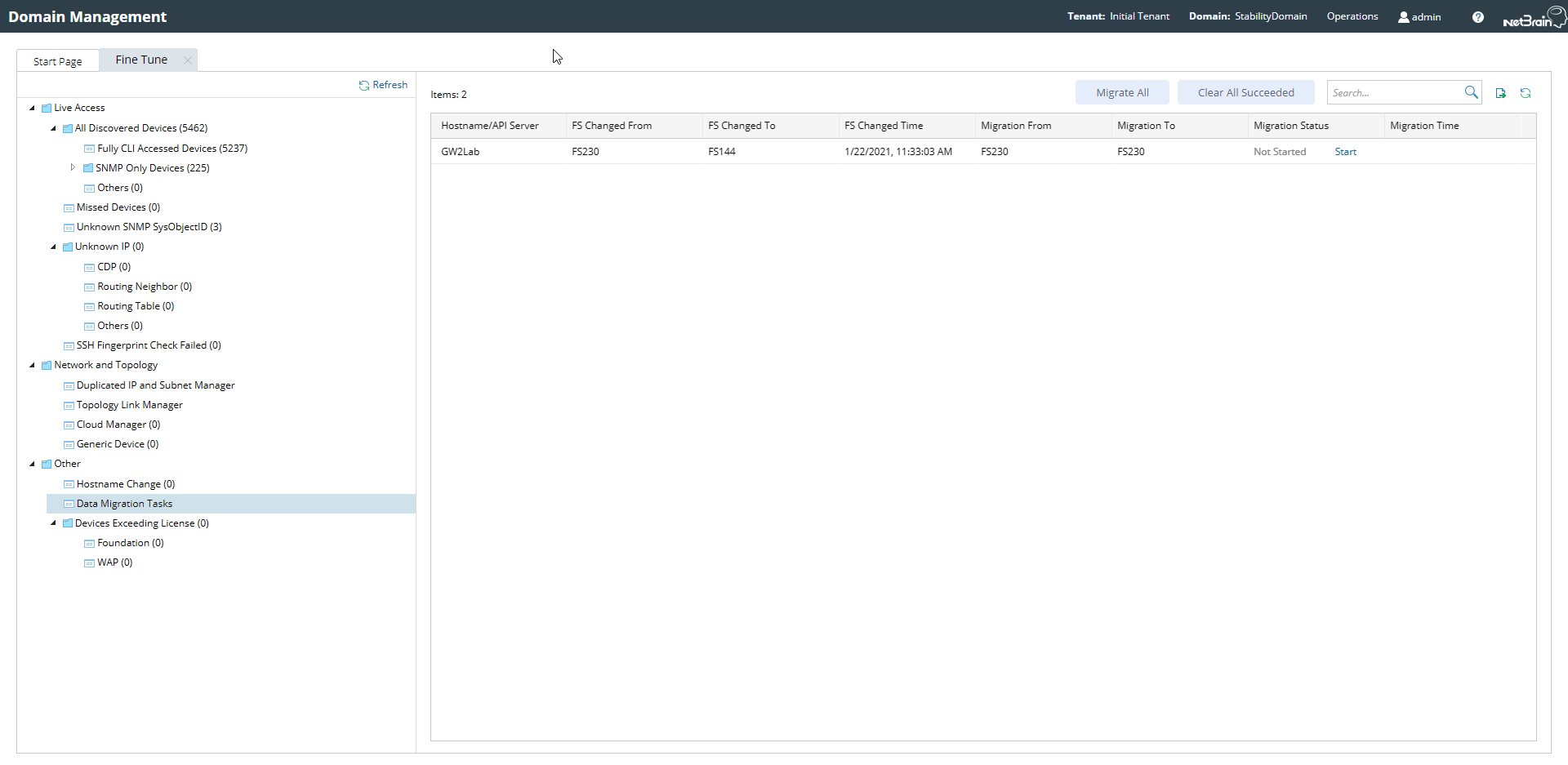
Some device data is saved in Front Server; therefore, it is necessary to migrate the data after switching the Front Server. These changes are recorded in the Data Migration Task in Fine Tune. You can view, manage the changes, and migrate the data in Data Migration Tasks.
- Log in to Domain Management Page.
- In the Domain Management page, select Fine Tune from the start page.
- Select Data Migration Tasks from the Fine Tune page. You can view all the Front Server changes listed in this page.
- You can click on Migrate All to migrate all the data for Front Servers; or you can select a specific device from the list and click on Start to migrate the data for individual devices.
- You can export the table as .CSV file by clicking on
 on the top right corner.
 - After the data migration has finished, you can right click on the selected device and select View Log from the drop-down menu to view the execution logs.

Note: Domain Management privilege is required to access the Data Migration Tasks table; Front Server data migration privilege is required to migrate the data for Front Server.