R11.0a-March2023
Run a Network Intent
Network Intent can be executed from a Runbook manually or dynamically as a part of the diagnosis workflow. The execution result could be saved locally or shared with the team for collaboration.
The Network Intent can be executed manually as a runbook node:
- On the Runbook, click Select Actions > Network Intent.
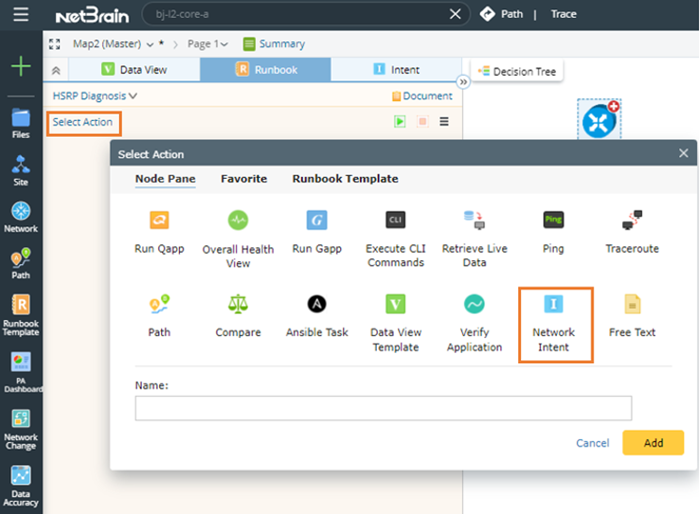

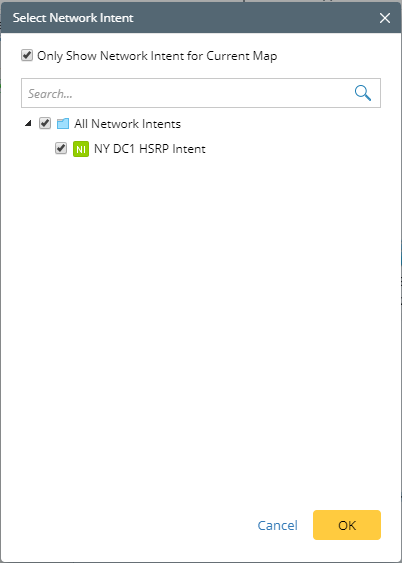
Tip: If a runbook has already been opened, the Network Intent node will be added to the current Runbook; otherwise, it will be added to the personal runbook. - In the Select Network Intent dialog box, select the NY DC1 HSRP Intent, and click OK.
- You can add more Network Intent or click the
 icon to set the share alert email and execution log mode.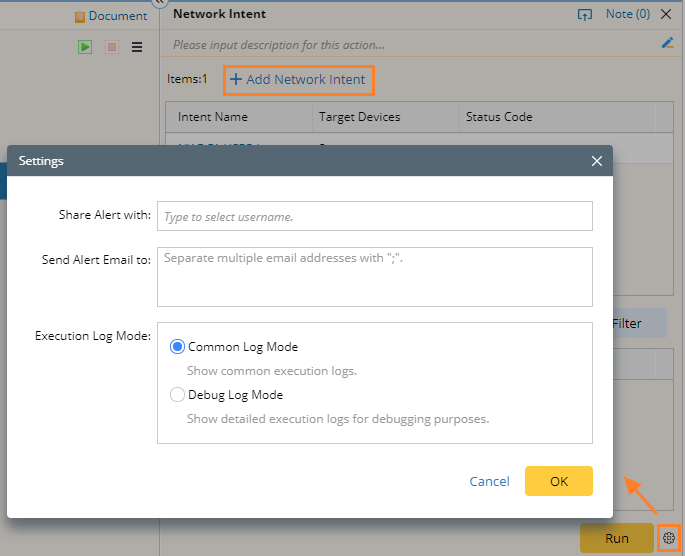
- Click Run.
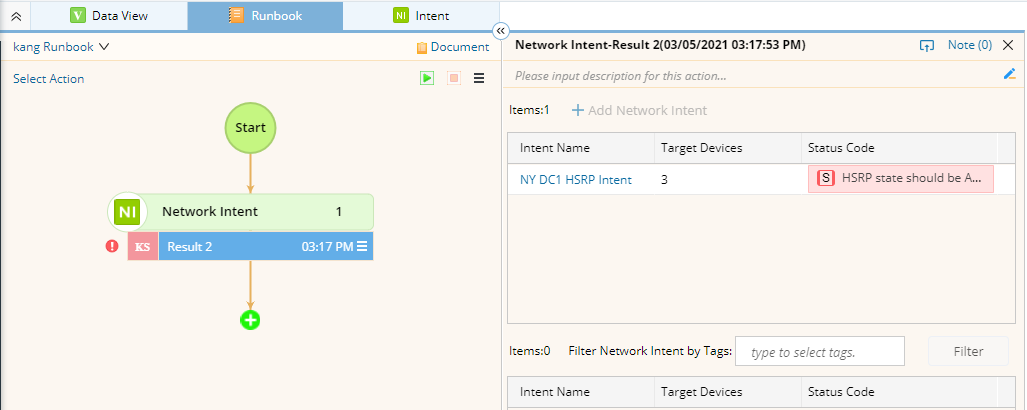
- After the execution is finished, view its result, or click the intent name to view more details.