Viewing Notifications

Contents
To view new system notifications, click the  icon from the quick access toolbar.
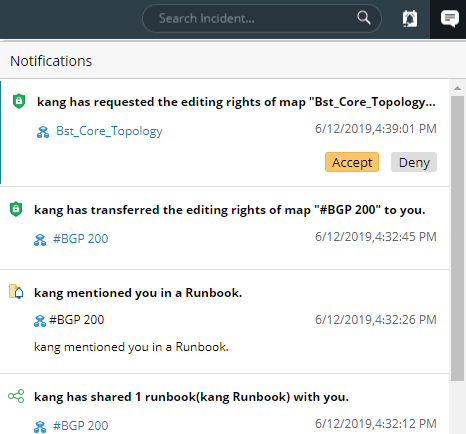
It includes the following aspects of notifications for collaboration.
▪Request and transfer the editing rights of maps and dashboards.
▪Sharing of maps, dashboards, and runbooks.
▪Mentioned in a runbook note.
Follow-Up Actions on System Notifications
The following table lists the follow-up actions that can be performed after you receive system notifications.
Purpose |
Action |
|---|---|
To approve the editing rights request of a map or dashboard |
Point to the notification entry and click Accept. |
To reject the editing rights request of a map or dashboard |
Point to the notification entry and click Deny. |
To open a map or dashboard |
Click the map name or dashboard name. |
See also: