Mapping Devices and Site

Contents
Mapping Devices by Site
1.Click Site on the taskbar to open the Site pane.
2.Point to a leaf site and click the  icon to select Draw Devices on Map from the drop-down menu.
Mapping a Site
1.In the Site pane, right-click a site and then select Draw Site on Map from the drop-down menu.
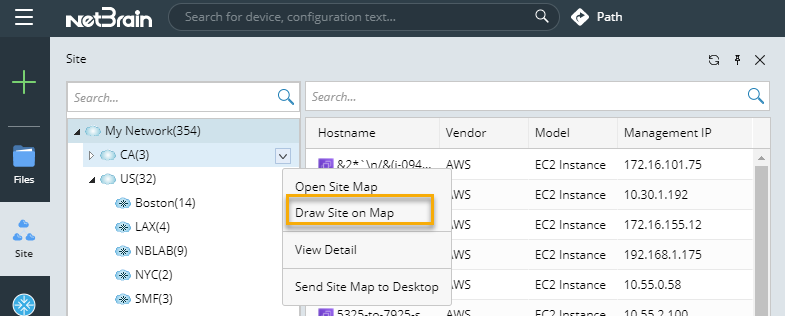
2.To view the site properties in detail, point to the site icon. Then the information will be displayed in a tip box.
See also:
▪Site