R12.1 JA-2025July15
Analyze Cisco Support Information Data
NetworkBrain has created an integration compatible with NetworkBrain Integration 10.1 (or newer) that enables NetworkBrain users to overlay Cisco SNTC information on NetworkBrain maps.
With this integration, NetworkBrain first runs the plugin and saves the data in the platform. The SNTC information can be displayed on the map as well. NetworkBrain also defines a group of alert thresholds and generates alerts when the data hits the thresholds.
Cisco Coverage Summary
Overlay Cisco Coverage Summary on Map
-
Open a runbook, click
 to add an action.
- Select Run Qapp.
-
Select Cisco Support Assessment>Cisco Coverage Summary.
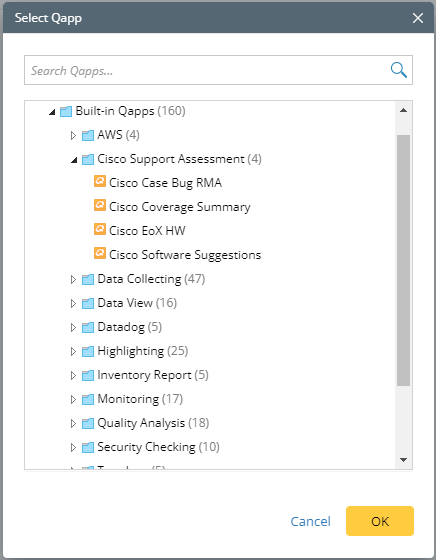
- Click OK.
-
On the Cisco Coverage Summary pane, click Run.

Highlight Coverage Expiring Devices on the Map
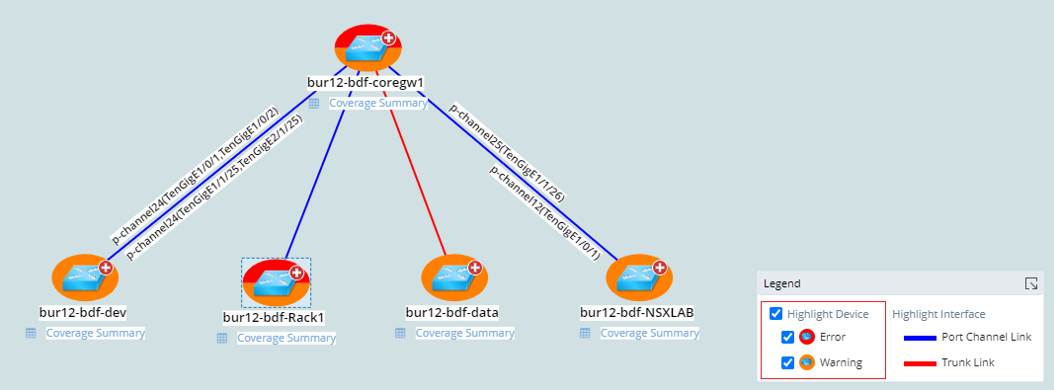
Alerts
Alerts to Show users when devices and modules warranty ended or end in the near future.

Cisco EoX HW
Overlay Cisco EoX HW on Map
-
Open a runbook, click to add an action.
- Select Run Qapp.
-
Select Cisco Support Assessment>Cisco EoX HW.
- Click OK.
- Check the Dates on which the EoX analysis will be applied to.
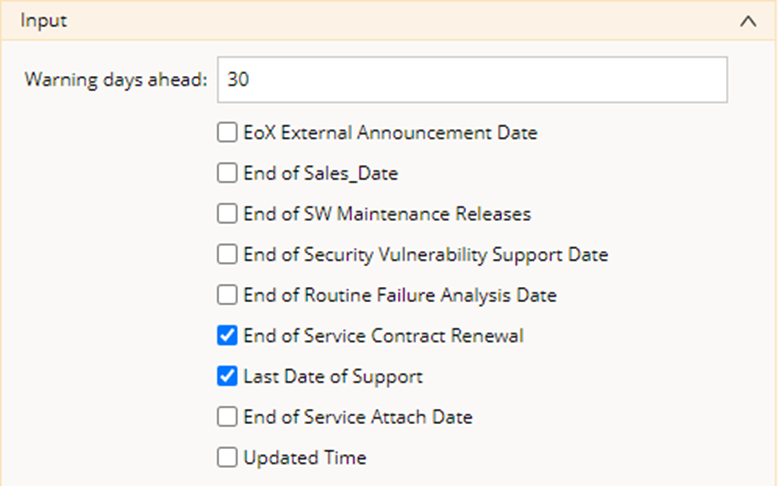
- Click Run.
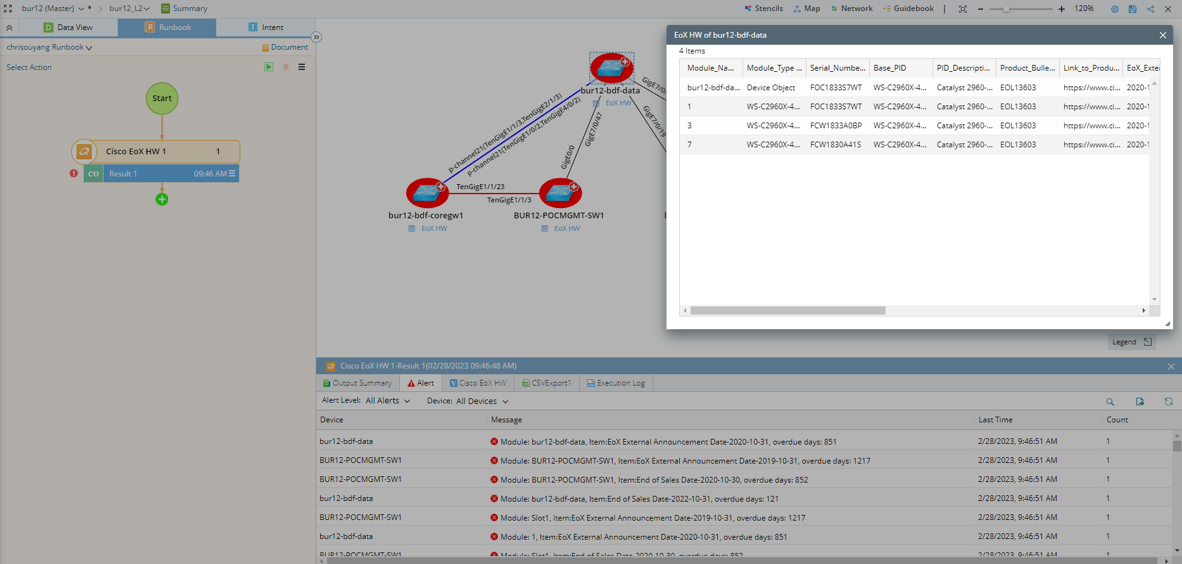
Highlight EoX in Designated Days ahead on the Map
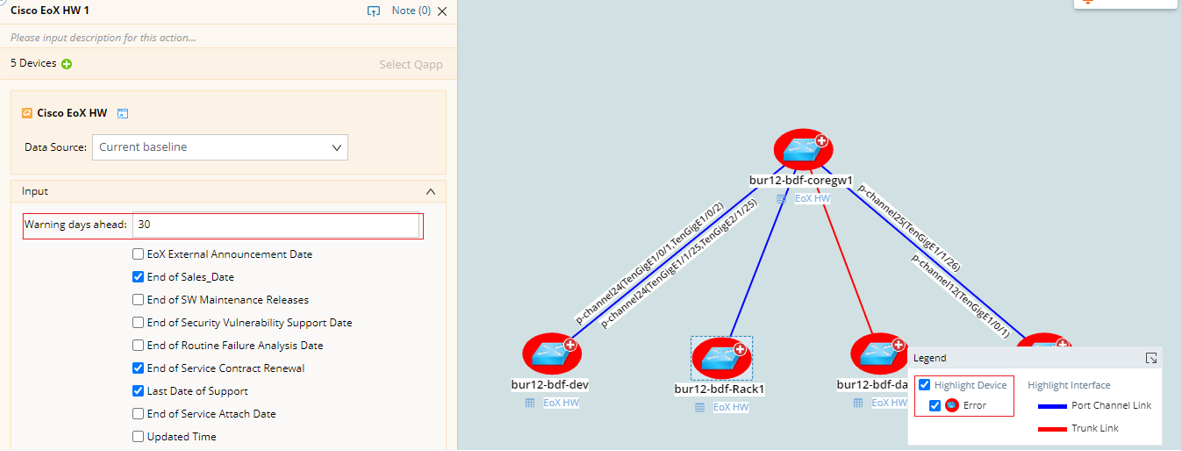
Alerts
Alerts on expired devices or modules EoX date.
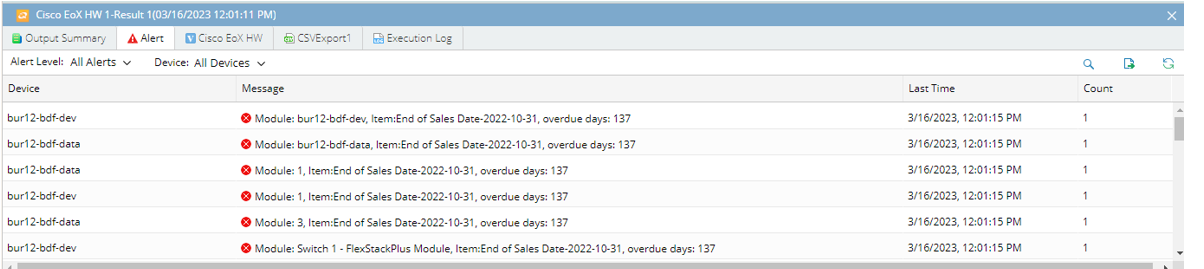
Cisco Software Suggestions
Overlay Cisco Software Suggestions on Map
- Open a runbook, click to add an action.
- Select Run Qapp.
- Select Cisco Support Assessment>Cisco Software Suggestions.
- Click OK.
- Click Run.
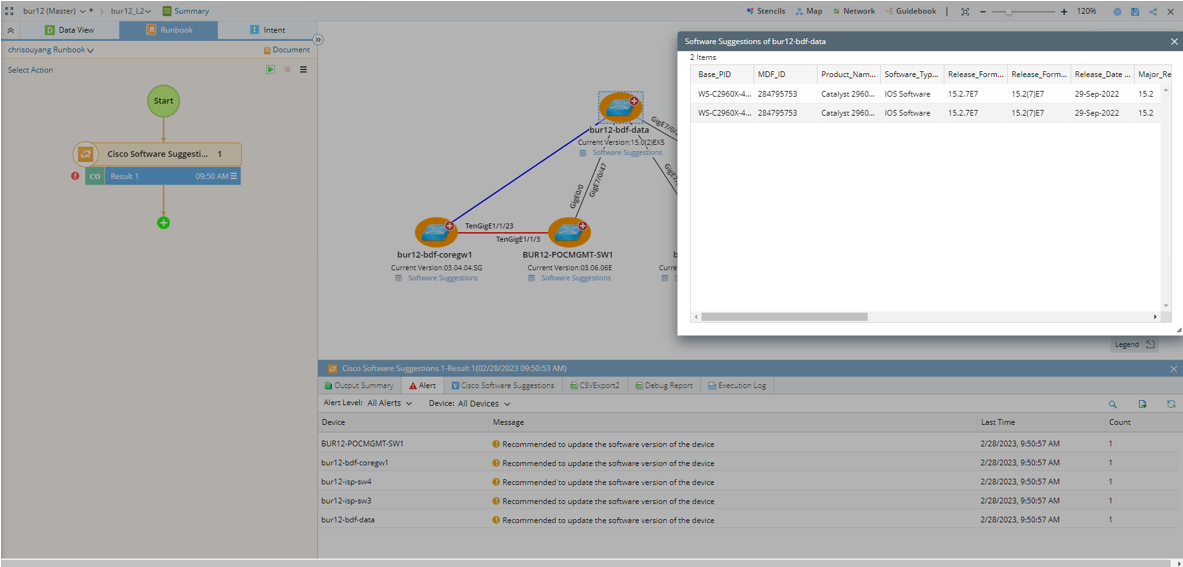
Highlight Upgrade Recommended Devices on the Map
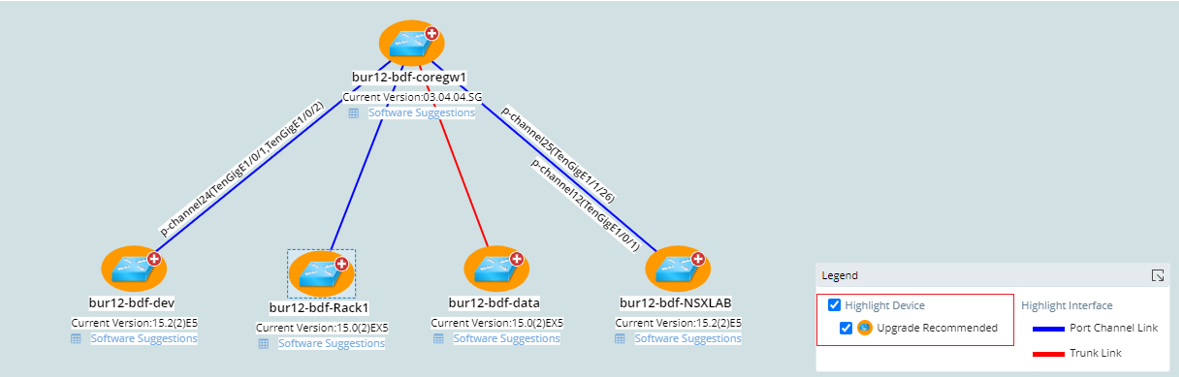
Alerts
Alert to show users devices with upgrade recommendations.
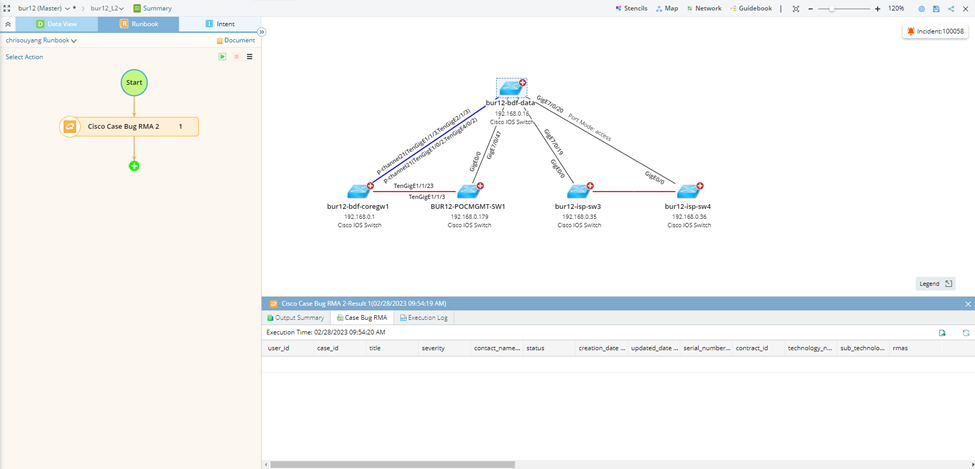
Cisco Case Bug RMA
Overlay Cisco Case Bug RMA on Map
- Open a runbook, click to add an action.
- Select Run Qapp.
- Select Cisco Support Assessment>Cisco Case Bug RMA.
- Click OK.
- Click Run.