R12.1 JA-2025July15
Delete and Edit Commands
To enable users to delete and edit the added commands, the following functions are introduced: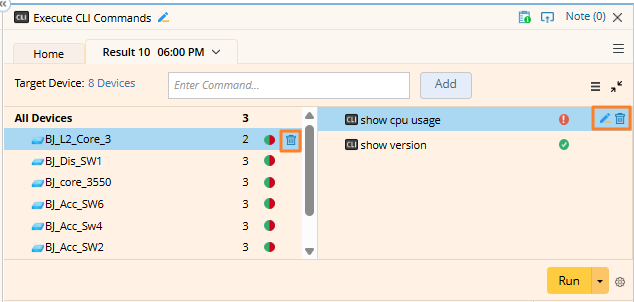
- To delete a command on a device, simply hover over the command and click the
 icon.
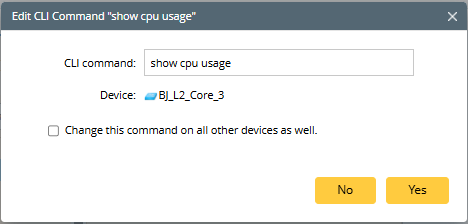
icon. - Click the pencil icon to edit a command. The major use case is editing the variable defined in command to concrete value. Moreover, a check box is also provided for you to select to change the same command on all devices (the check box is not selected by default).
- You can also click the icon to remove a device, and its commands will be removed as well.