R12.1 JA-2025July15
Command and Result Note
Summarize Command Output to Share Knowledge
To share the knowledge of understanding a command and its output, you can add a summary after running a node. For example, you can transfer knowledge of what the command is intended for, from the Runbook creator to an executor.
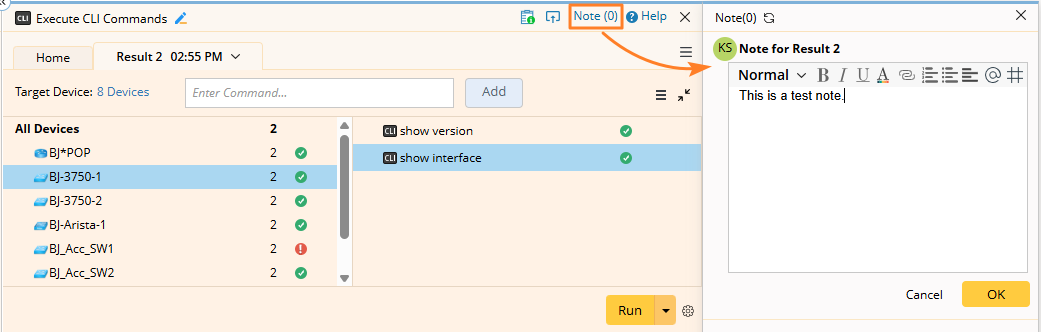
- Click Note and author a summary in the Note pane as follows:
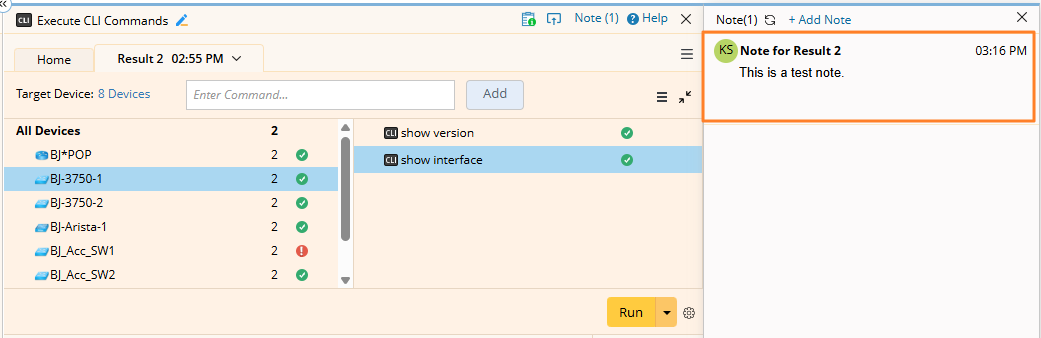
- Save the summary, which will be displayed in the following area.

|
Note: Summary notes cannot be saved to a Runbook Template. |
Annotate Metric from Command Output to Share Knowledge
When viewing a command output, you can select a metric from the lines of text and annotate it, notifying others that the metric needs more attention.
For example, select GigabitEthernet1/0/8 in the following command output and add a note to describe it.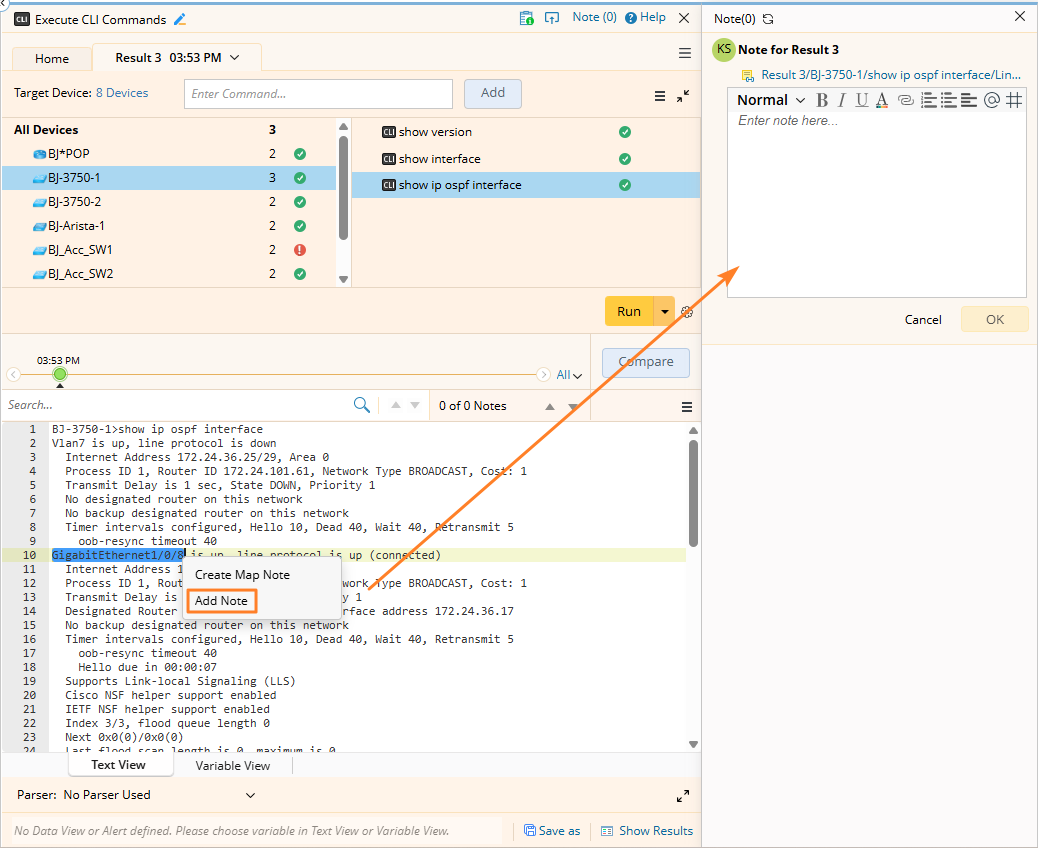
The annotated metric GigabitEthernet1/0/8 is highlighted in the command output as follows: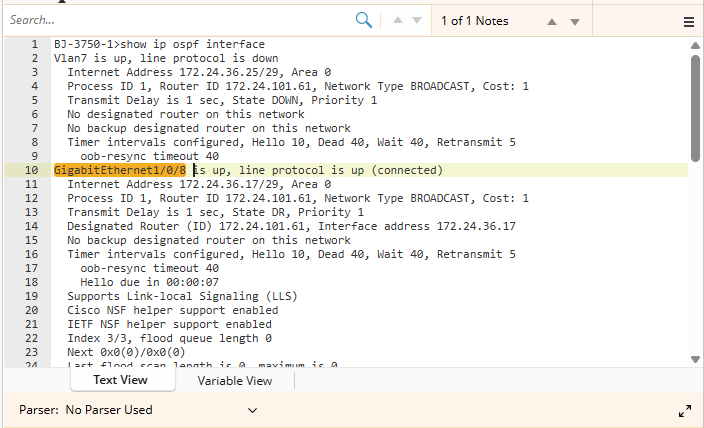
|
|
Note: Metric notes cannot be saved to a Runbook Template. |