R12.1 JA-2025July15
Generate Golden Config
The Golden Config can be defined either to compare with Reference Device or compare with Golden Template. The detailed procedure to generate a golden config is:
-
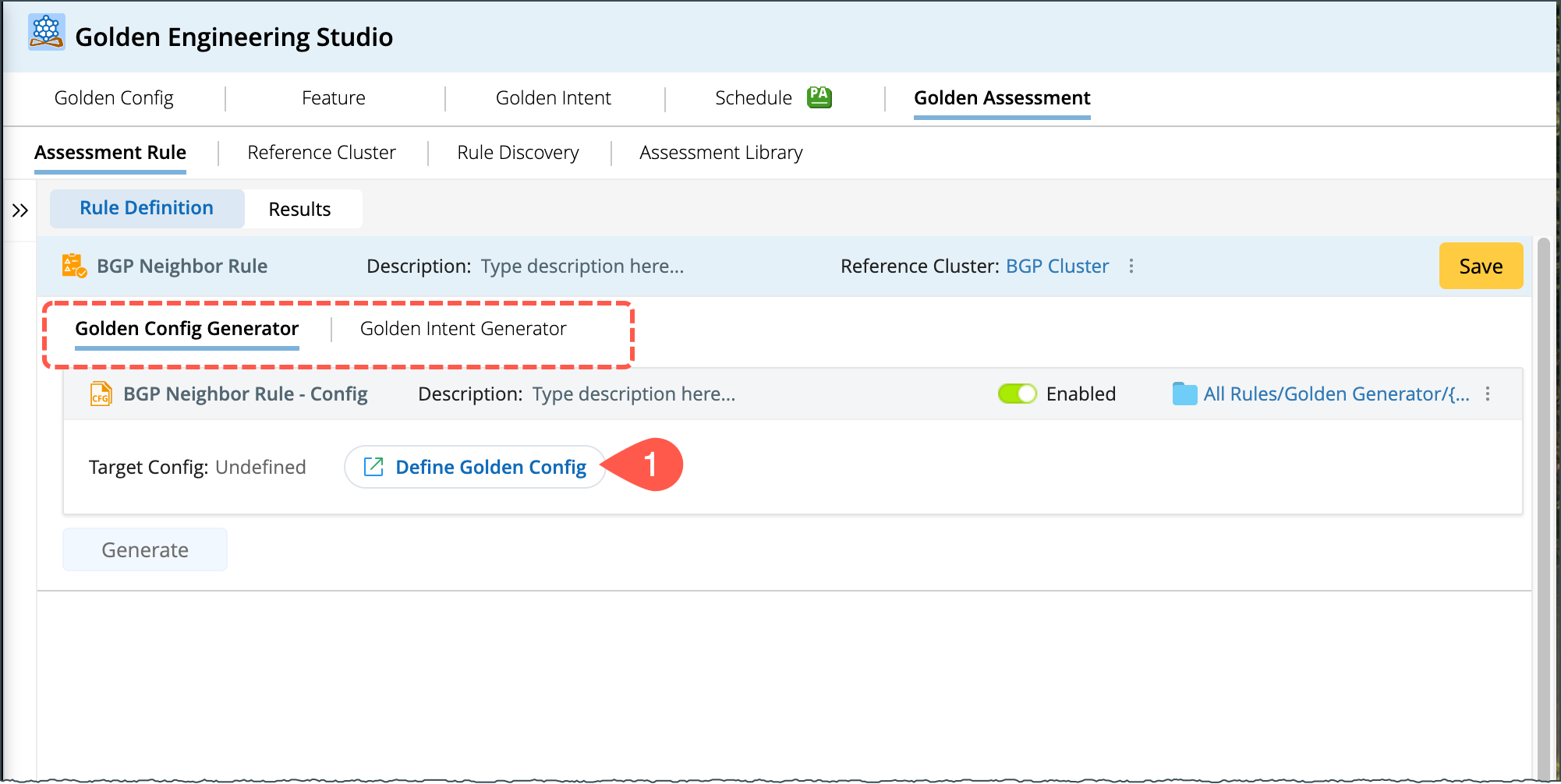
Click Define Golden Config to open the wizard:
-
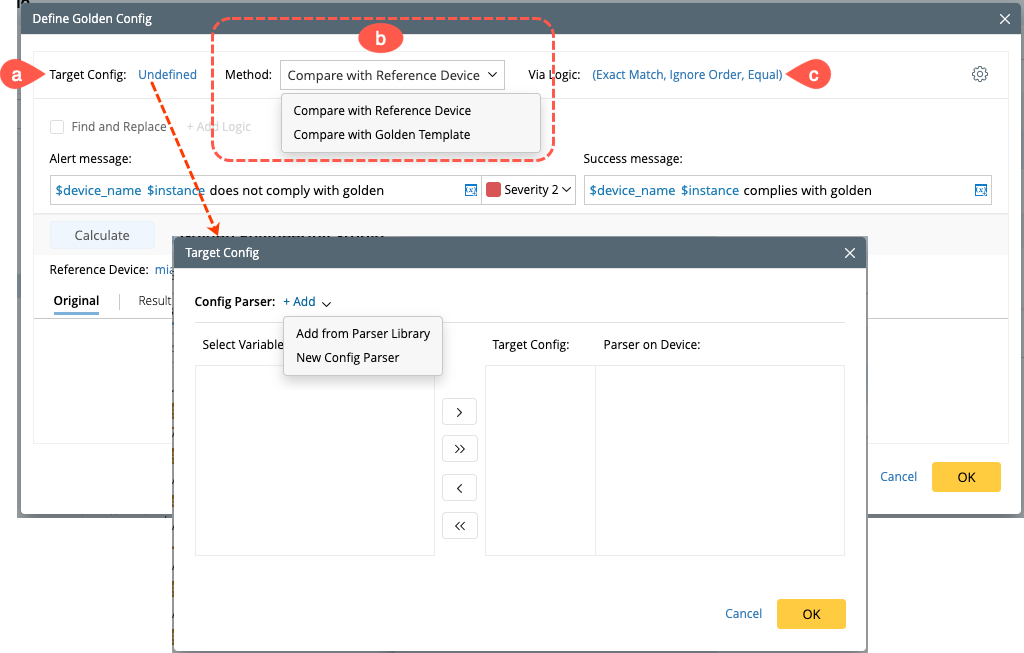
Define the Target Config from a config parser, you can choose the config parser either from the Parser Library or create a new one. The functions are the same as the Config Parser in Golden Config.
-
Choose a method to compare the config either with Reference Device or Golden Template:
-
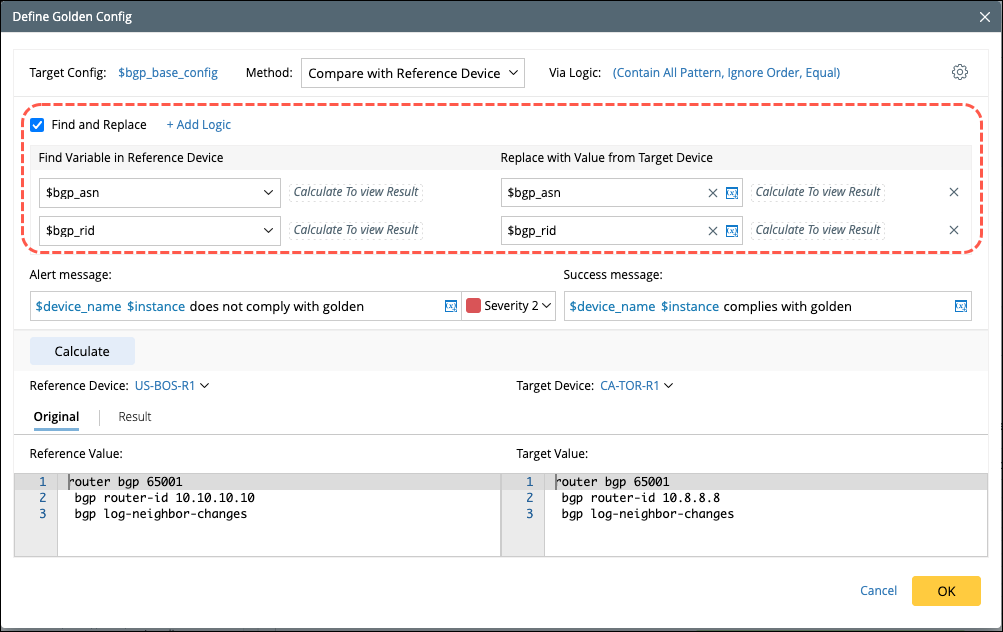
Compare with Reference Device: You can modify the variable in reference device configuration using the Find and Replace function, the values will be replaced from target device.
-
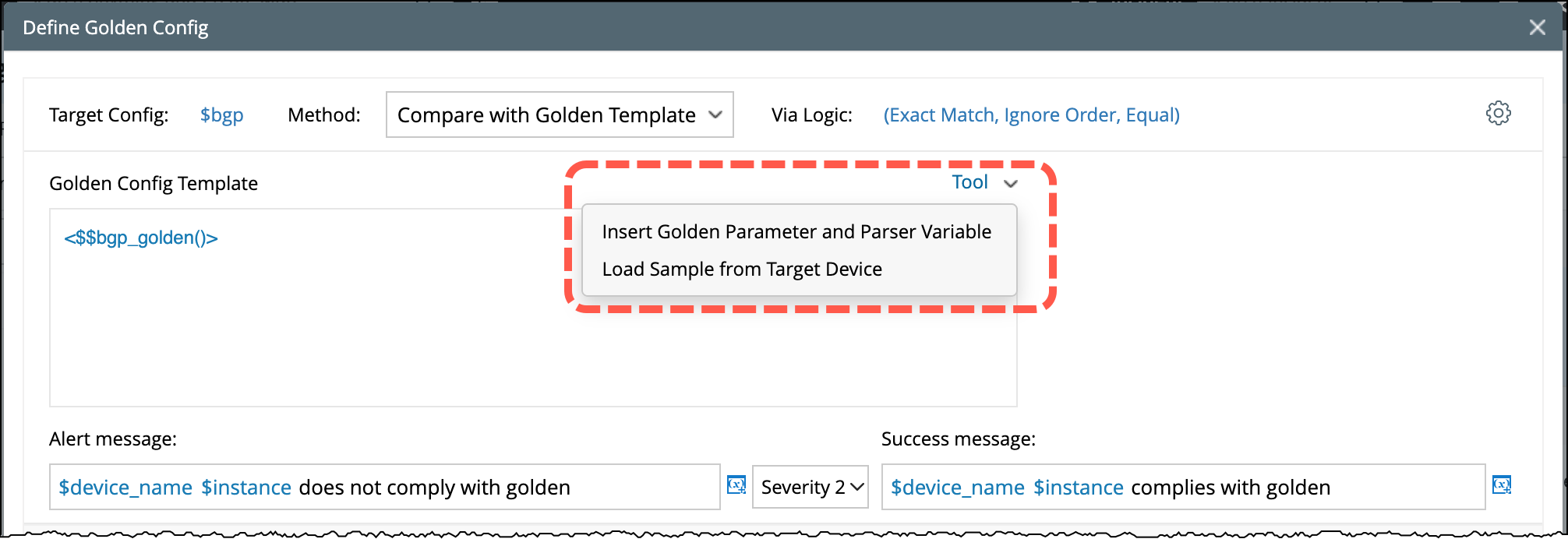
Compare with Golden Template: Insert the golden Parameter and Parser Variable in the Golden Config Template to compare with the target Device config.

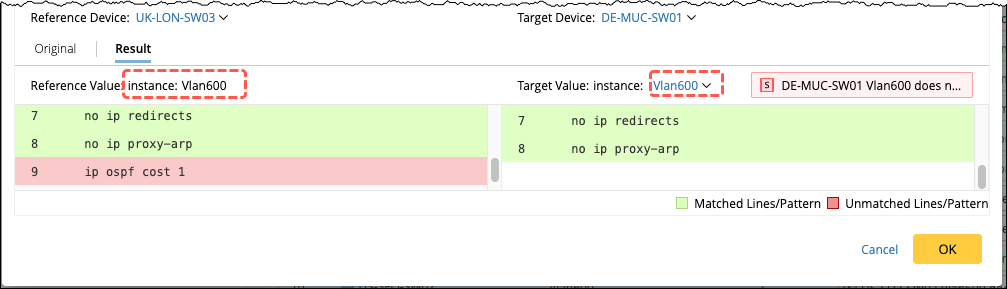
Note: When performing the config comparison at the interface level, provide the instance information for both reference and target instances.

-
Compare with Reference Device: You can modify the variable in reference device configuration using the Find and Replace function, the values will be replaced from target device.
-
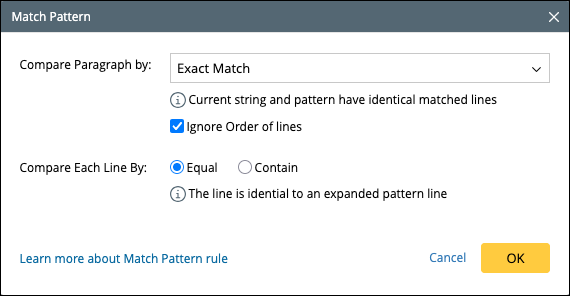
You can configure the Match pattern logics in the option Via Logic.
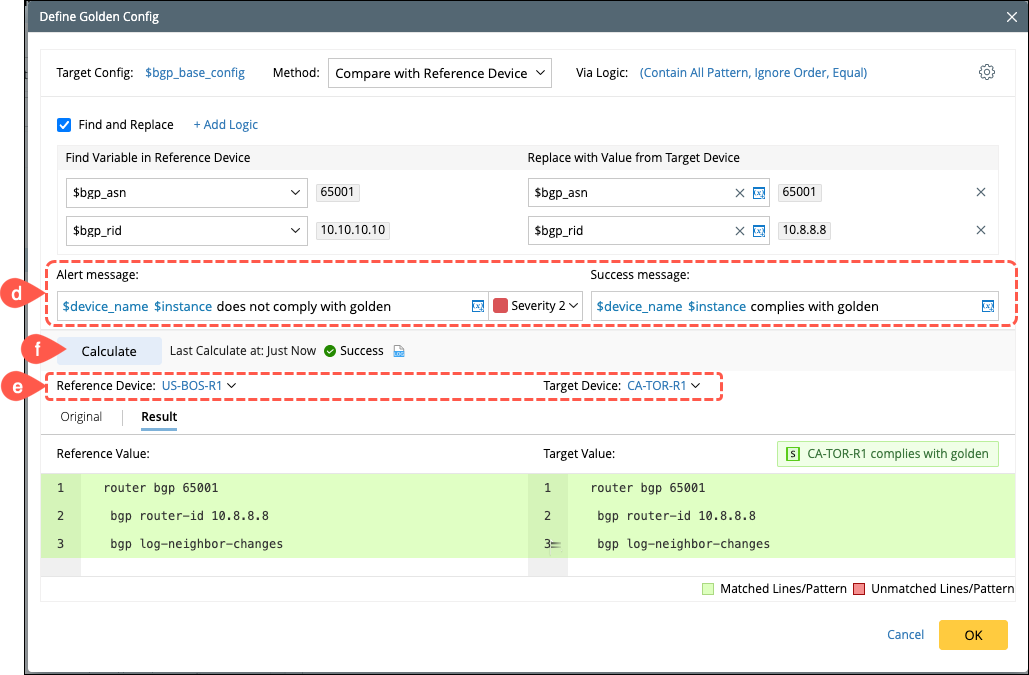
- Define the Alert and Success Message.
- Select the Reference Device and Target Device from the drop-down menu.
- Click Calculate, the system will run the execution and displays the details of matched and unmatched lines and patterns.
- Click OK to save and close the Define Golden Config window.
Result at Device Instance Level:
-
Define the Target Config from a config parser, you can choose the config parser either from the Parser Library or create a new one. The functions are the same as the Config Parser in Golden Config.
- In the Assessment Rule window, click Generate to execute the rule. Use the Verify option to periodically check the configuration. The rule manager pane displays alerts as Red/Green indicators.
