R12.1 JA-2025July15
Power Users Templatize Runbook with Insight Node
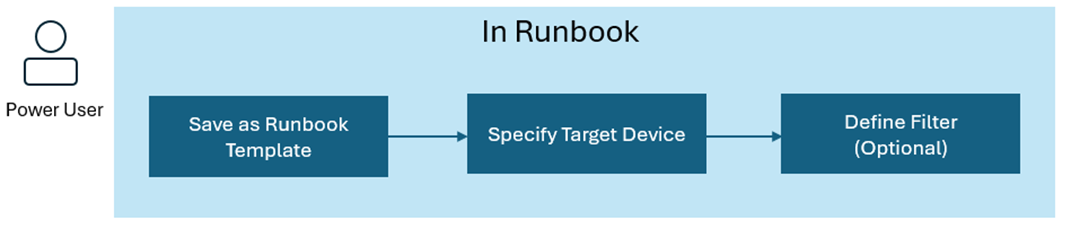
To share knowledge within the organization, power users can save a runbook as a runbook template (RBT). Follow the steps to templatize a runbook containing an insight node.
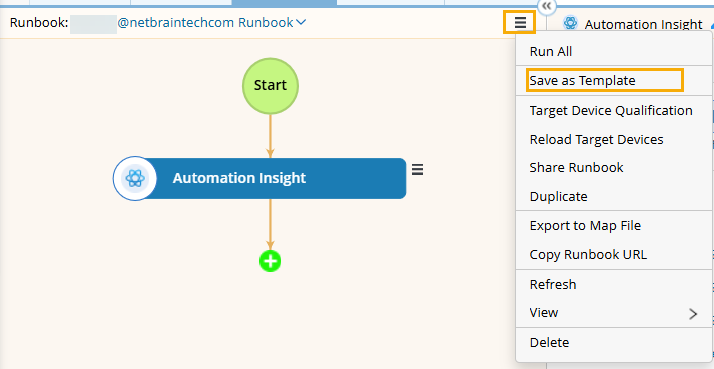
- On the runbook pane, click the hamburger menu, and select Save as Template from the drop-down menu.
- Define the target device and keyword to filter automations.
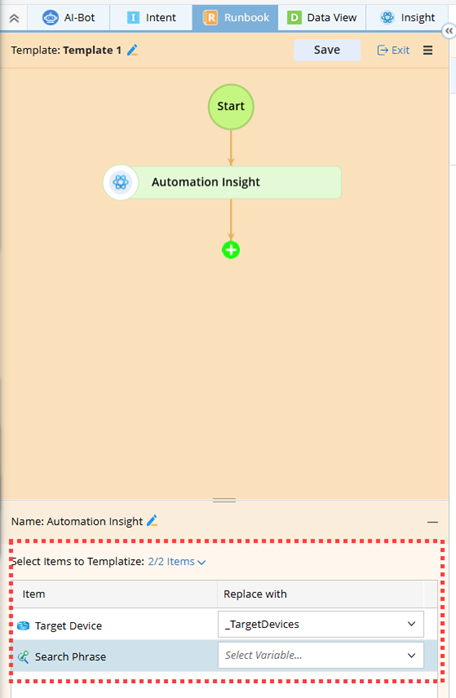
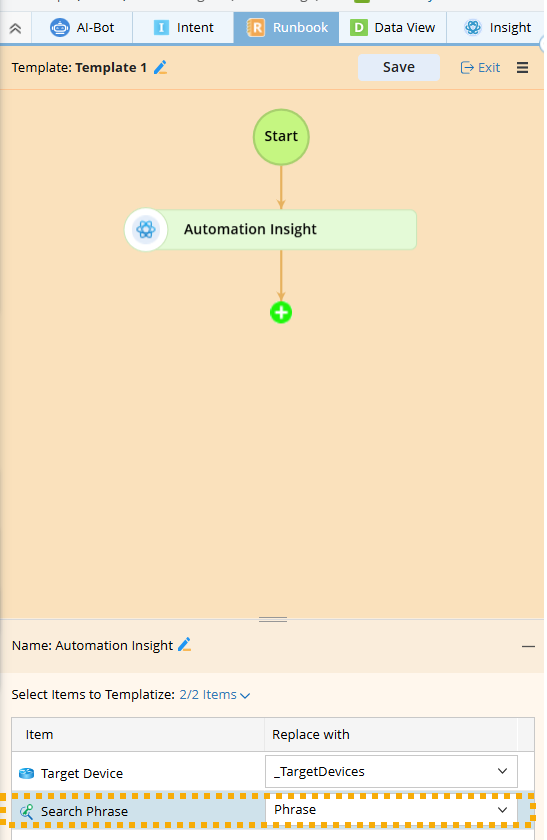
- Select Items to Templatize.
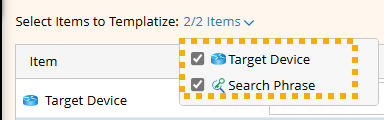
- Target Device. Specify which variables can be used to assign Target Device’s values in the new runbook.
- Search Phrase. Define the phrase to filter automations for display after creating a new runbook via the runbook template.
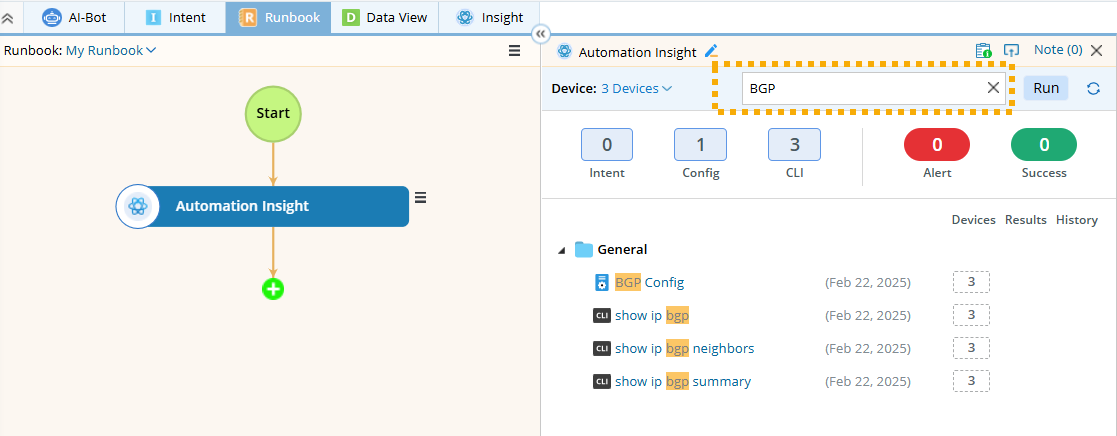
Example: Set a search phrase in the template and use it to create a new runbook showing automations with the phrase ‘BGP’.- Select Search Phrase as the item and name it Phrase.
- Save the template.
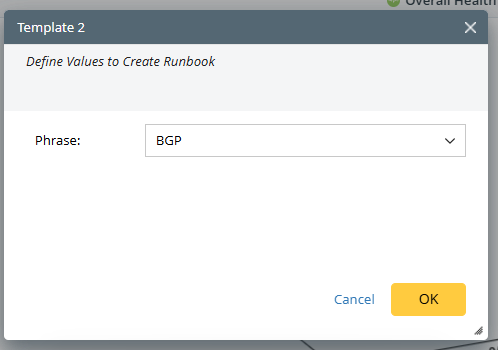
- Create a new runbook using this template. Enter BGP for the Phrase.
- View the new runbook.
- Select Search Phrase as the item and name it Phrase.
- Select Items to Templatize.