R12.1 JA-2025July15
Run Golden Intent
You can execute each individual member intent or encapsulate all the golden intents into a wrapper intent and execute. The member intents in the left pane are the cloned intents from golden intents.
- Run a member intent: You can execute each individual intent and view its results.
- Golden Check: All the intents will be encapsulated into a wrapper intent and the diagnosis tree will be displayed.
- You can Schedule this intent or define its execution settings.
- You can also save the current intent to map intent and common intent.
Execute a Member Intent
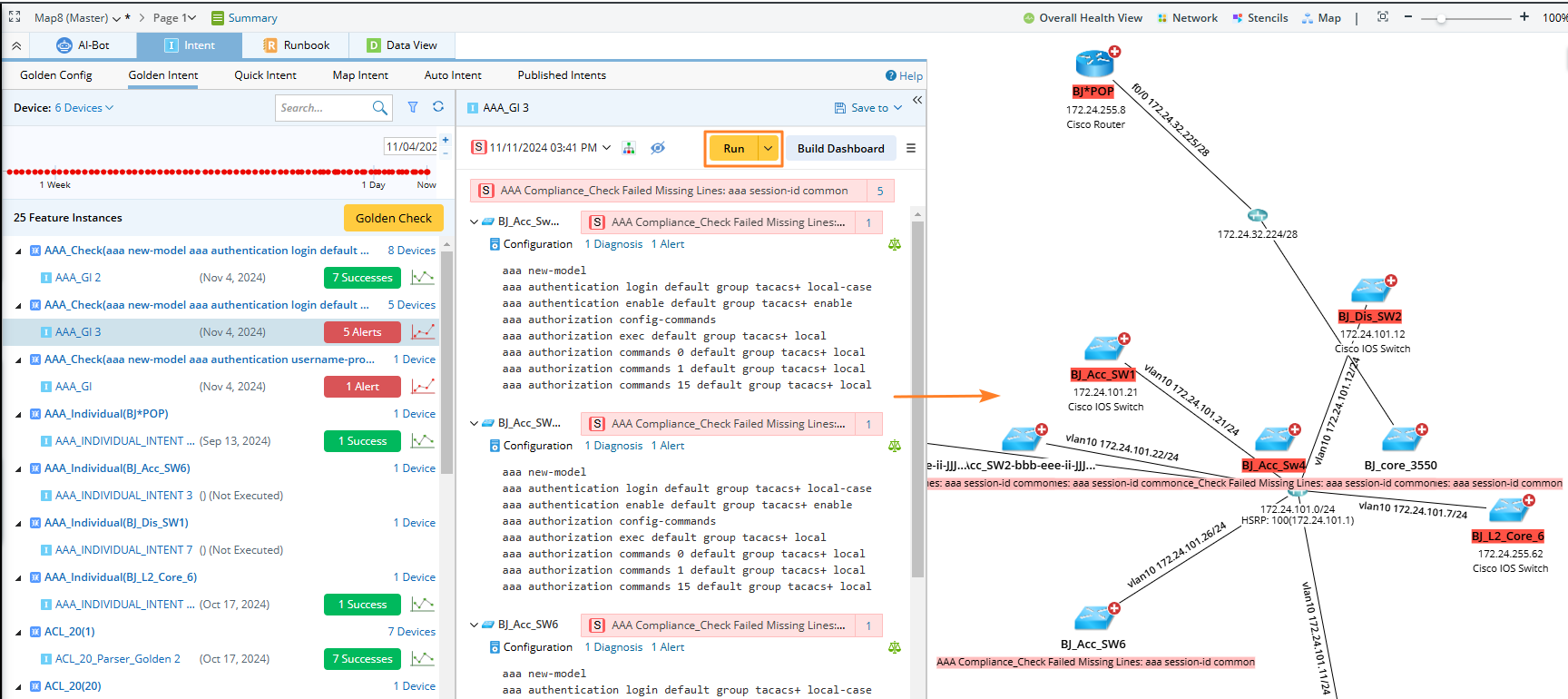
The execution result of an intent closest to the selected time point on the timeline will be displayed in the right side pane. To execute, select an intent and click Run.
Golden Check
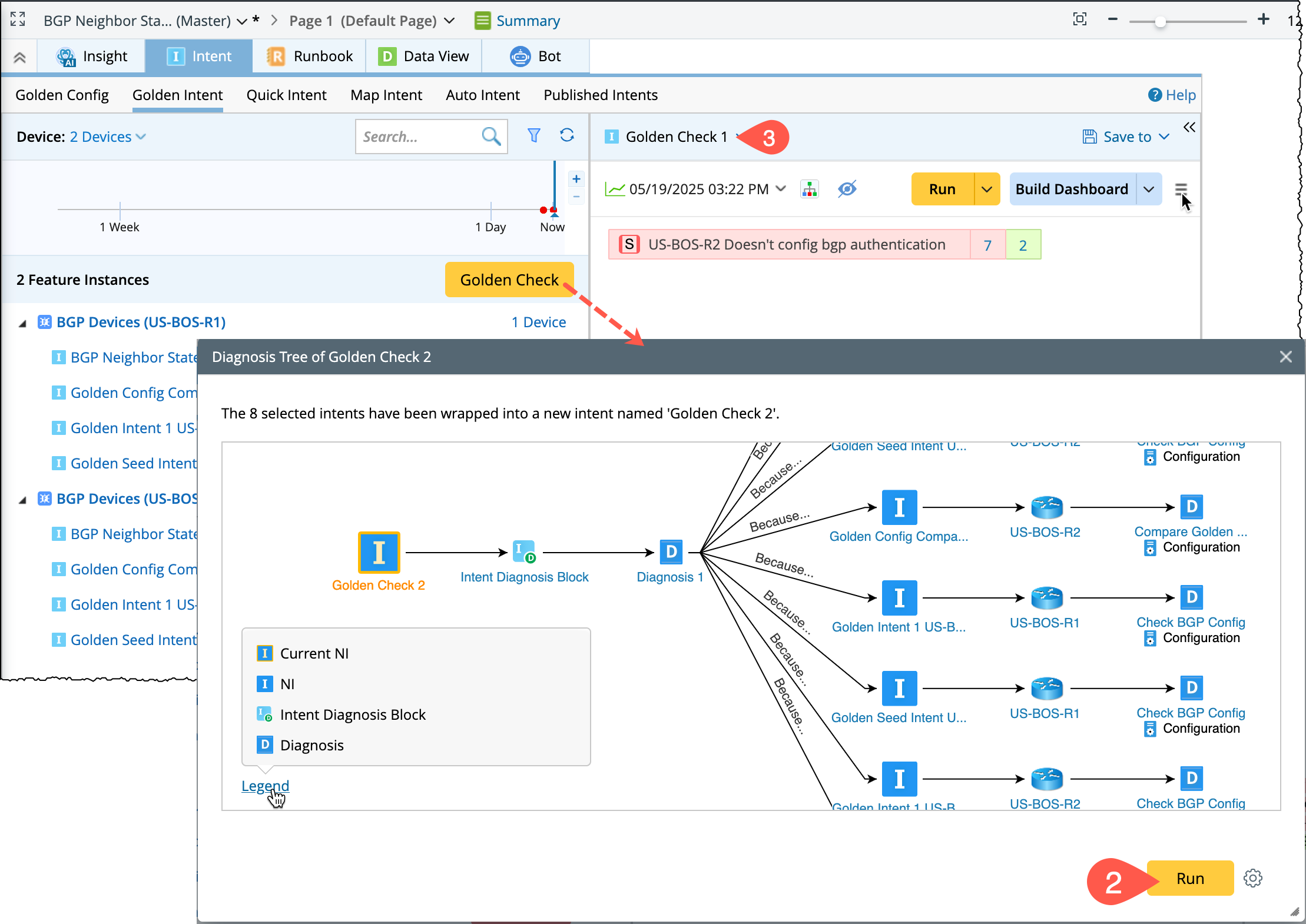
To execute all the currently displayed member intents, click Golden Check and:
- All the intents will be encapsulated into a wrapper intent and the diagnosis tree will be displayed.
- Click Run to execute the golden check.
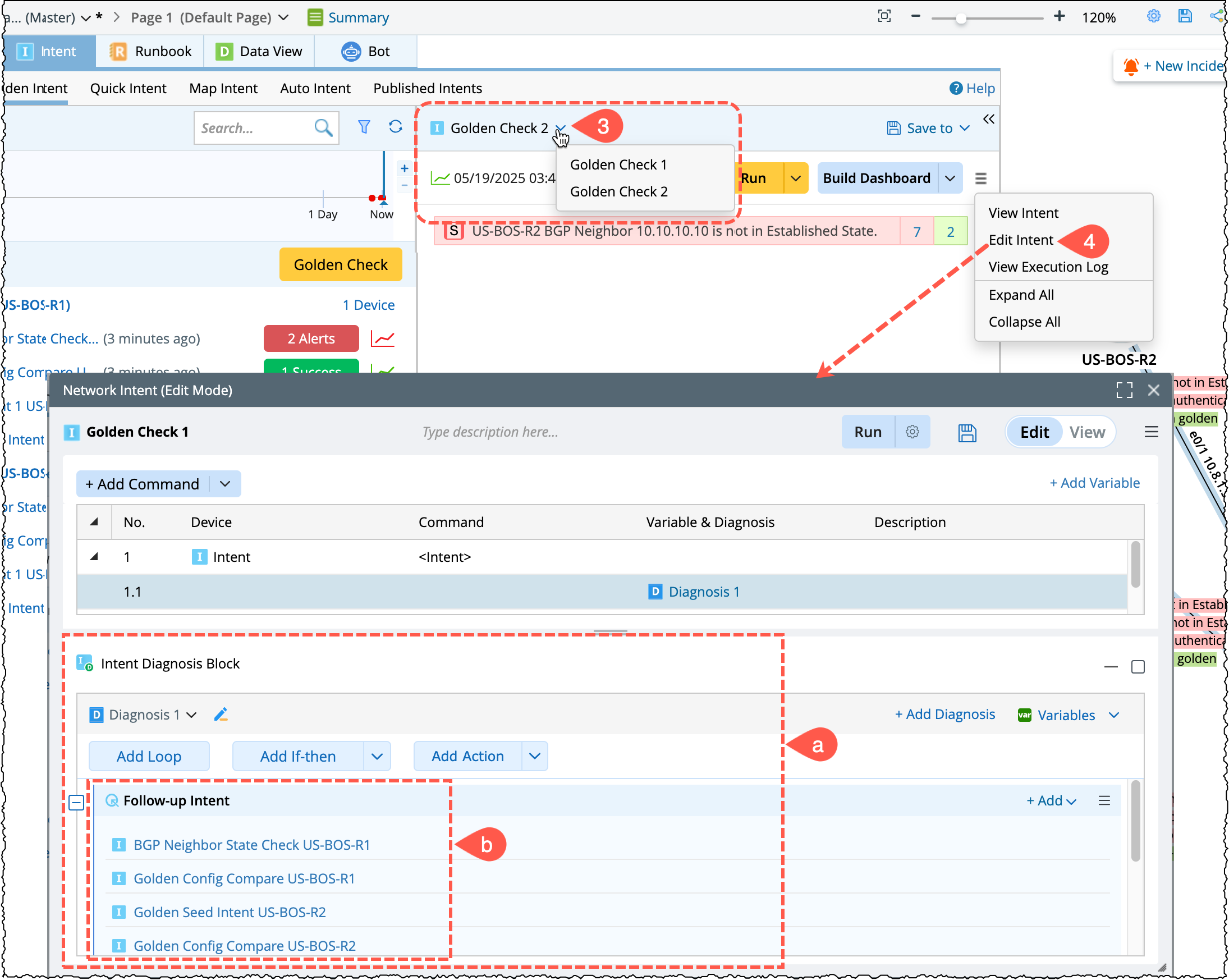
- The wrapper intent will be named ‘Golden Check N’. It can be viewed in the drop-down menu:
- To edit the wrapper intent, go to
 menu located next to Build Dashboard in the right side pane and choose Edit Intent.
- There is an intent diagnosis block that contains a diagnosis.
- The displayed member intents are treated as follow-up intents.