R12.1 JA-2025July15
Update Intent Baseline at Intent Level
You need to compare the current data with the previous data while using intent for network assessment analysis. And you can define these settings under the Execution Settings tab of the Intent Settings, allowing you to automatically update the intent baseline at the intent level before NI execution. The use cases can be:
- Automatically update the intent baseline when it is out of date, using new data stored in the Current Baseline and refreshed by the Schedule Benchmark. Then, compare Live Data with Baseline Data during Intent Diagnosis.
- Automatically update the intent baseline using a specific historical dataset, such as one containing baseline data prior to a network change or outage. During intent diagnosis, compare live data with this updated baseline to identify discrepancies and diagnose issues.
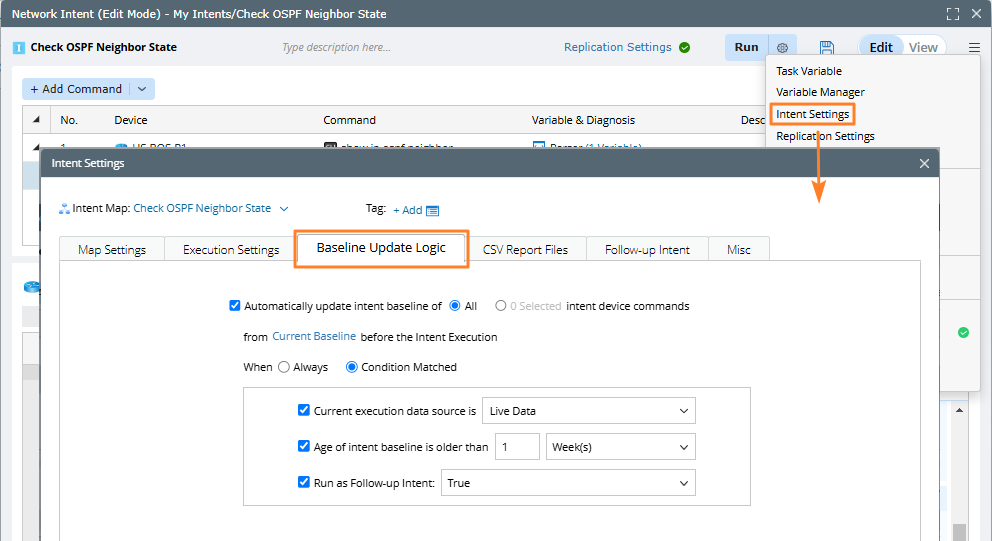
- In the intent edit mode, click the
 icon and select the Intent Settings.
 - Go to the Baseline Update Logic tab and define the main settings to update intent baseline automatically.

Note: You can also update the intent baseline at diagnosis level by adding a diagnosis node. But it is highly recommended to automatically update the baseline in Intent Settings > Baseline Update Logic. 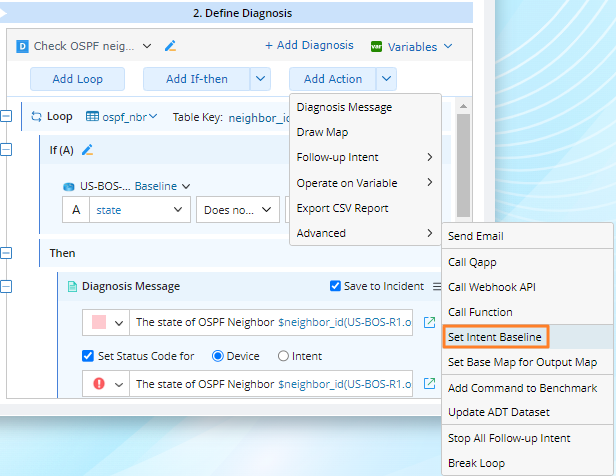
Main Settings
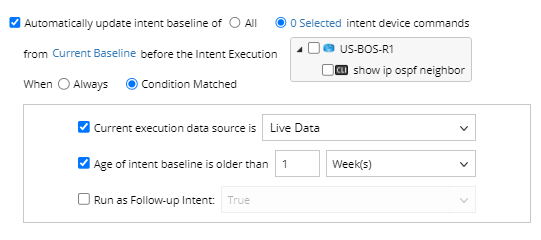
Which Device Commands in Current Intent Are Updated?
You can select All to update the intent baseline of all the device commands in the current intent, or manually select the required commands.
Which Datasets the Updated Data is from?
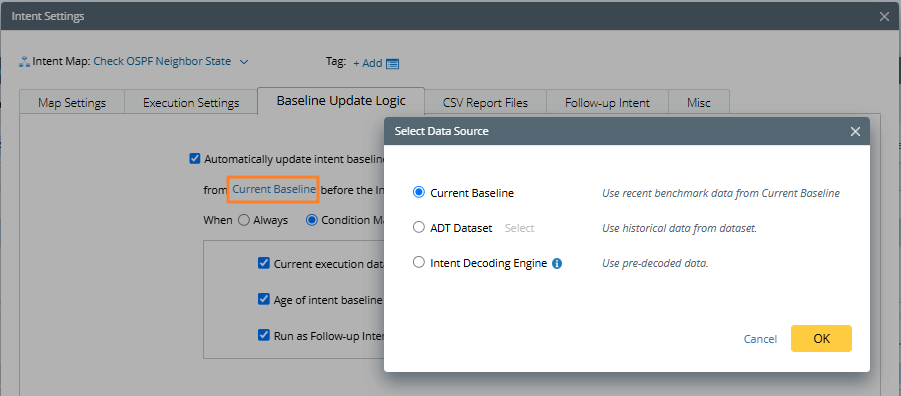
The updated data can be from:
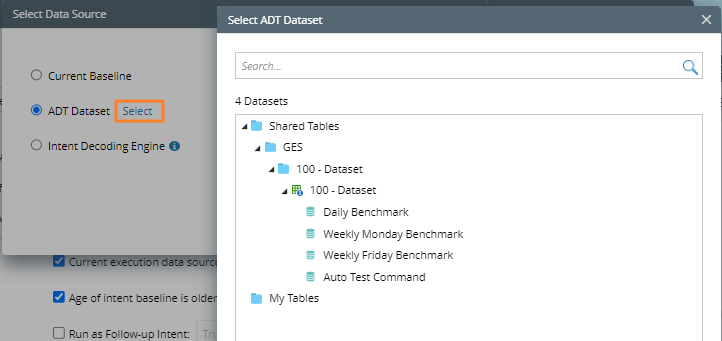
- Current Baseline: Use the data in the current baseline, which is selected by default.
-
ADT Dataset: You can select an ADT to execute and use the data in the ADT dataset to update the intent baseline.
-
Intent Decoding Engine: Use the pre-decoded data in the decoding engine. This option is only available when updating the baseline of a cloned intent generated from the current intent template.
What Are the Conditions that Trigger the Update of Intent Baseline?
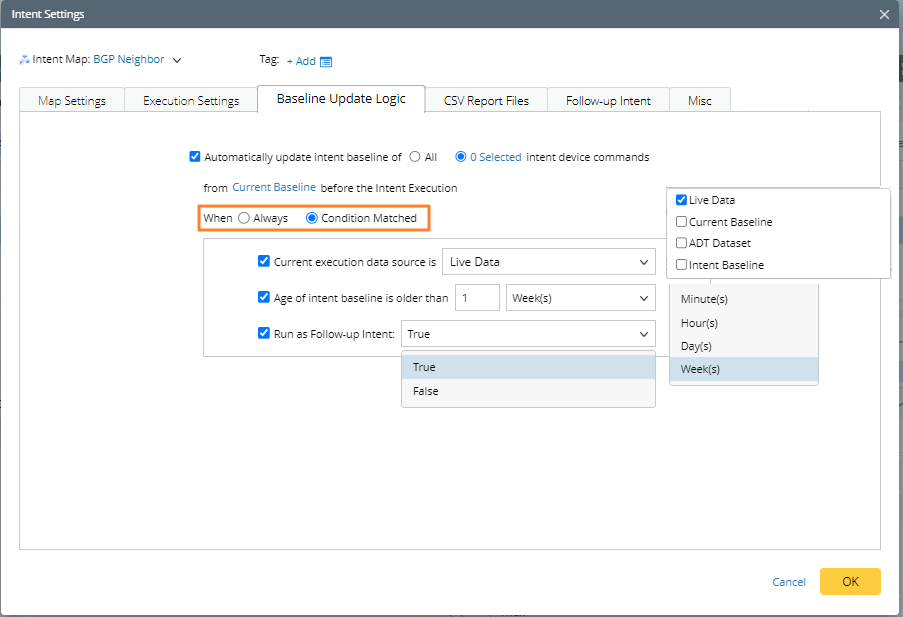
- Always: The intent baseline will be updated always, but if there is no data change between the two time points, there is no need to update the intent baseline.
- Condition Matched: The intent baseline will be updated if the fact meets the defined conditions.
- Live Data
- Current Baseline
- ADT Dataset
- Intent Baseline
- True
- False
- xxx Minute(s)/Hour(s)/Day(s)/Week(s)
| Condition | Candidate Values | Default Value | Description |
| Current Execution Data Source is |
|
Live Data | Judge whether the data source is the one selected here. |
| Run as Follow-up Intent |
|
True | Judge whether the current intent is executed as a follow-up intent. |
| Age of intent baseline older than |
|
1 Week | Judge whether the update time of the intent bassline exceeds the defined time. |
|
Note: You must define at least one of the above three conditions, and the relationship between the three conditions is “and”. |