R12.1 Project Publication-2025Dec23
Delete or Unlock Path Intents in Batch
With the intent replication for path service, a large amount of path intents may be generated and saved to the path. When it is needed to delete or lock path intents at scale, it is desirable to complete deleting or locking path intents with simple operations.
The system allows users to delete or unlock path intents in batch from the Intent Manager.
Follow the steps below to open the path intnets, delete, unlock them:
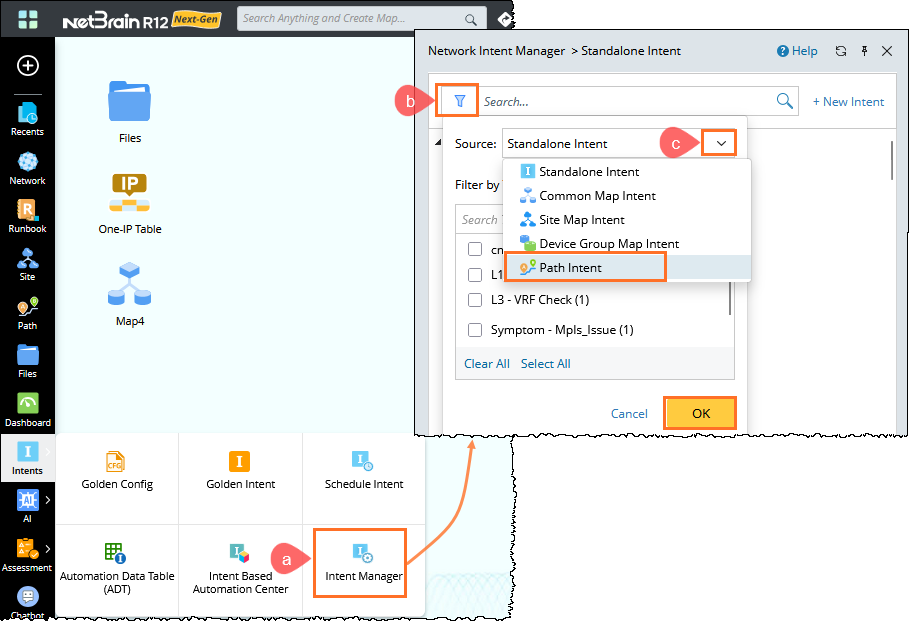
- Access the Path Intents.
- From the sidebar, open an Intent Manager.
- Click filter icon to filter the Path Intents.
- In the Source dropdown, select path Intent and then click OK to list all the Path Intnets.
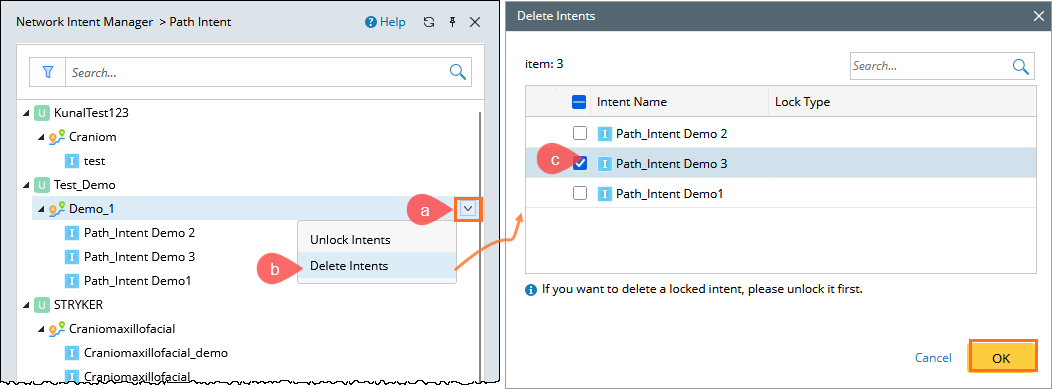
- Delete Path Intent.
- Click the
 menu next to the path you wish to delete.
 - Click Delet Intents from the dropdown.
- In the Delete Intents dialog, select the Path Intnets from the list that you wish to delete, and then click OK.
- Click the
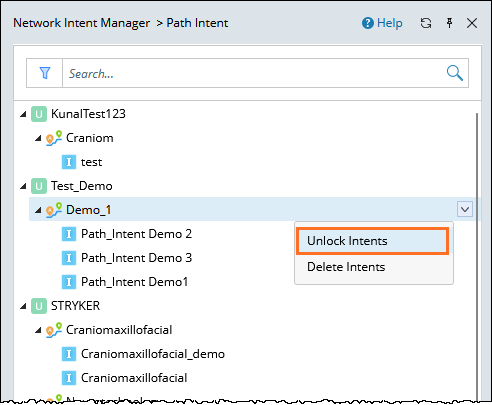
- Unlock Path Intents (if there is any):
Follow the similar steps to unlock the path Intents if it is locked.