R12.1 Project Publication-2025Dec23
Discover Cloud Resources via APIs
Follow these steps to discover GCP networking resources via APIs:
- In the Domain Management > Start Page, click Discover.
- Click + Select API Servers. Select the GCP API Server that you created.
- Click Start Discovery to start the GCP discovery.
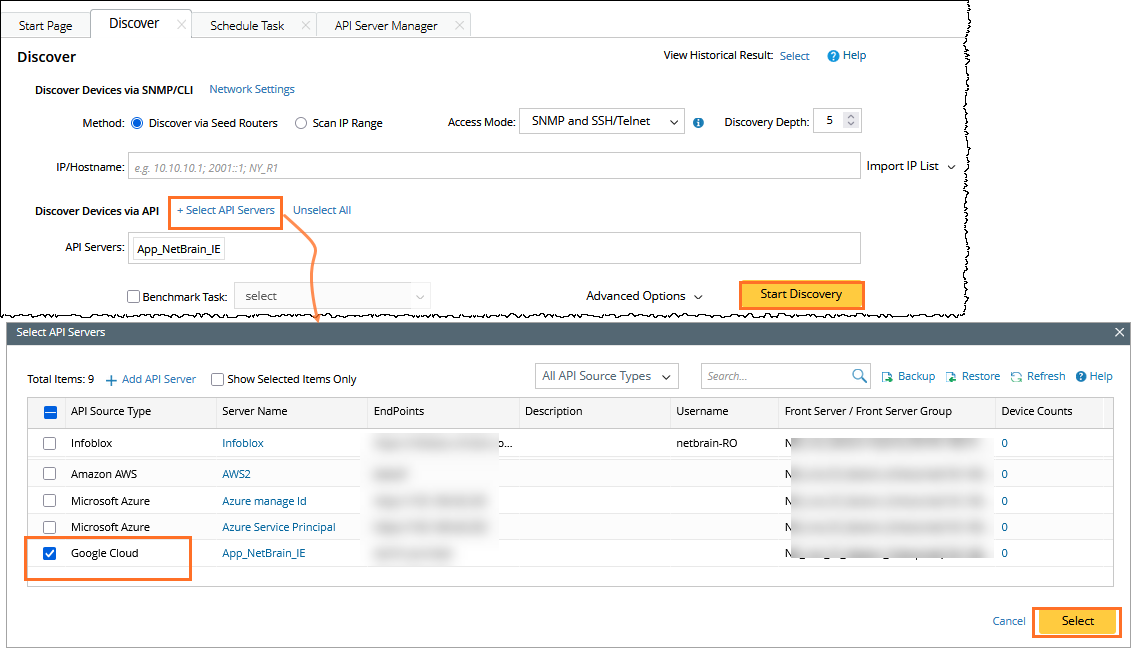
After the discovery finishes, the number of discovered objects will be displayed.
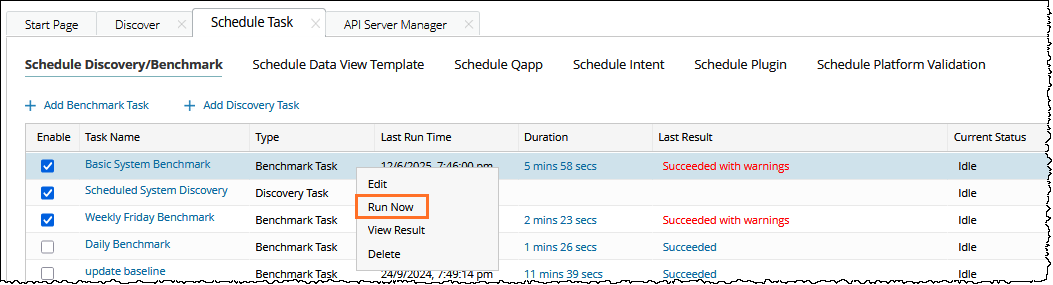
- Go to the Scheduled Task tab, Right-click on the Basic System Benchmark, click Run Now to trigger the benchmark task.
- Open the network tree and select Google Cloud in the Category field to view the GCP resource. Select Network View in the View field.
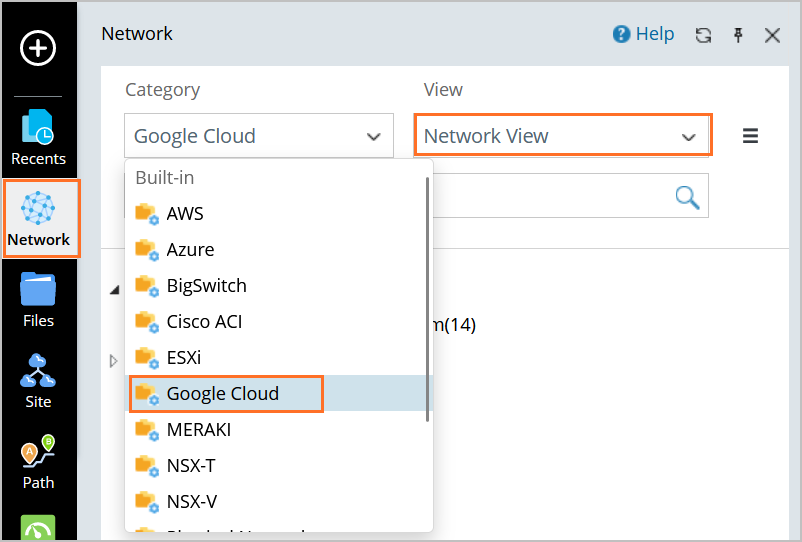

Note: The Network View is only visible after the successful execution of the Basic System Benchmark.
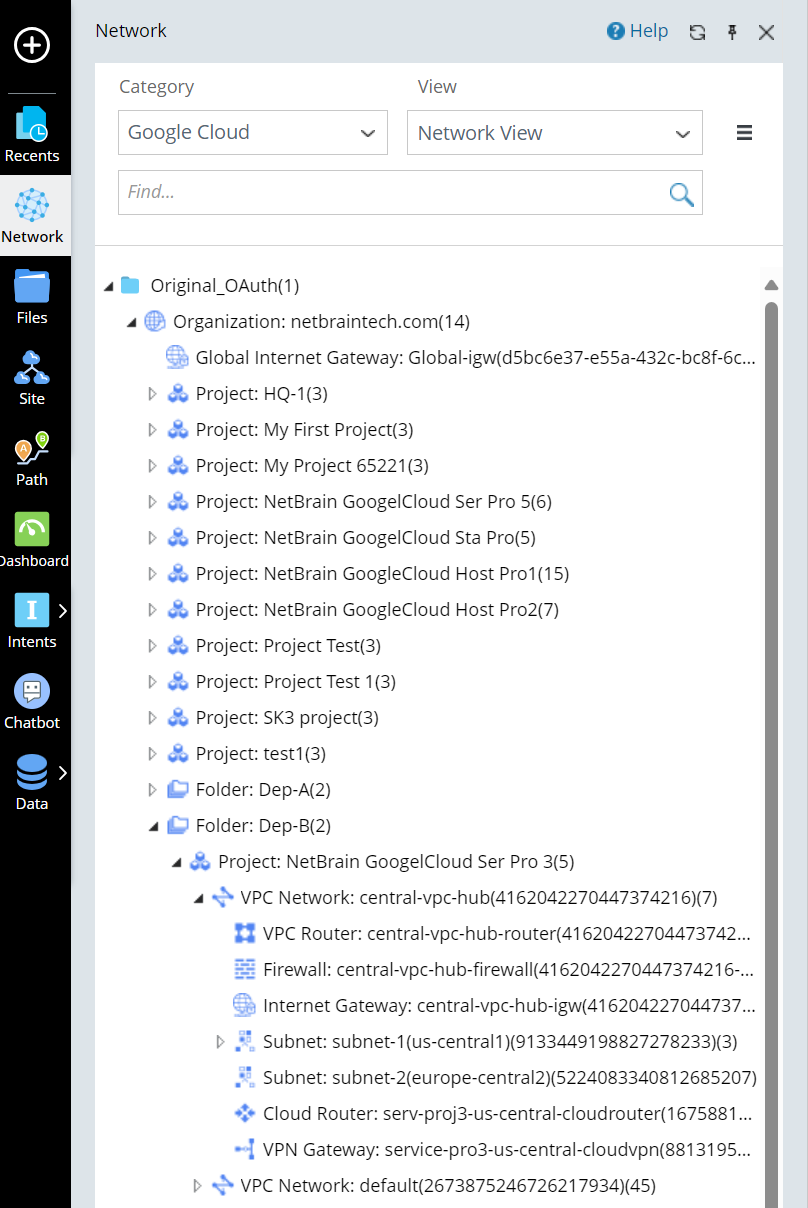
All GCP resources discovered are displayed on the network tree. In addition, you can click a resource to open its context map.