R12.1 Project Publication-2025Dec23
Discover Network Virtual Appliance
Network Virtual Appliance (NVA) can be loaded with any vendor's Virtual Machine (VM) images to support networking, security, and other functions. NetBrain supports visualizing the topology and path of GCP NVA after discovery and multi-source data merging.
To discover the Network Virtual Appliance (NVA), you need to:
- Discover the Virtual Machine with Cloud API
- Discover Legacy Device with CLI
To perform the multi-source data merging properly via CLI discovery,
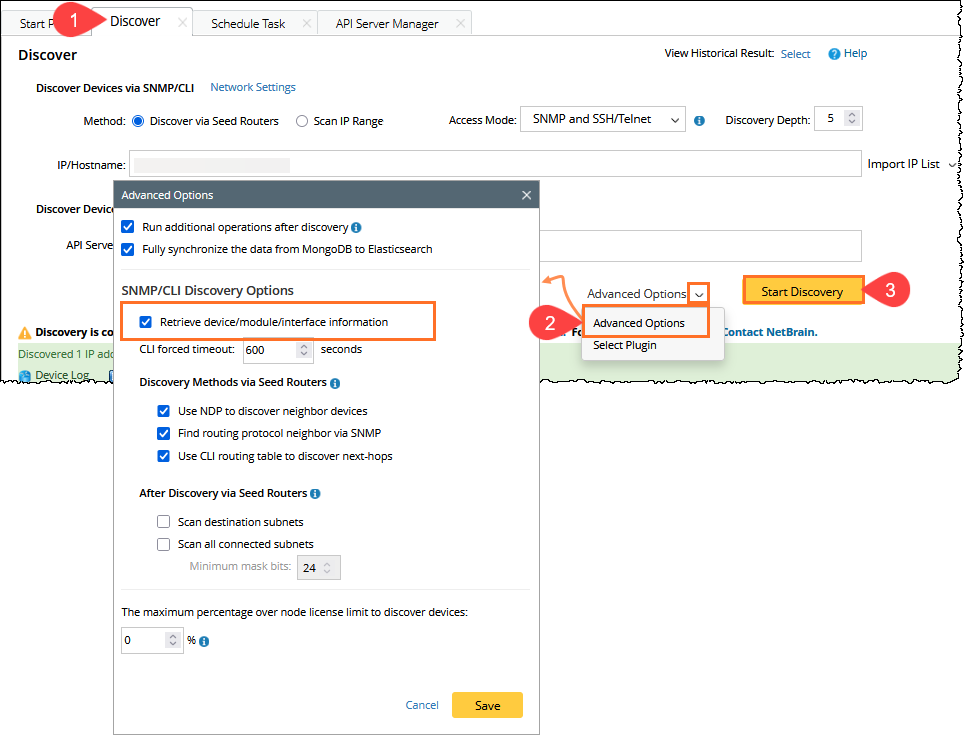
- Go to the Domain Management > Discover page,
- Click the Advanced Options, and check the Retrieve device/module/interface information checkbox.
- Click Start Discovery.
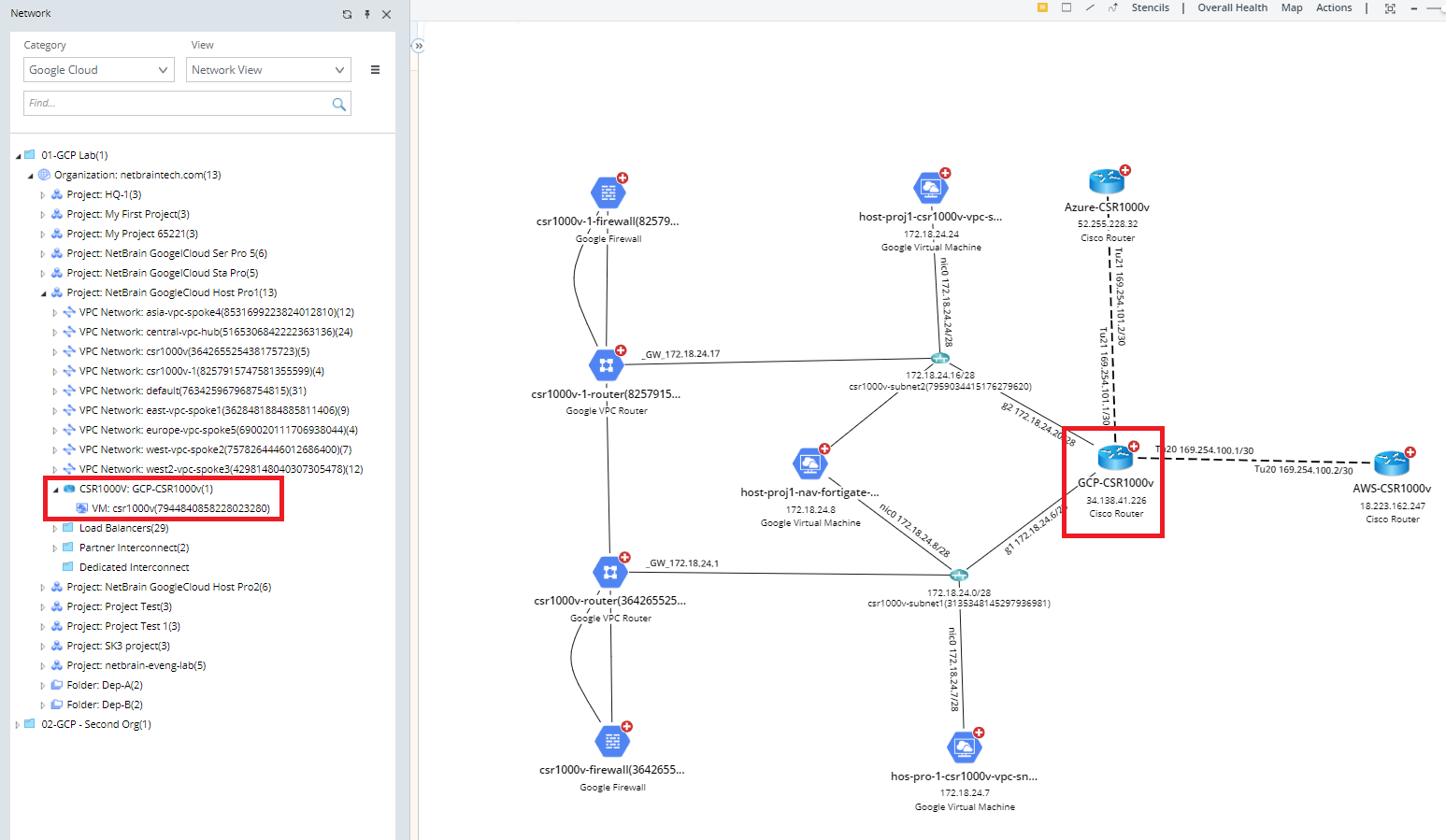
After the NVA multi-source data merging is finished, the GCP NVA device topology sample is shown below.