Intent Decoding
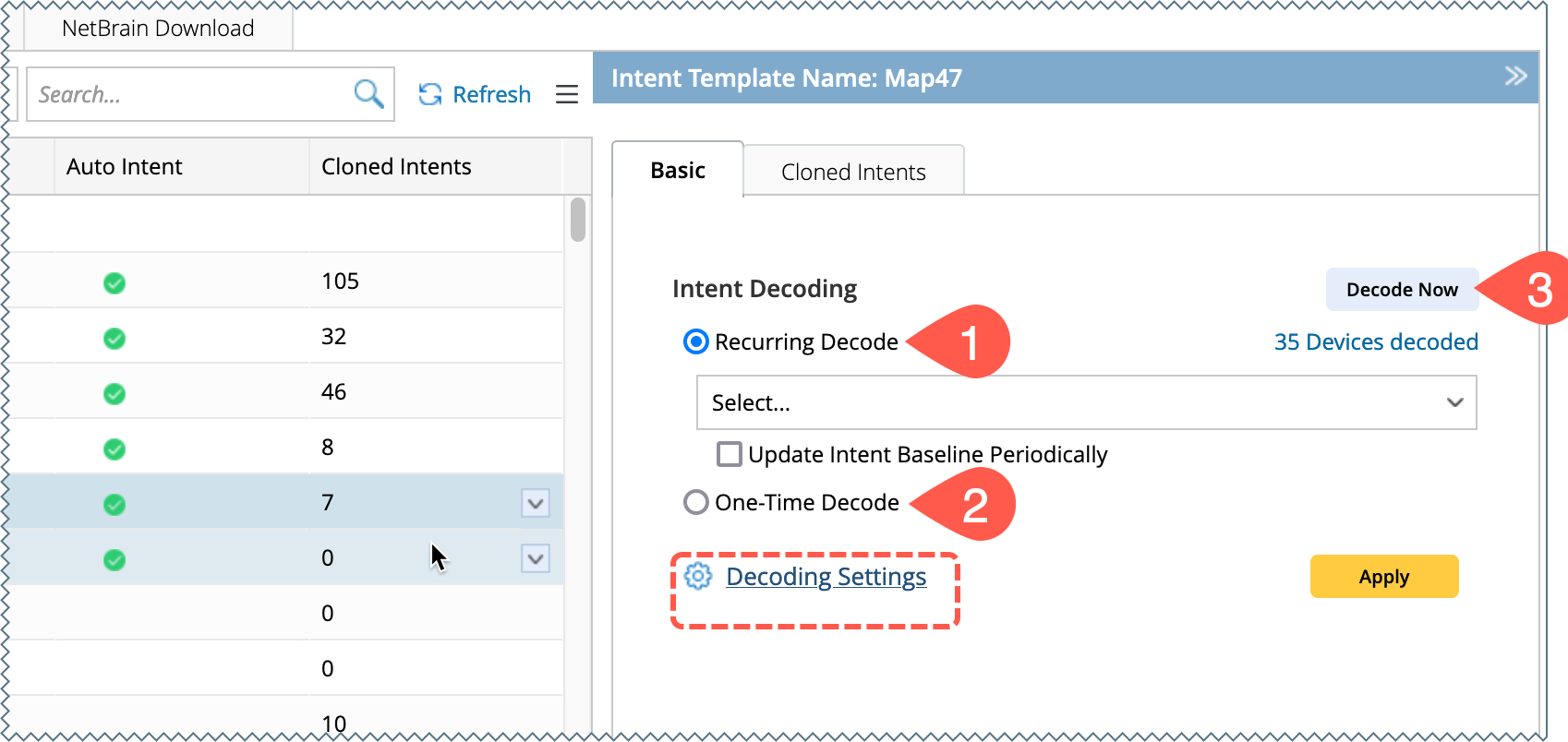
Intent can be decoded to the target devices in any of the following three ways inside the Intent Based Automation Center:
-
Recurring Decode: The NIT is decoded according to an intent timer in the system.
- One-Time Decode: The NIT is decoded only once.
-
Decode Now : The decode commands will be sent to the front server only if Live is selected in the Decode Settings. And if other settings are selected, the commands will be decoded in the worker.

|
Note: Choose the data source using Decoding Settings before you start decoding.
|
Decoding Settings
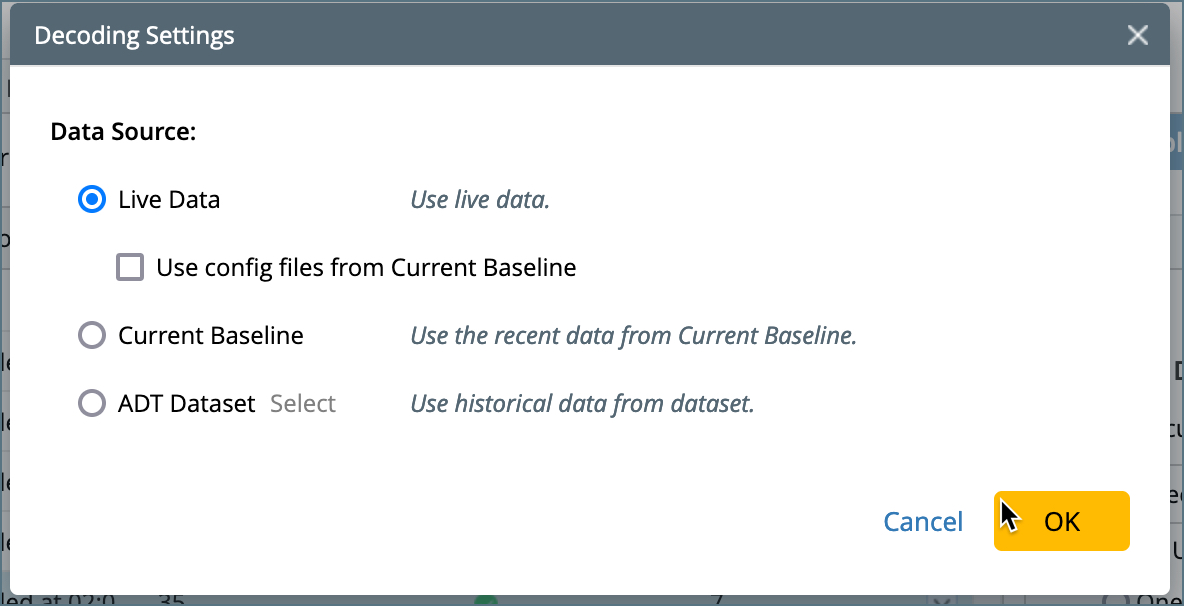
In the Decoding Settings, you must select one of the following sources for data decoding:
- Live Data: Select this option to retrieve live data as the decoding source. You can also choose to Use Config Files from Current Baseline by checking the corresponding box.
- Current Baseline: Uses the most recent data available from the current baseline.
- ADT Dataset: Uses historical data from the ADT dataset.
One-Time Decode
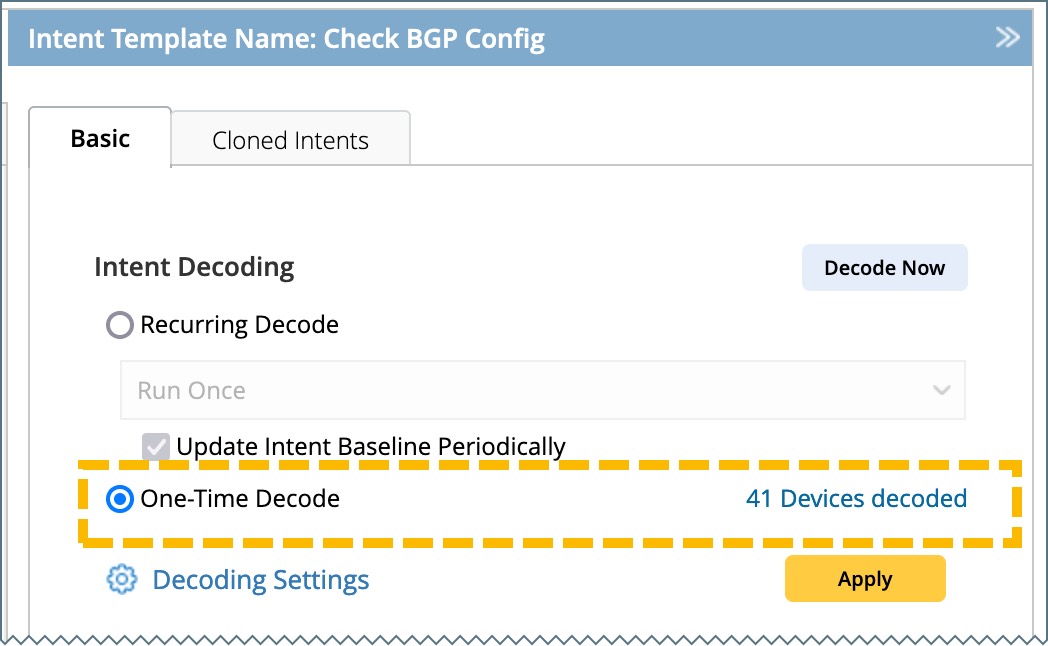
When an NIT is added to the Intent-Based Automation Center, One-Time Decode is enabled by default, and the system performs an initial decoding. Alternatively, you can manually trigger decoding using the Decode Now function. The result will be displayed next to the One-Time Decode field. For details on decoded devices, refer to View Decode Results.
Recurring Decode
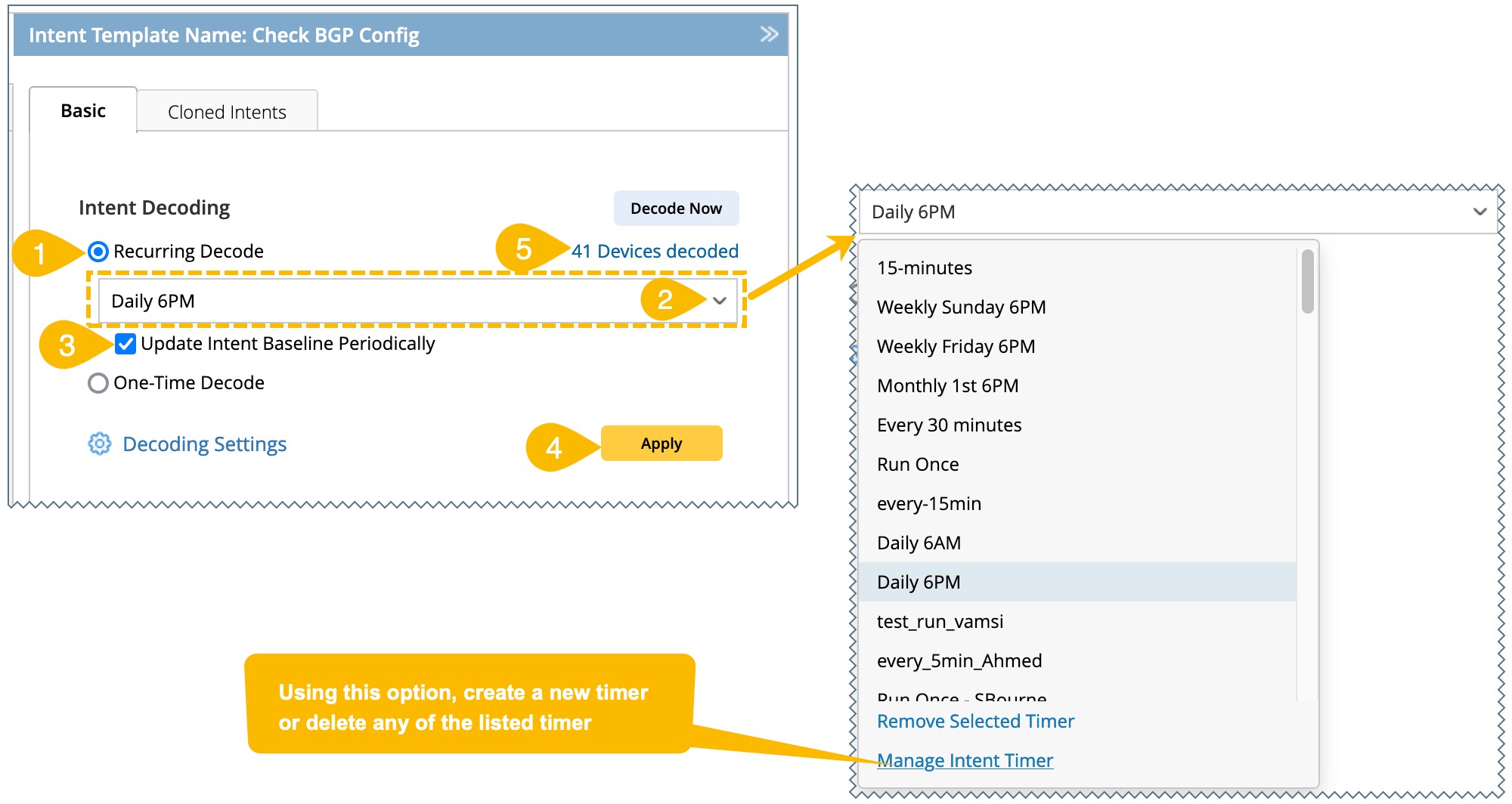
The NIT will be decoded repeatedly at a frequency set in the intent timer, and the results will be updated accordingly. It can be configured as follows:
- Select the Recurring Decode option.
- Select an intent timer from the drop-down list. Alternatively, you can add a new timer using Manage Intent Timer.
- Update Intent Baseline Periodically: You can select the checkbox to periodically update the baseline data by the system.
- Click Apply located at the bottom.
- The results will appear next to the field Recurring Decode. Refer to View Decode Results for information on decoded devices.
Track Intent Decoding Process
After launching intent decoding, you can monitor the progress in the Intent Decoding column under the Installed Intents Templates tab.

The status shown in this column will indicate the current stage of the decoding process as follows:
- Aborted at 12:09 PM 04/21/2023: The decode task was aborted at 12:09 PM on 04/21/2023 due to no qualified devices.
- Last Decoded at 03:31 AM 04/17/2023: Indicates that the decode task was successfully completed at this date and time.
- Not Started: The decoding task has not been initiated yet.
- Decode Now Task Scheduled at 04:31 AM 04/17/2023: The task is scheduled to run at 04:31 AM on 04/17/2023.
-
50/180 Devices Processed... 24 Devices Matched: The decoding task is currently in progress with the following details:
- Total number of devices: 180
- Devices processed so far: 50
- Devices matched: 24