Interface MTU Mismatch Check – Check Specific Interfaces
Instead of checking MTU mismatches on all interfaces of hub devices, you may want to focus only on specific interfaces. In such cases, you can use the command show interface $interface to retrieve MTU information for those particular interfaces. The seed intent logic is illustrated below:

Example: Define an NIT to check for a certain interface MTU mismatch.
-
Add a device “BJ_core_3550” and run the commands show interface f0/1 and show cdp neighbor detail on it as follows:
-
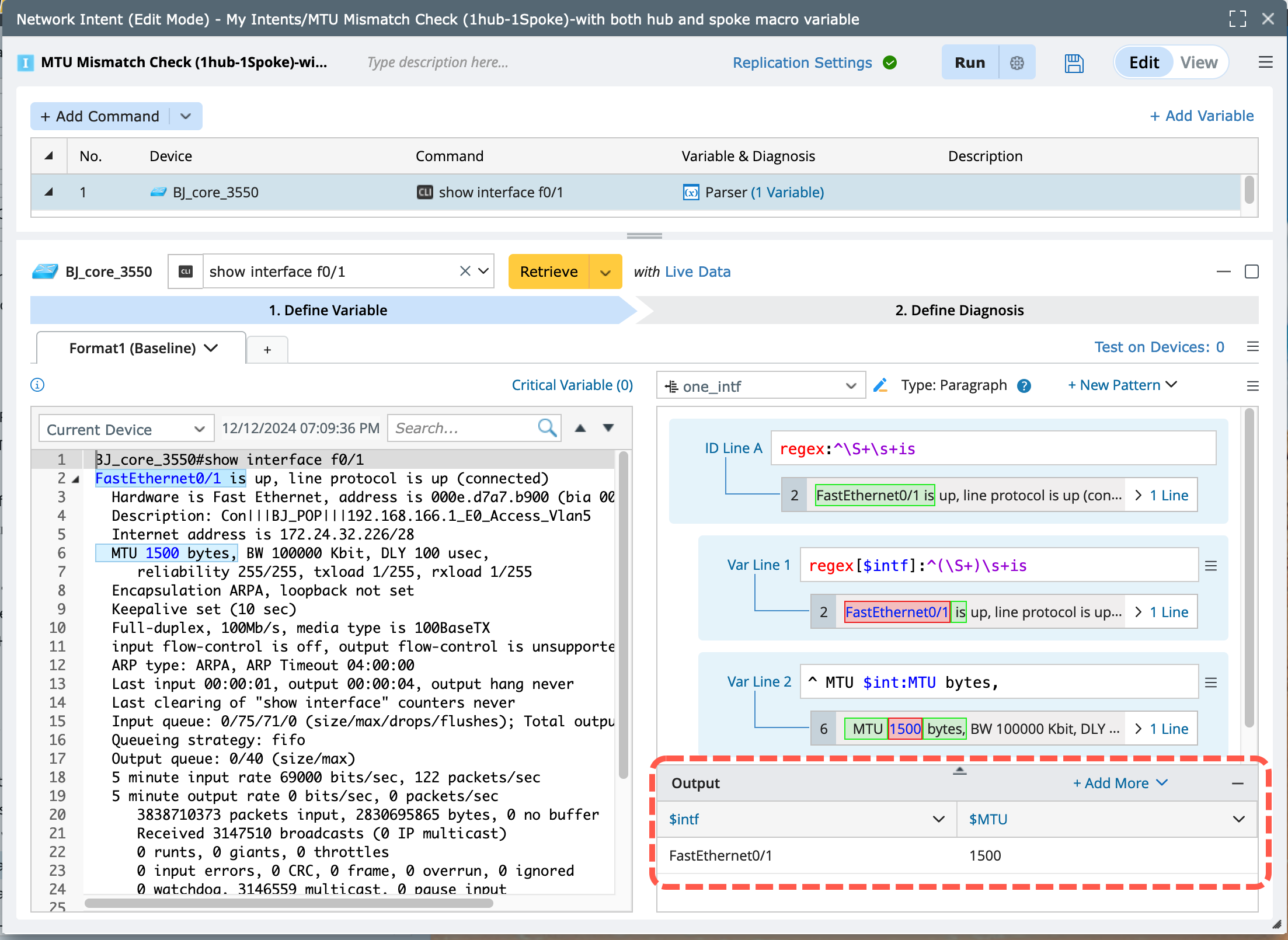
show interface f0/1:
- Run the command and retrieve the MTU information of this interface.
- Parse the variables as shown in the output table in the image below.
-
show cdp neighbor detail:
- Run the command and retrieve the interfaces of the current device as well as the interfaces and details of its neighboring devices
- Parse the variables as shown in the output table in the image below.

- Merge the above two parsed tables.

-
show interface f0/1:
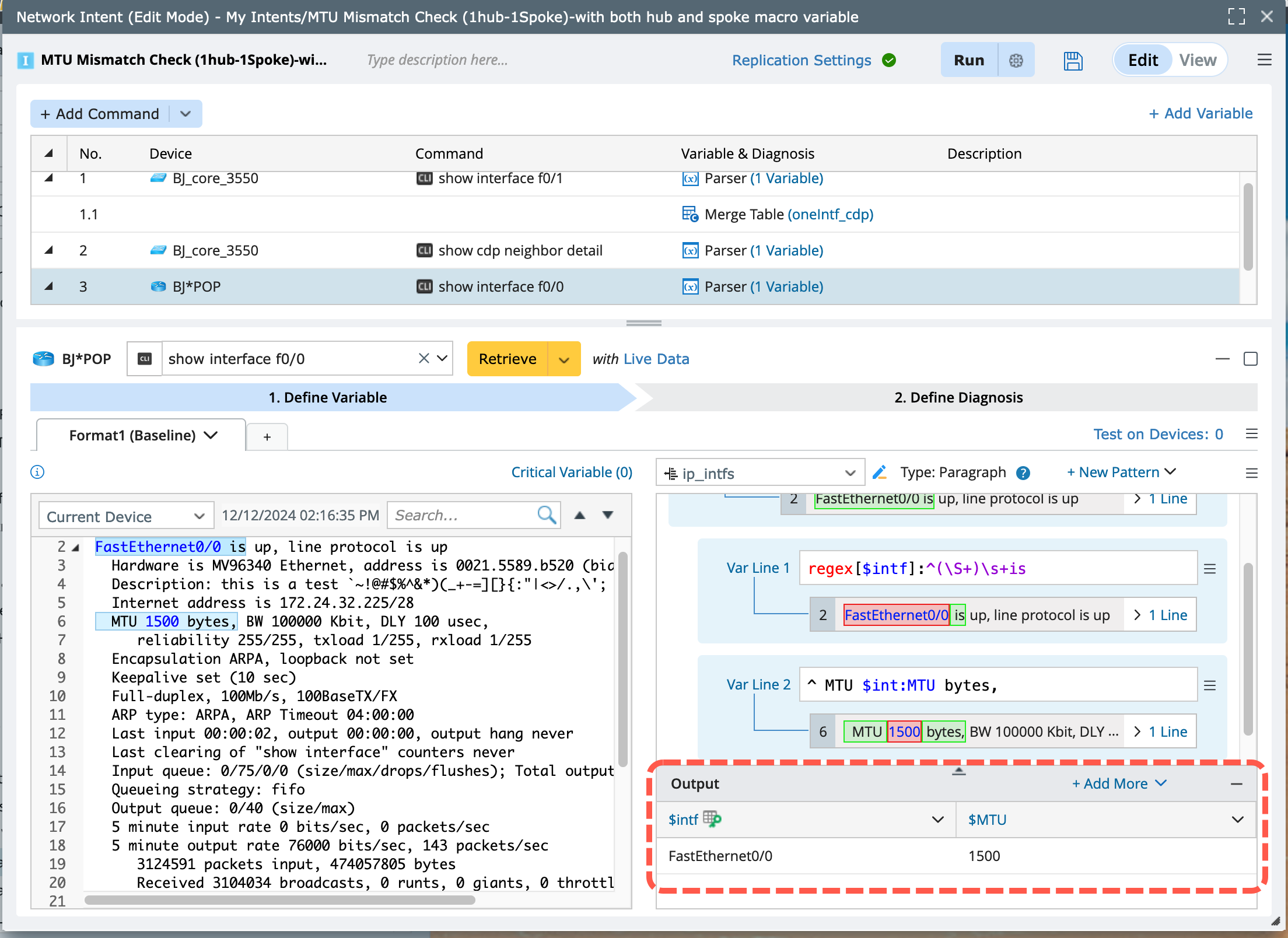
- Add device “BJ*POP” and run the command show interface f0/0 on it to get its interface details and MTU value.
-
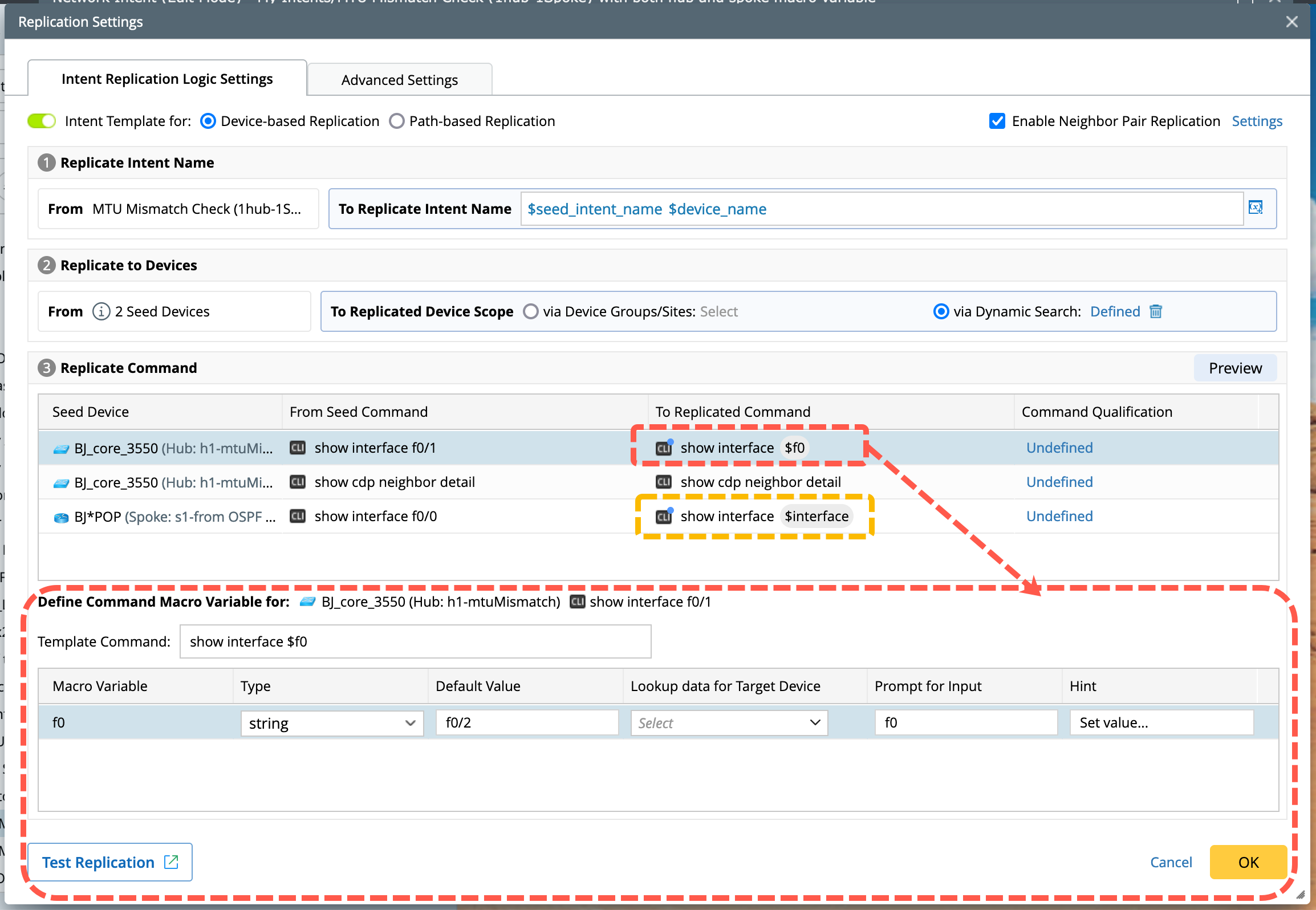
Set a macro variable for this device interface, with the command defined as show interface $intf. Use it to get all neighbor interfaces and MTU values. Then, use this macro variable to create a diagnosis to compare the MTU of this device and device “BJ_core3550”.
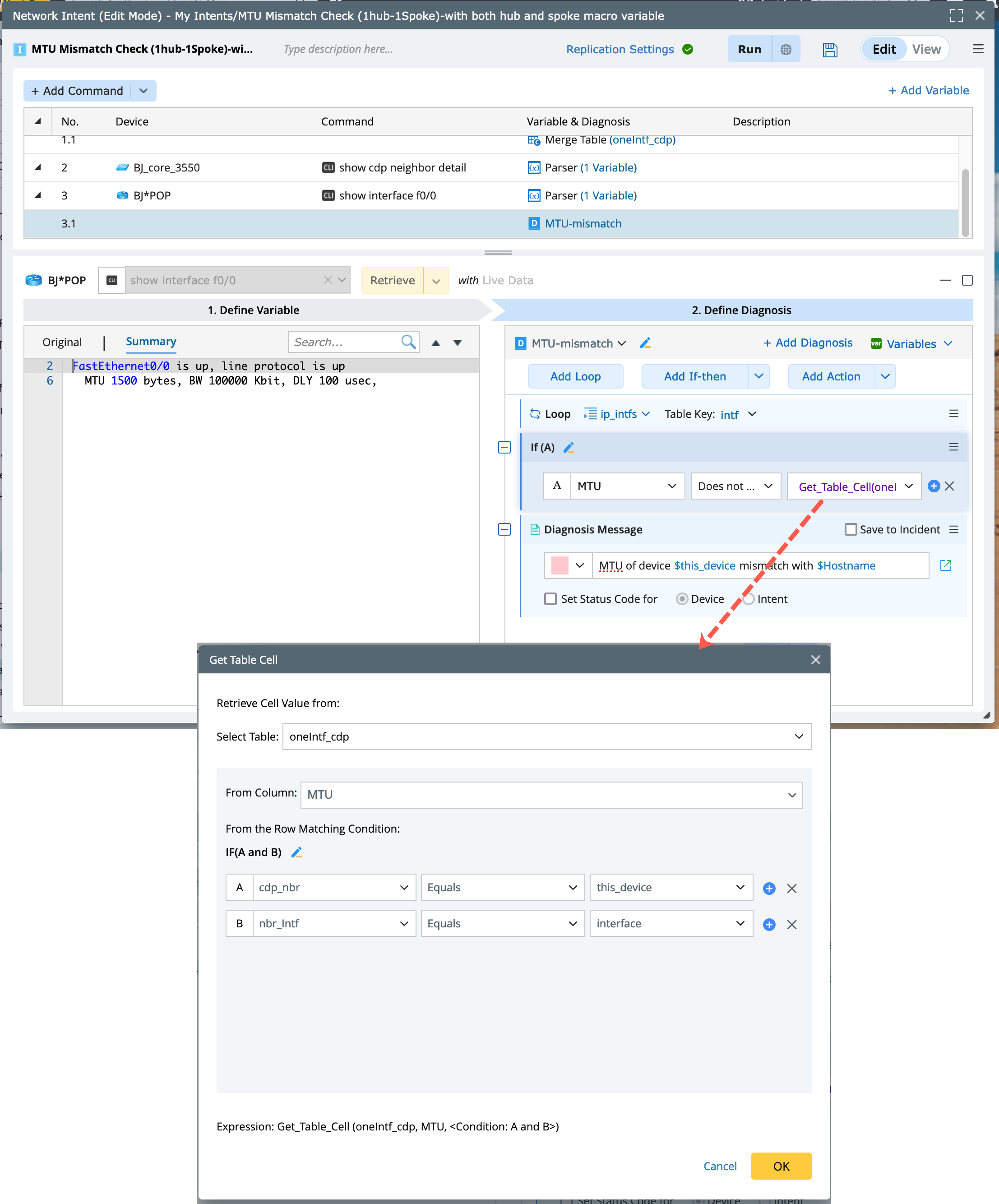

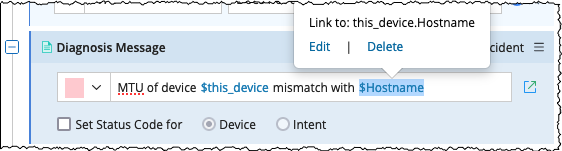
Note: When executing an intent to check the match between a device and its neighbor devices, you can define a diagnosis message that specifies the mismatched neighbor device. Use the variable $this_device.Hostname for other device and $this_device for the host device in the diagnosis message. This ensures that device names are accurately reflected in the messages during intent execution.
-
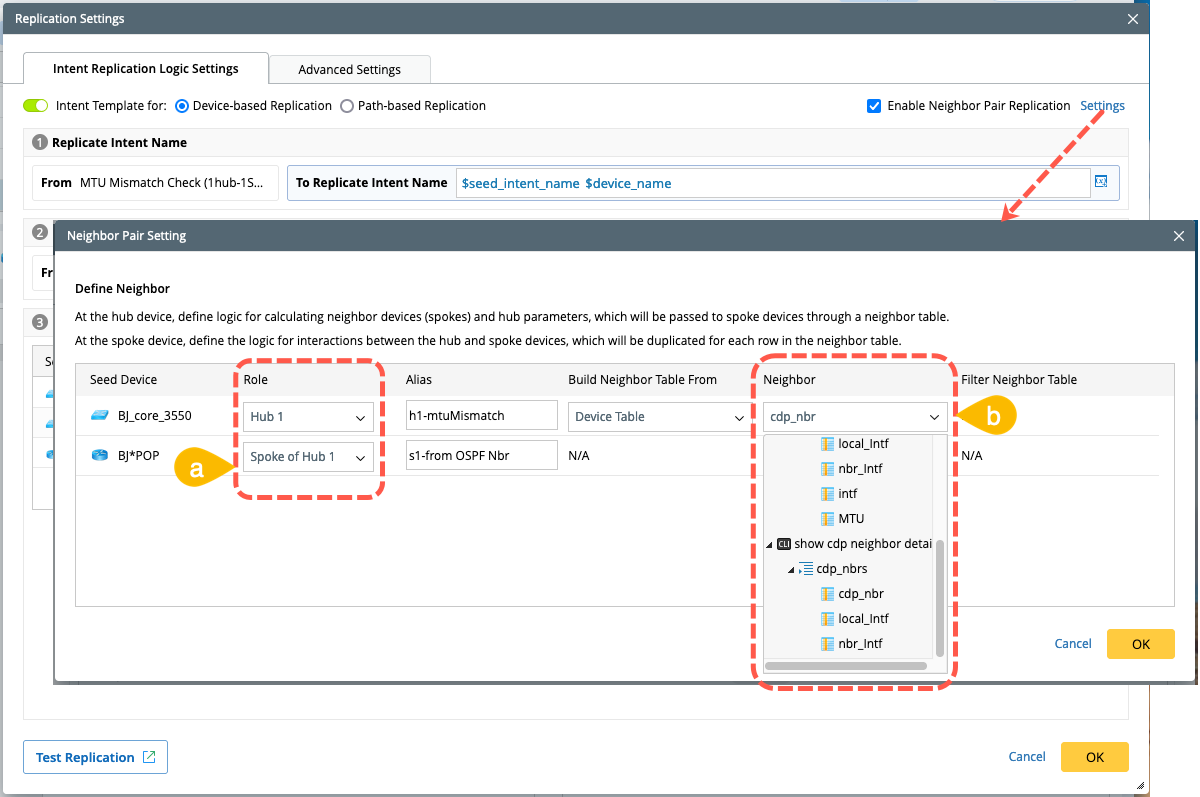
Enable and define the neighbor pair replication.
- Assign roles for the seed devices: Designate “BJ_core_3550” as the hub device and “BJ*POP” as the spoke device of “BJ_core_3550”.
-
Define the neighbor variable logic for the hub device. In this case, use the cdp_nbr column from the table parsed by the show cdp neighbor detail command to identify neighbors.
-
Define the macro variable for the spoke device by assigning values directly from the nbr_intf column in the merged table.
-
Filter the neighbor table by selecting the column that matches the hub macro variable to ensure the interfaces on both devices correspond.

-
Run this seed intent to view the result.
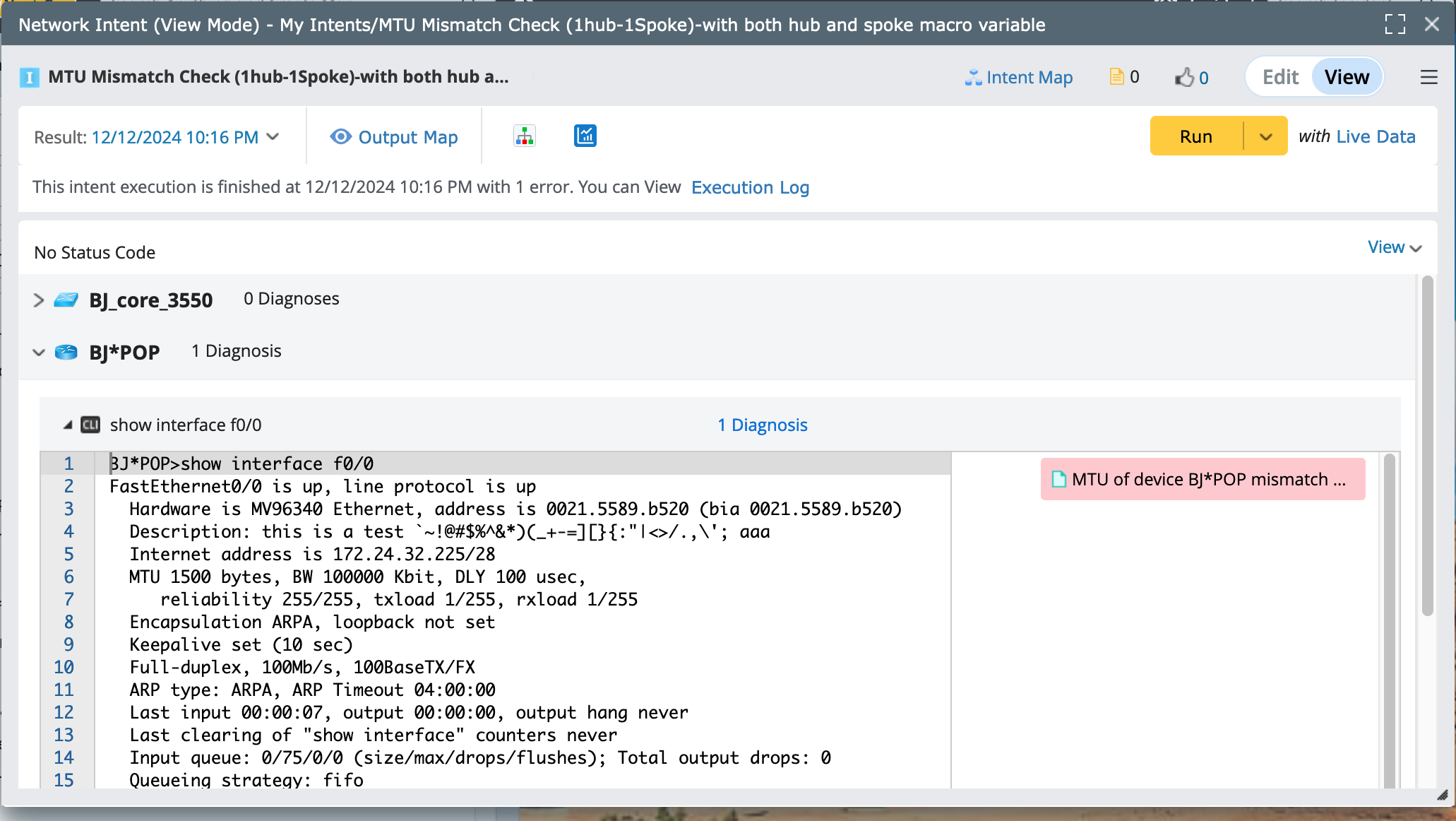
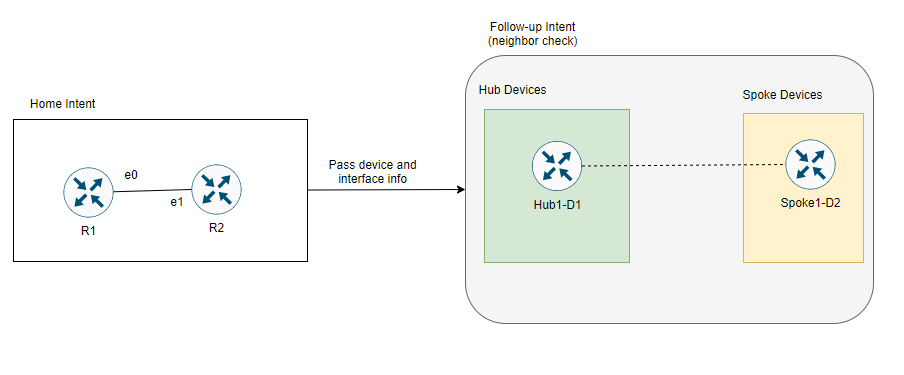
This NIT can be used as a follow-up NIT in troubleshooting scenarios. If you detect an interface status or error on a specific device interface, you can pass the device and interface information to this NIT to perform further checks on the interface MTU.
The logic is illustrated below, assume the home intent is used to check interface errors on devices R1 and R2. If any interface errors are detected, you can pass the device and interface details to further check for MTU mismatches between these devices and their neighbors.