Interface MTU Mismatch Check – Check All Interfaces
Define a Network Intent Template (NIT) to check the interface MTU mismatch. This requires defining a macro variable on the spoke device. This topic primarily focuses on defining the neighbor pair replication and provides a brief overview of the seed intent creation process. For detailed steps on creating an intent, refer to Create Network Intent. The procedure is as follows:
Step1: Define a Seed Intent
-
Add the device “BJ_core_3550” and run the commands show interface and show cdp neighbor detail on it as follows:
-
show interface:
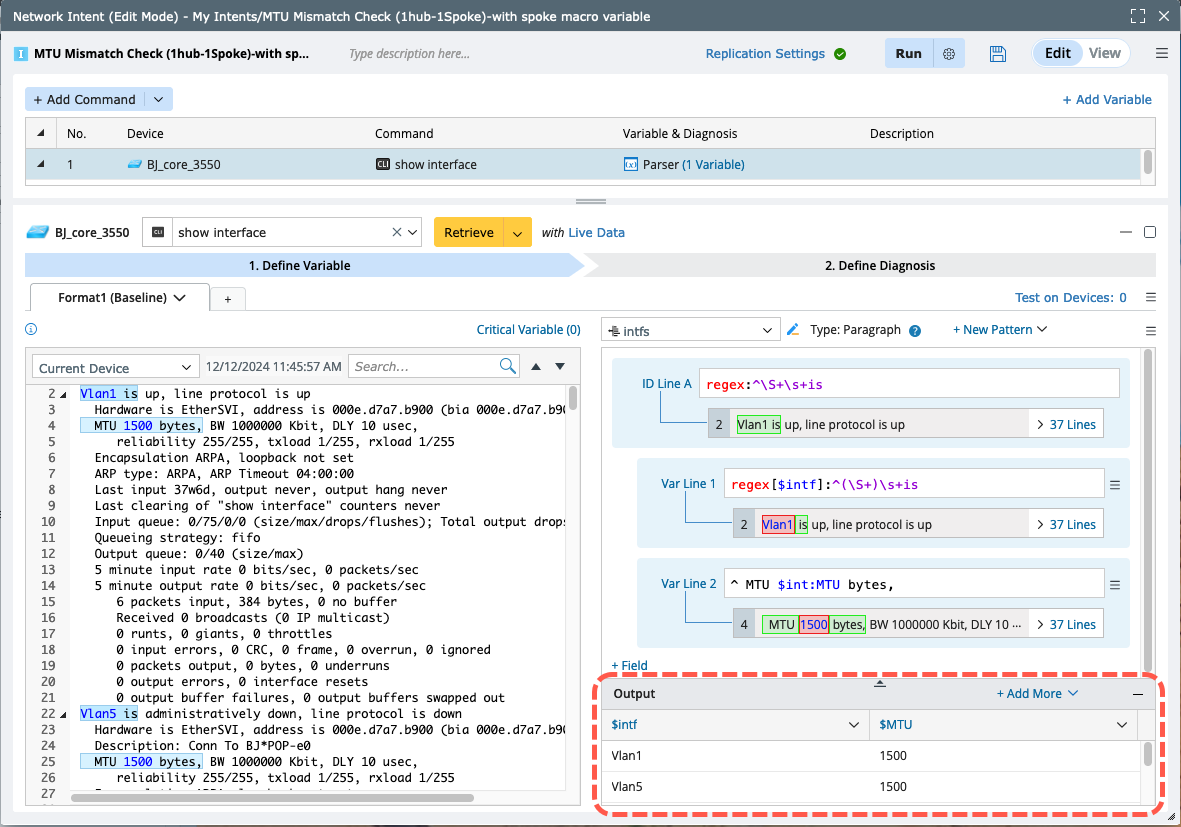
- Run the command and retrieve the MTU information for all interfaces.
- Parse the variables as shown in the output table in the image below.
-
show cdp neighbor detail:
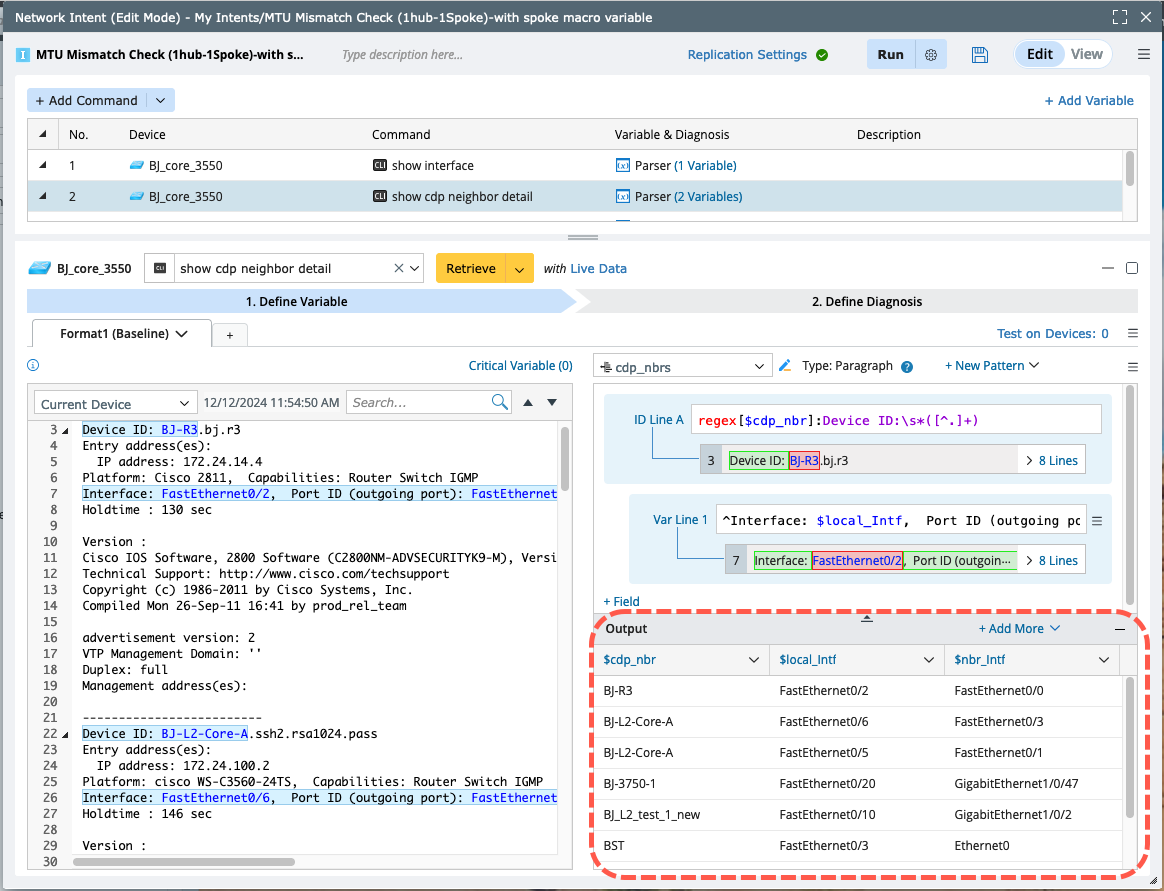
- Run the command and retrieve the interfaces of the current device as well as the interfaces and details of its neighboring devices.
- Parse the variables as shown in the output table in the image below.
-
Merge the above two parsed tables.

-
show interface:
-
Add the device “BJ*POP” and run the command show interface f0/0 to retrieve the interface details and its MTU value.

-
Set a macro variable for this device interface, with the command defined as show interface $intf. Use it to get all neighbor interfaces and MTU values. Then, use this macro variable to create a diagnosis to compare the MTU of this device and device “BJ_core3550”.


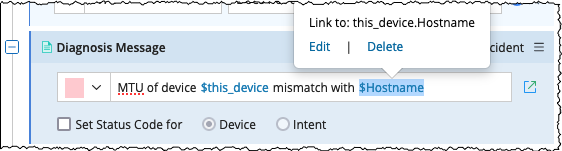
Note: When executing an intent to check the match between a device and its neighbor devices, you can define a diagnosis message that specifies any mismatched neighbor device. Use the variable $this_device.Hostname for other device and $this_device for the host device in the diagnosis message. This ensures that device names are accurately reflected in the messages during intent execution.
Step 2: Define the Neighbor Pair Replication
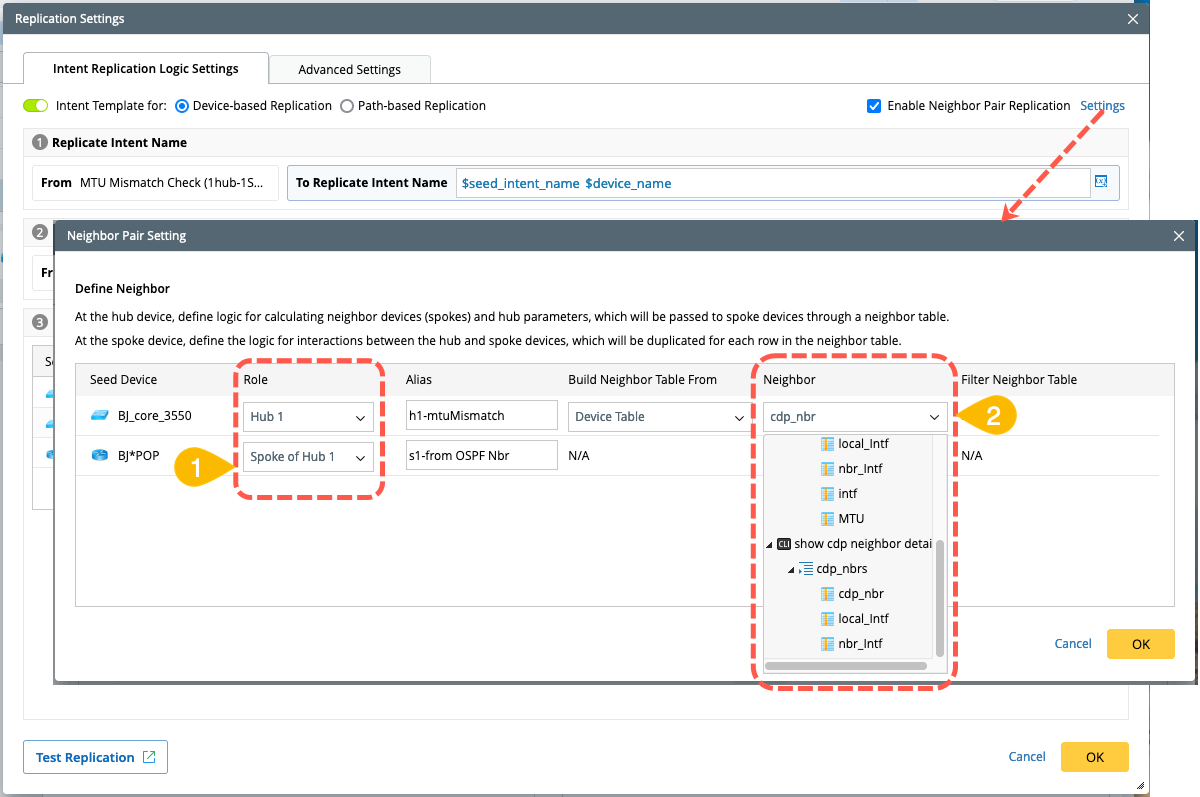
Enable and define the neighbor pair replication.
- Assign roles for the seed devices: Designate “BJ_core_3550” as the hub device and “BJ*POP” as the spoke device of “BJ_core_3550”.
- Define the neighbor variable logic for the hub device. In this case, use the cdp_nbr column from the table parsed by the show cdp neighbor detail command to identify neighbors.
- Define the macro variable for the spoke device by assigning values directly from the nbr_intf column in the merged table.
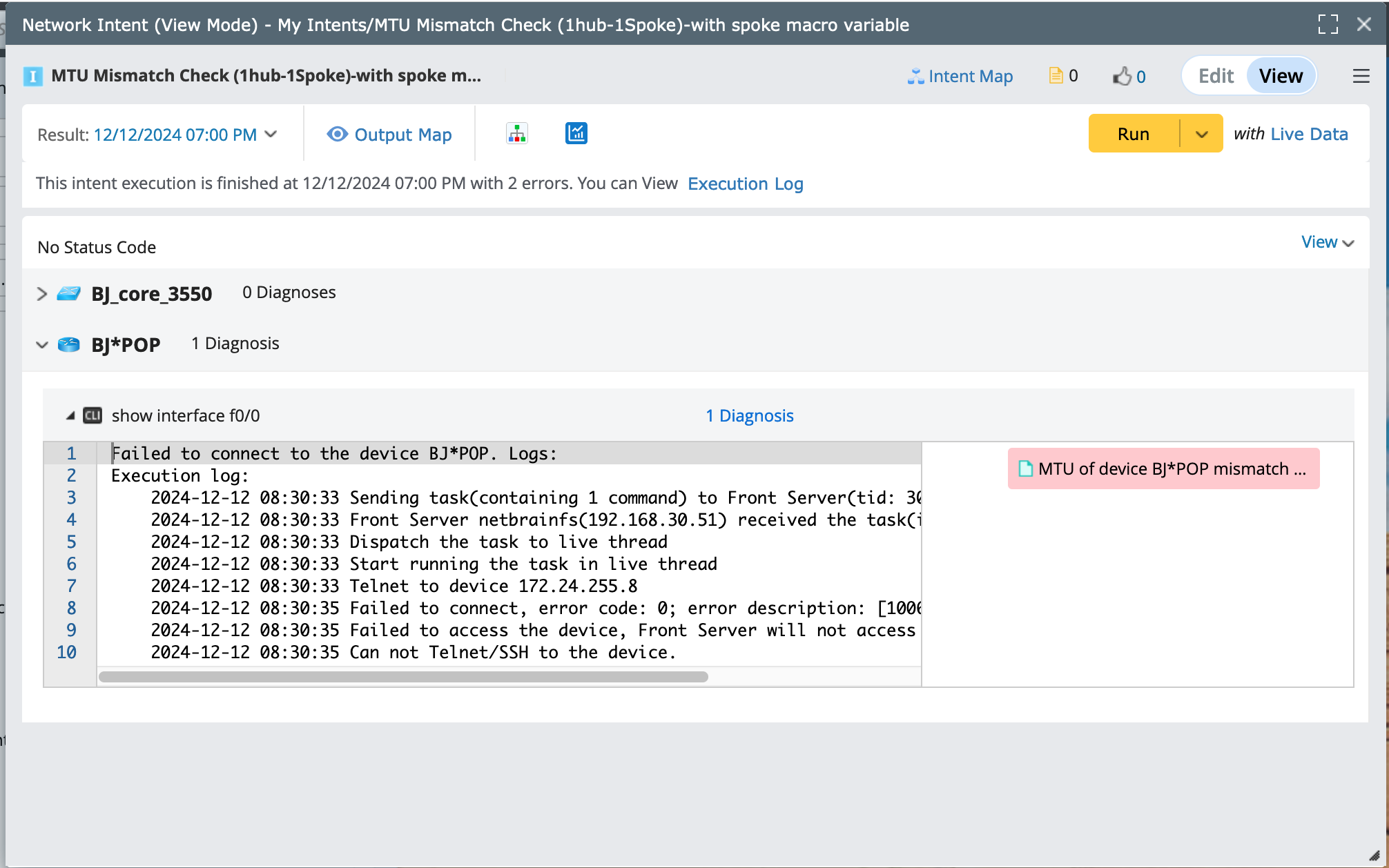
- Run this seed intent to view the result.