Multi-command Support Related Improvements in Parser
When retrieving device data, the device determines which CLI command to use based on predefined logic, which is described in this section.
 |
Note: The logic only applies to CLI command parser, not applicable to other types of parsers, such as Configuration parser, API parser, SNMP parser. |
CLI Command in Each Format
The parser saves the CLI commands used for each format. Each format uses a specific CLI command, and all commands are retained within the parser.
Define CLI Command Qualification
CLI Command Qualification decides which command to use for a target device.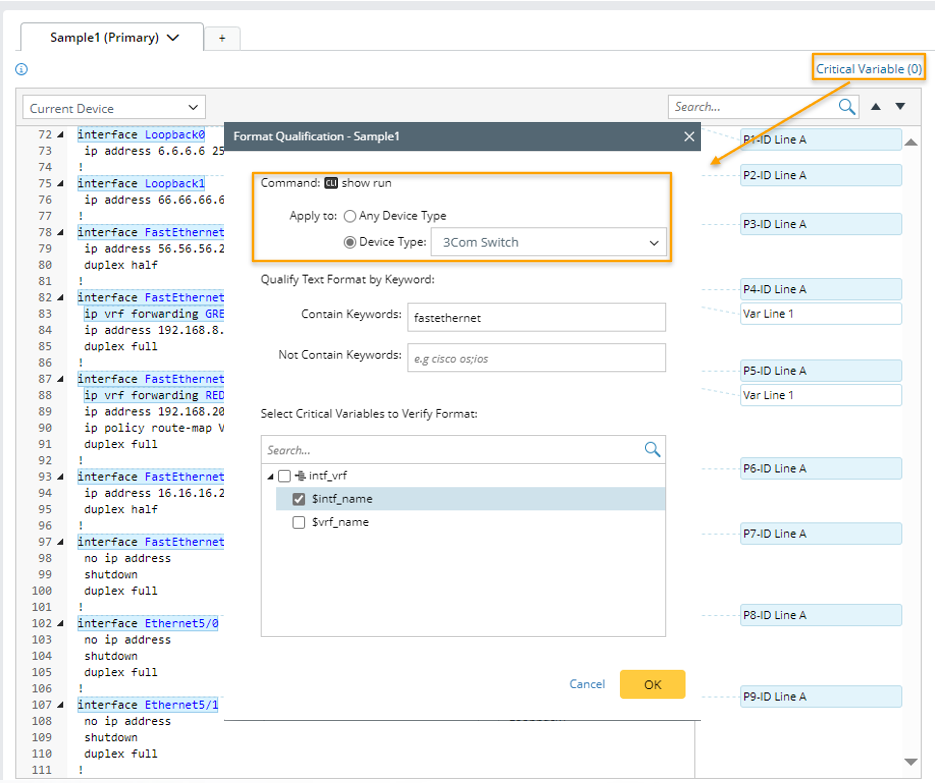
|
Note: The UI for defining CLL command qualification only appears when the parser is CLI Command type parser. |
You can qualify a CLI command for all device types or a specified device type. If a specific device type is selected, the system checks whether it is included in the parser qualification. If not, it is automatically added.
CLI command qualification is part of the parser format definition and is saved within the parser. When a new parser format is created, it inherits the most recent CLI command used in the current parser along with its qualification settings.
To define CLI Command Qualification, follow the steps below:
- Click Critical Variable in the parser UI.
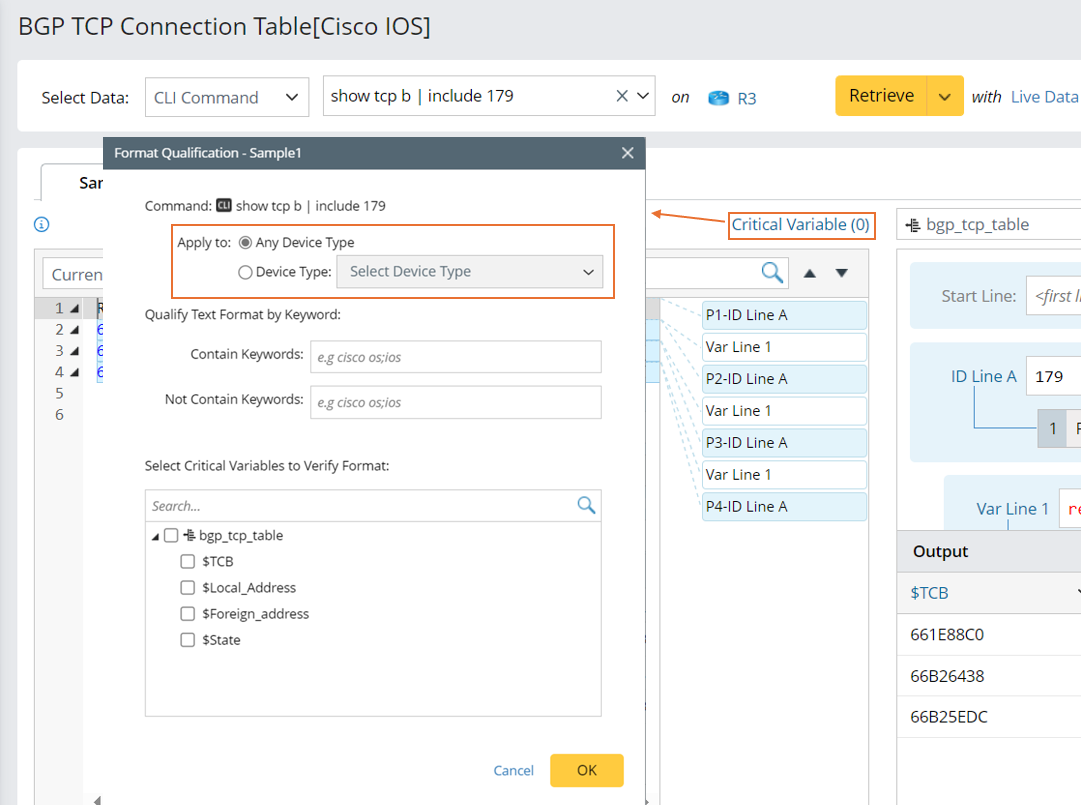
- In the pop-up Format Qualification window, choose from one of the two options in the Apply to section.
- Any Device Type: The command will be applied to any device type.
- Device Type: In this field, click the
 icon, then select one or more device types from the list. The command will only be applied to the devices of the selected device types.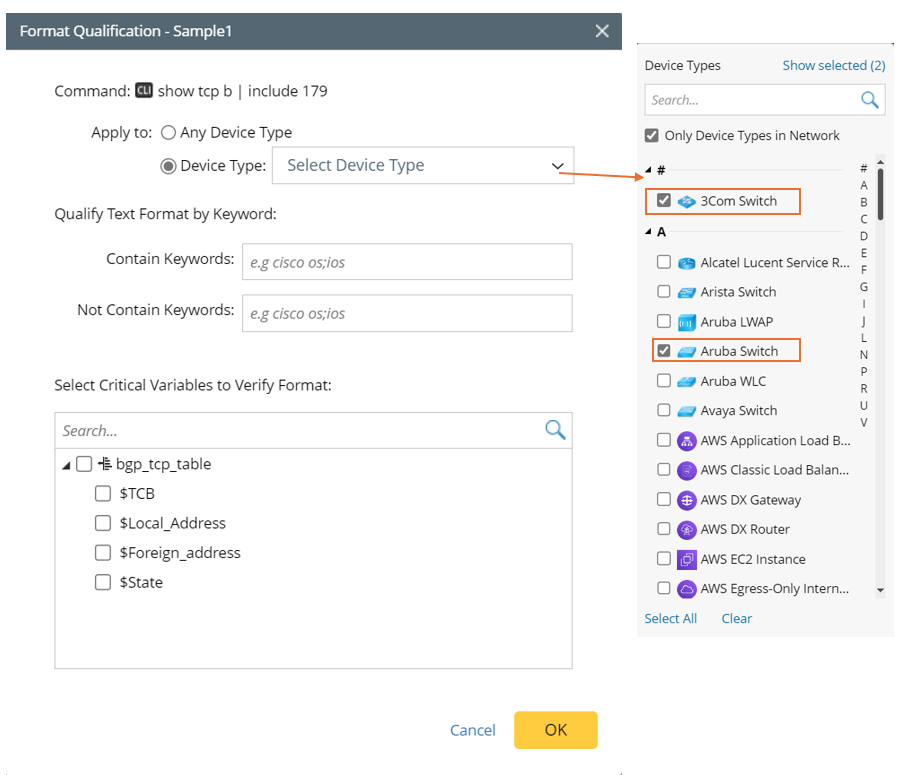
- Click OK.
The system has automatically added the missing device types from the CLI command qualification to the parser qualification.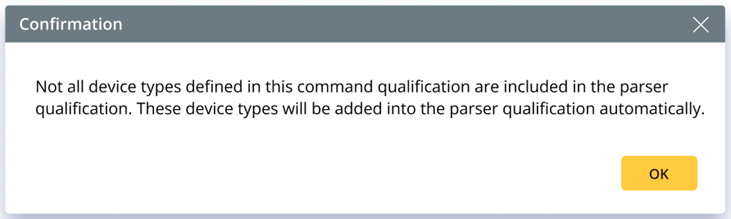
Auto Choose Command When Parser Runs on Target Device
When you run a parser on a target device through certain functions (such as Run Follow-Up Intent or Run DVT), appropriate CLI commands are automatically selected from the parser to retrieve data.
The basic rules are described below:
- Qualify target devices by parser qualification to remove unqualified devices.
- Filter the target devices by CLI command qualification to remove the CLI commands that cannot be used by target device.
- Remove CLI commands that cannot be used for target device according to the device-command relationship recorded in NIT decode results.
- All the remaining CLI commands will try live data retrieval on target device. Only the first successful command data will be kept for the next parsing step.
|
|
Note: For CLI commands separated by double vertical bars, if any of the CLI commands can be used to retrieve data, the whole CLI command combination will be regarded as qualified, and CLI command outputs will be combined together. |
|
|
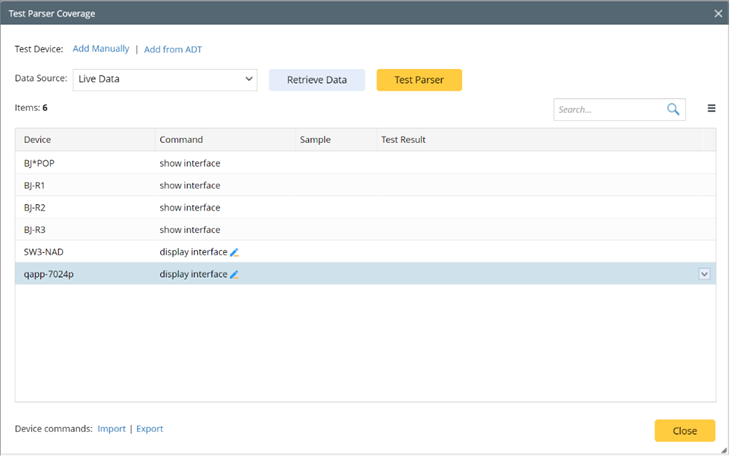
Note: When testing parser qualification, the CLI command for each device will be chosen based on the above logic. |
Test Parser Coverage
When testing parser coverage, the CLI command for each device is determined using the new Auto Choose Command logic.