Assessment Target
There are four types of assessment targets.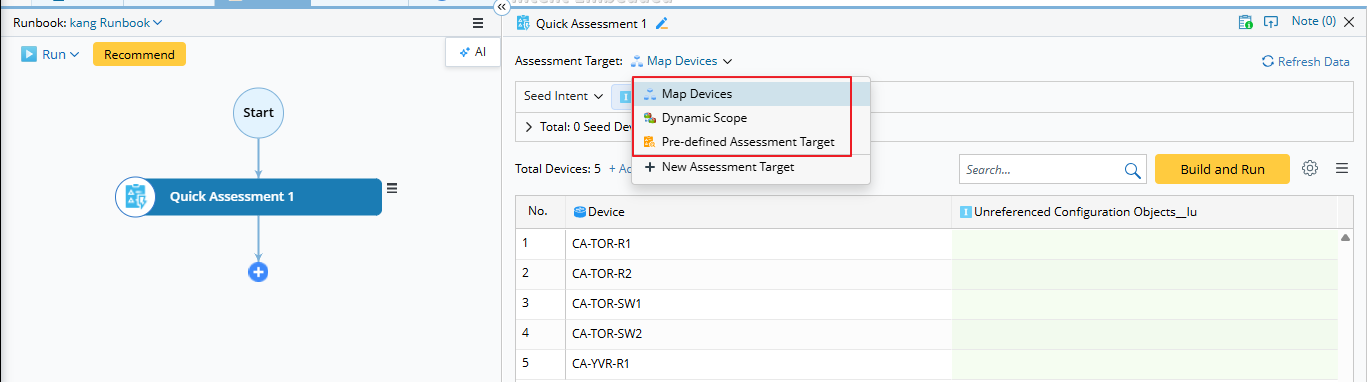
1. Map Devices:
Uses all devices on the current map page. (Devices on other pages are excluded.) It is also the default device selection.
2. Network Change Devices:
Available only for Network Change and Network Change Template nodes.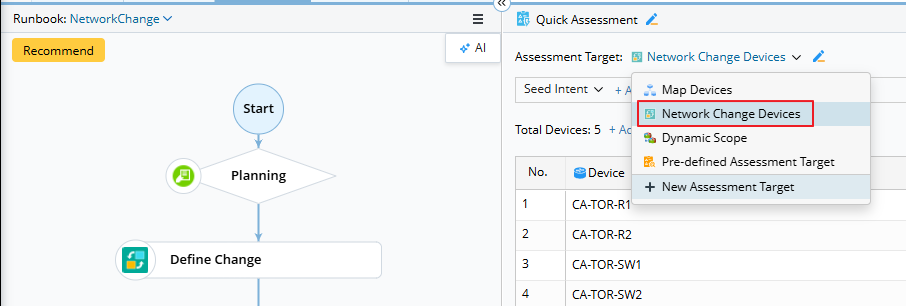

|
Note: If only one Define Change node exists in the network change runbook, it is selected automatically. If multiple Define Change nodes exist, the first one is selected by default, and you can choose additional nodes if needed.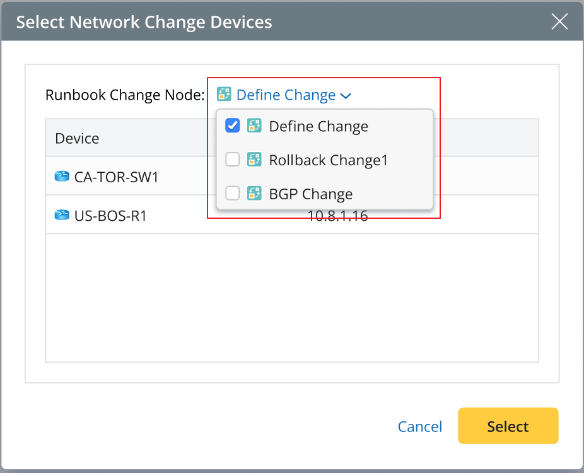 |
3. Dynamic Scope:
Base devices plus neighbor extensions. By default, the map devices are used as the base devices, and you can also modify this setting. Then extend neighbor devices based on these devices.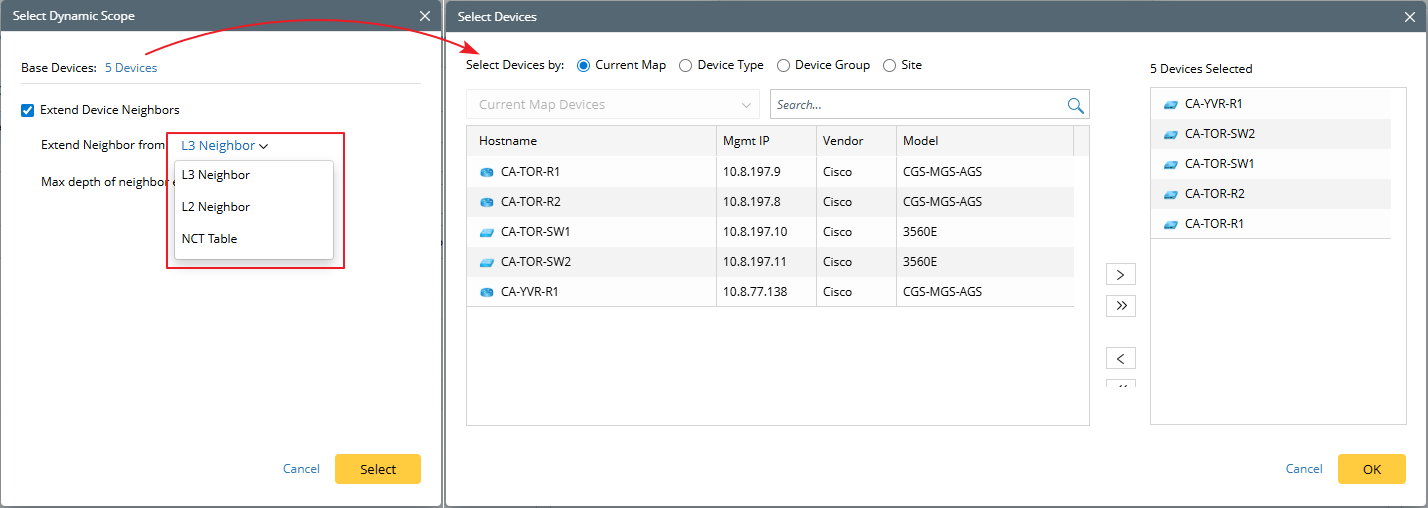
Three types of neighbors that you can extend for base devices: 1) L3 Neighbor (checked by default), 2) L2 Neighbor, and 3) NCT Table.
When using an NCT table to extend neighbors, all available tables in the current domain are listed, but only one can be selected. After that, choose a column from the table as the neighbor column.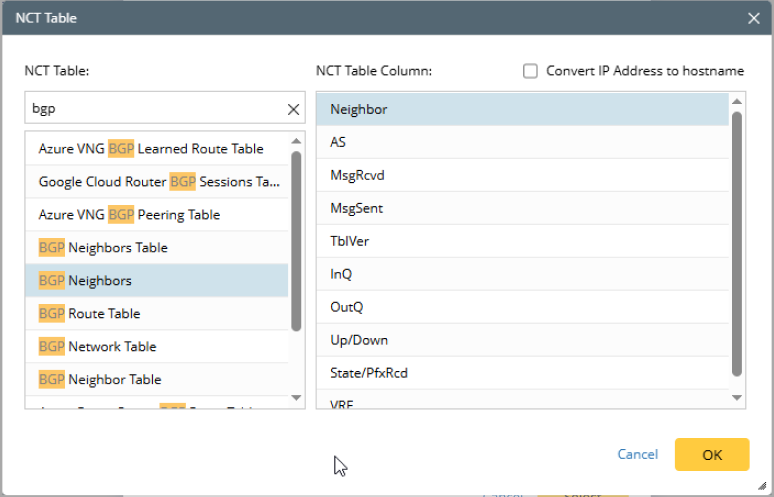
- If the column represents a device, it can be used directly as a neighbor.
- If the column represents an IP address, you can choose to convert the IP address to a hostname. In this case, select the conversion option to use the hostname as the device.
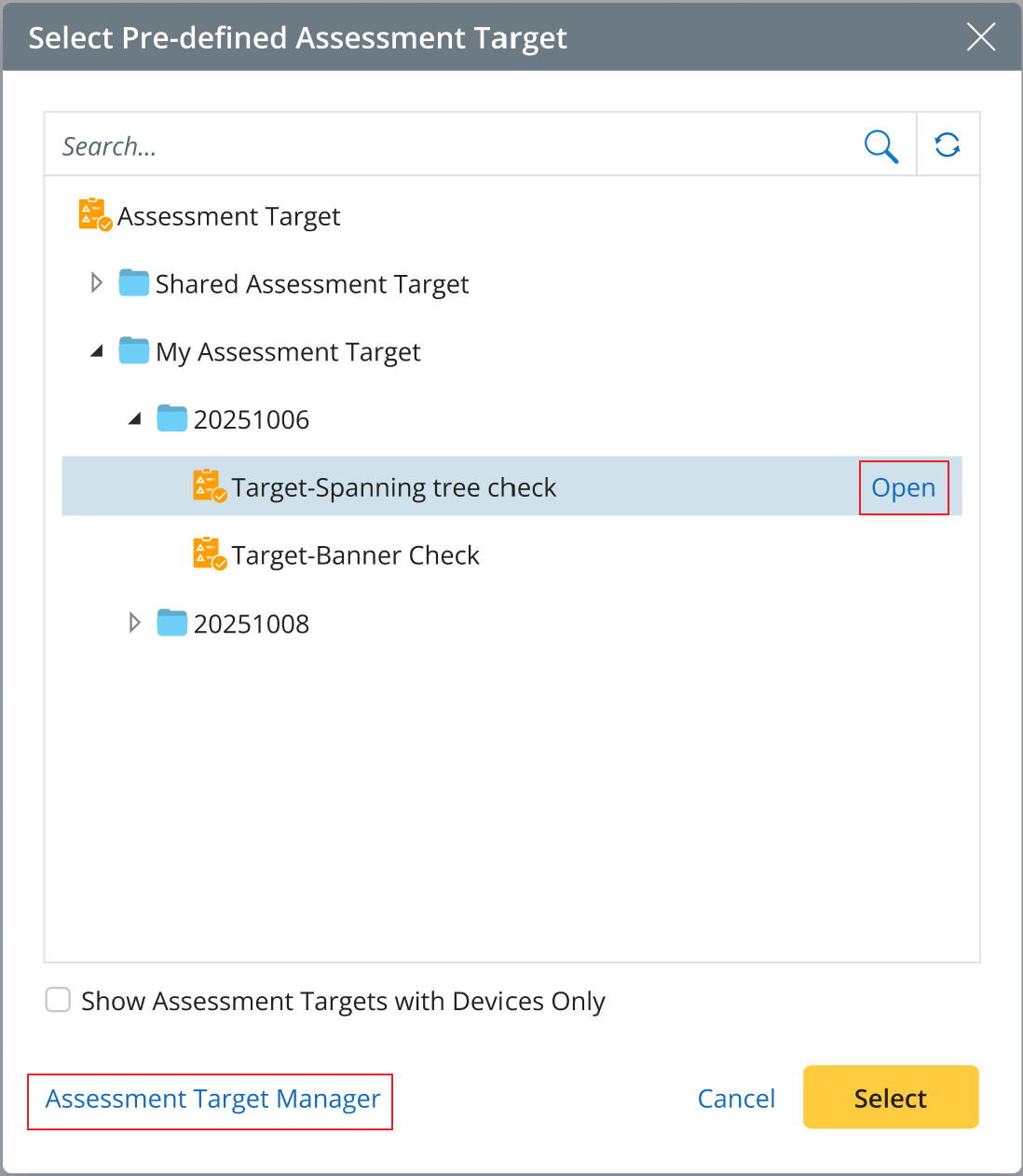
4. Pre-defined Assessment Targets:
Targets predefined in Assessment Target Manager. You can open the current assessment target or navigate to the Assessment Target Manager to create a new one.