Seed Intent
After selecting the assessment target, choose Seed Intent or ADT Intent to build the assessment.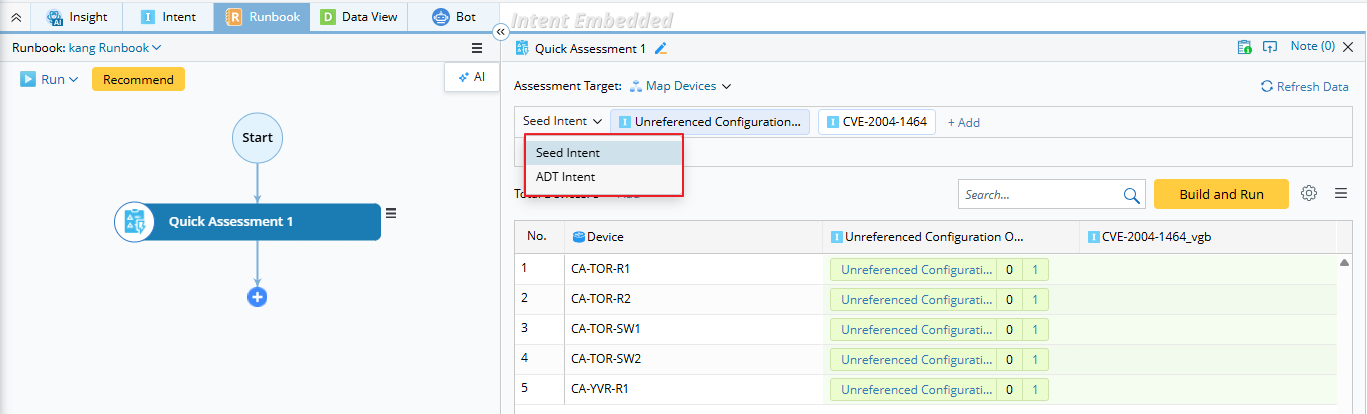
Seed Intent
You are allowed to select more than one seed intent listed.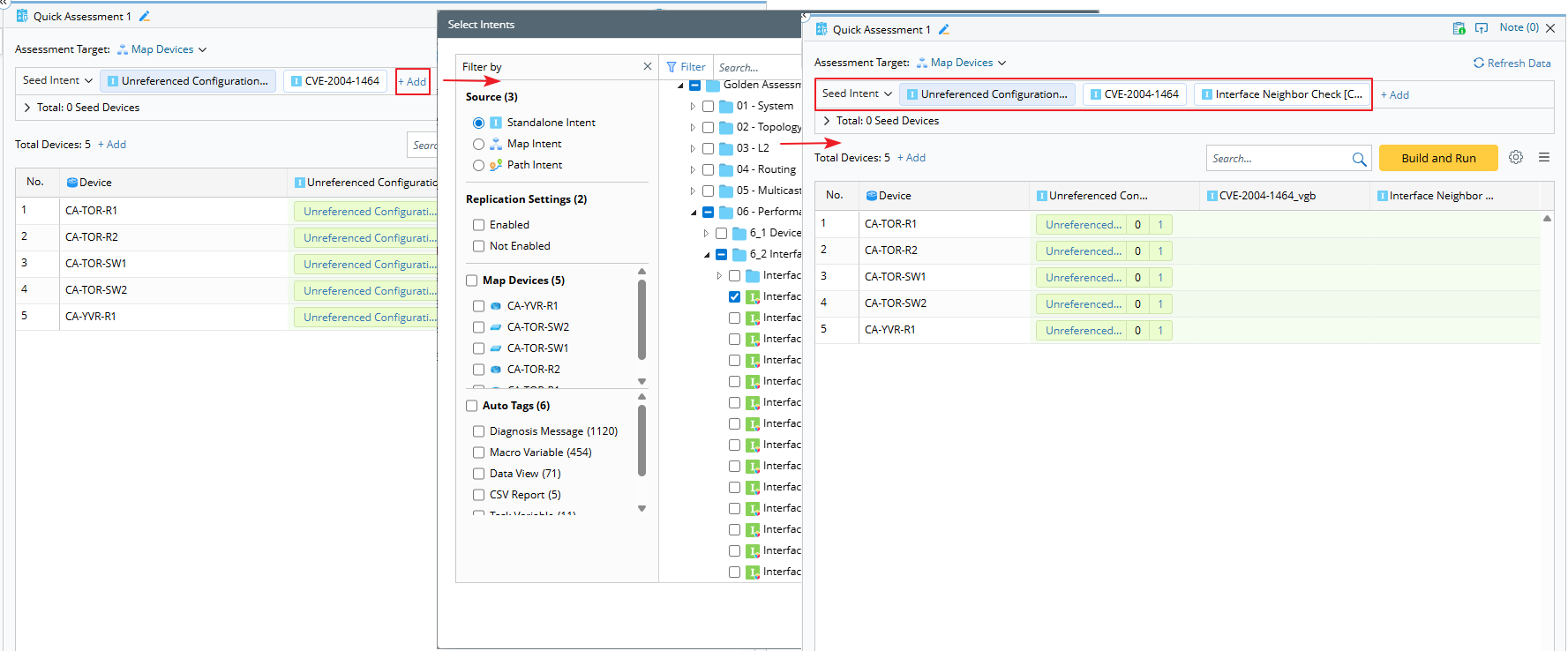
Once the seed intent is selected, the seed intent, along with command qualifications and macro variables, can be viewed or defined. The definitions here follow the same configuration as in the intent template.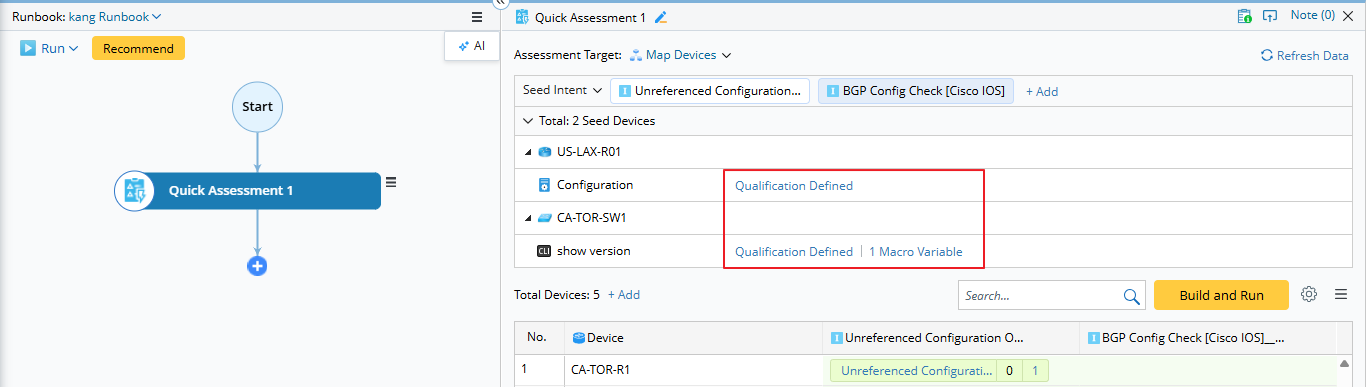
- If it is the first time Intent Template Settings are configured here, they are saved to the Intent Template Replication Settings.
- If the selected Seed Intent already has template settings configured, those settings are automatically loaded.
For the macro variable definition, if no command is configured, you can input the command to configure the macro variables. You can also specify the lookup for the macro variable. The ADT columns that can be used for macro variables are listed.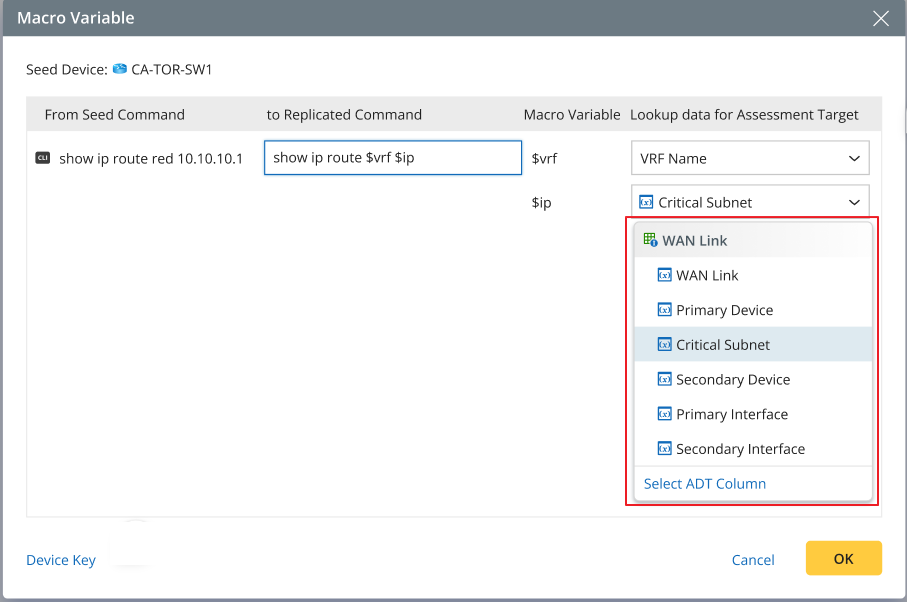

|
Note: If the Assessment Target is not using the Pre-selected Assessment Target, there is no ADT available, you can only use the Select ADT Column. 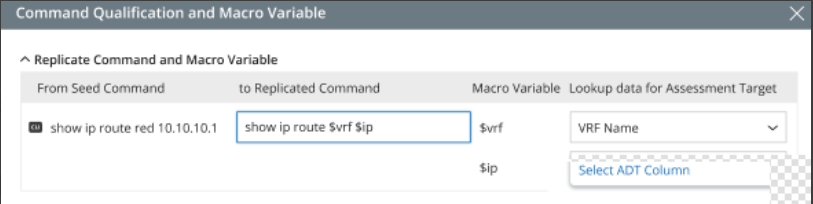
|
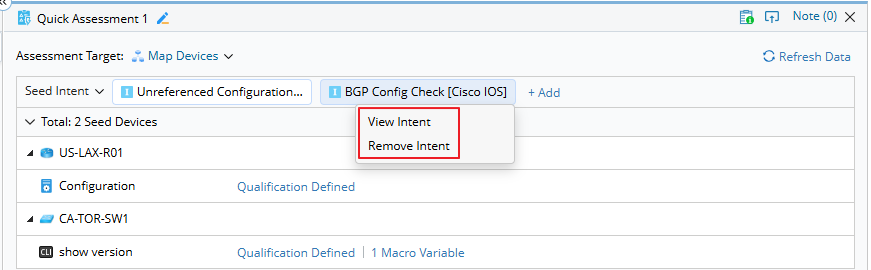
You can view or remove the selected seed intent:
- For intents listed out:
- For intents in the more button:
ADT Intent
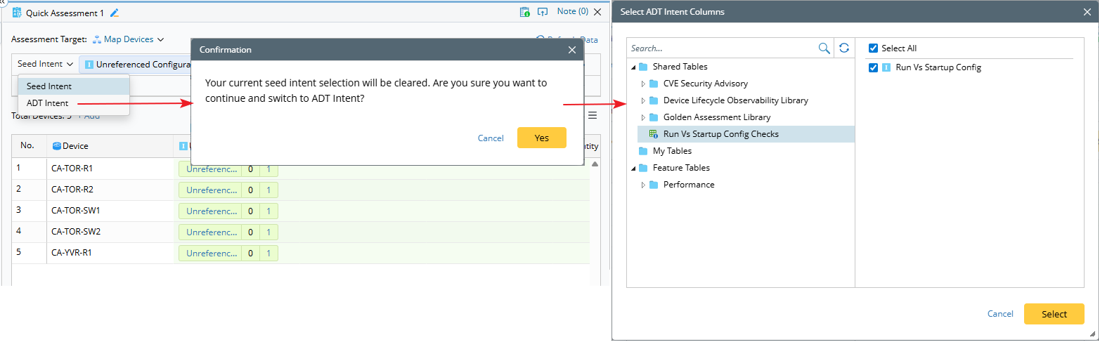
When you select the ADT intent, the previously selected Seed Intent will be cleared.
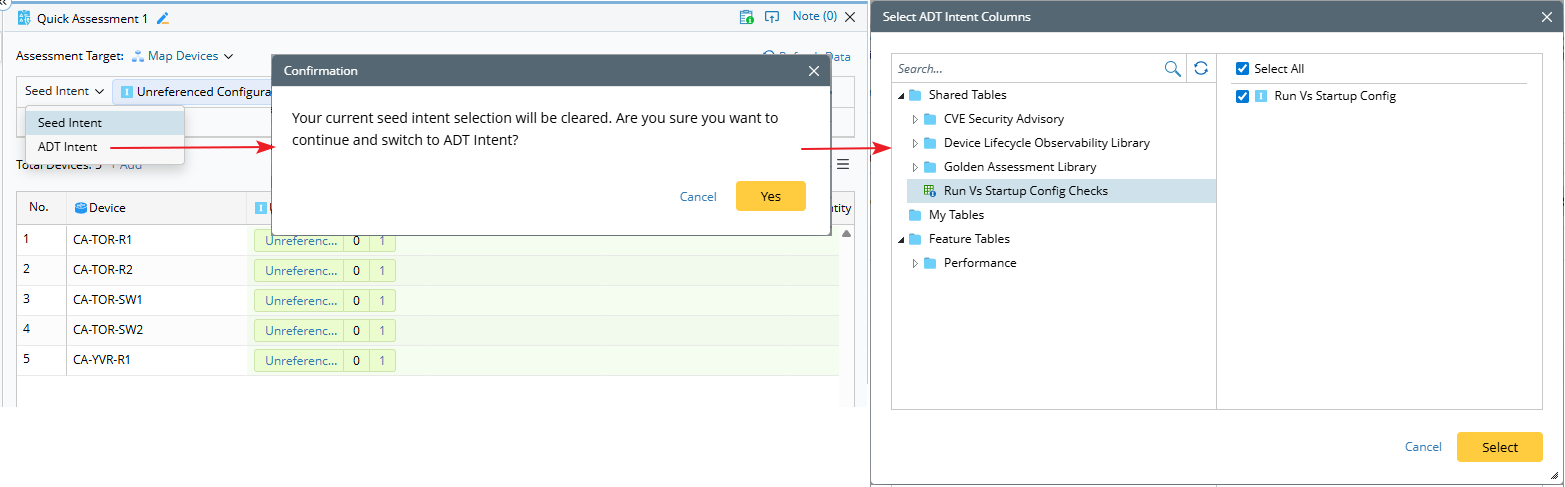
Once ADT intents are selected, the system displays the ADT — by default showing the table key column and all device columns — along with the selected intent columns.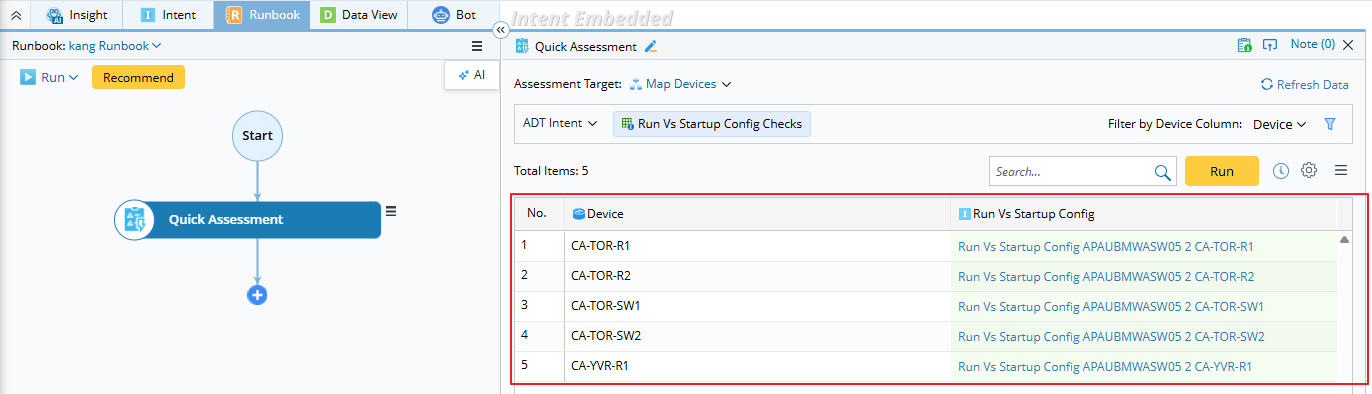
You can also modify the ADT intent filter settings with conditions.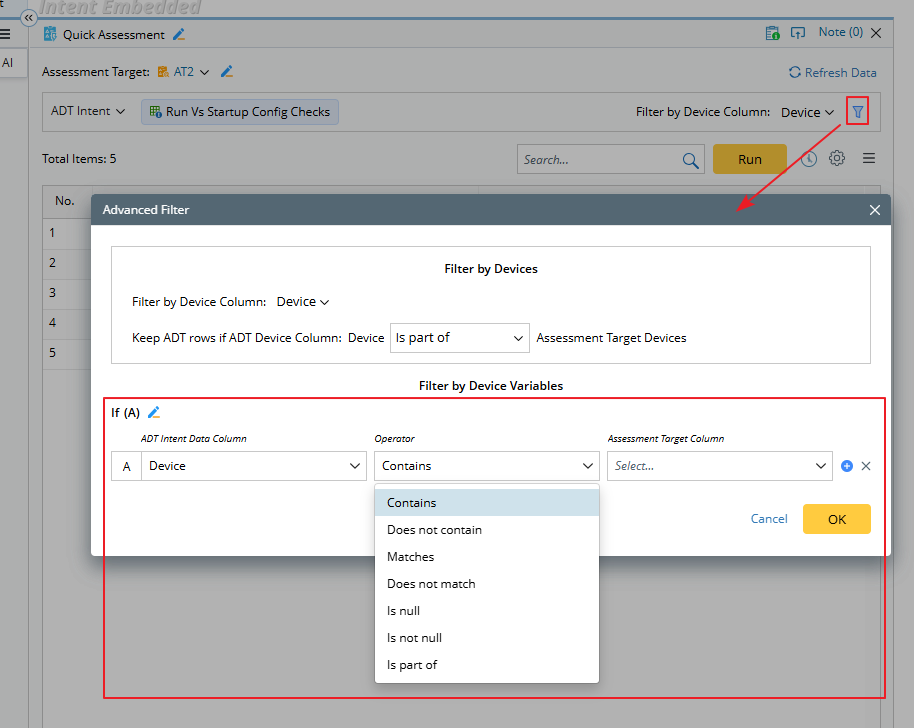
- Left Side: ADT Intent Data Columns
- Right Side: Assessment Target Columns
- Operator: Defines the matching condition between the two sides.