R12.3-2026Apr21
Configure EC2 Role for NetBrain Front Server in AWS Gateway Account
This topic describes how to create a role for an EC2 instance in the gateway account using the AWS console. This will allow the EC2 instance that hosts NetBrain system to access the monitored accounts.
- Go to Roles in Identity and Access Management (IAM) and create a new role.
-
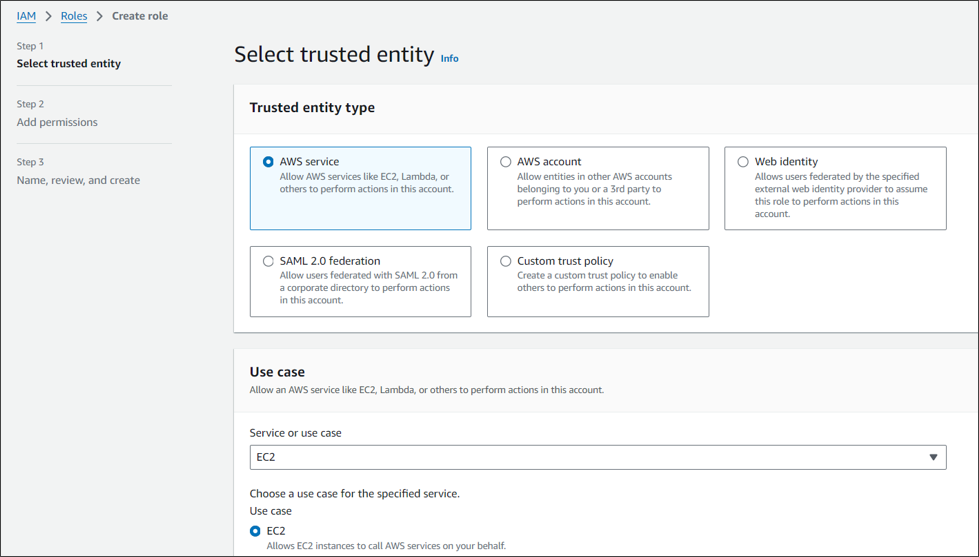
Select AWS service and EC2 for this role.
-
Enter the role name (NetbrainAccessRoleForEC2).
Skip the Permissions (policy) section in the wizards. The policy will be added later.
Note: The role name shall match the one you previously picked when configuring the trusted relation in the monitored account.
-
After the role is successfully created, open the role and attach an inline policy to allow the EC2 instance to assume NetbrainAccessRole in monitored accounts.
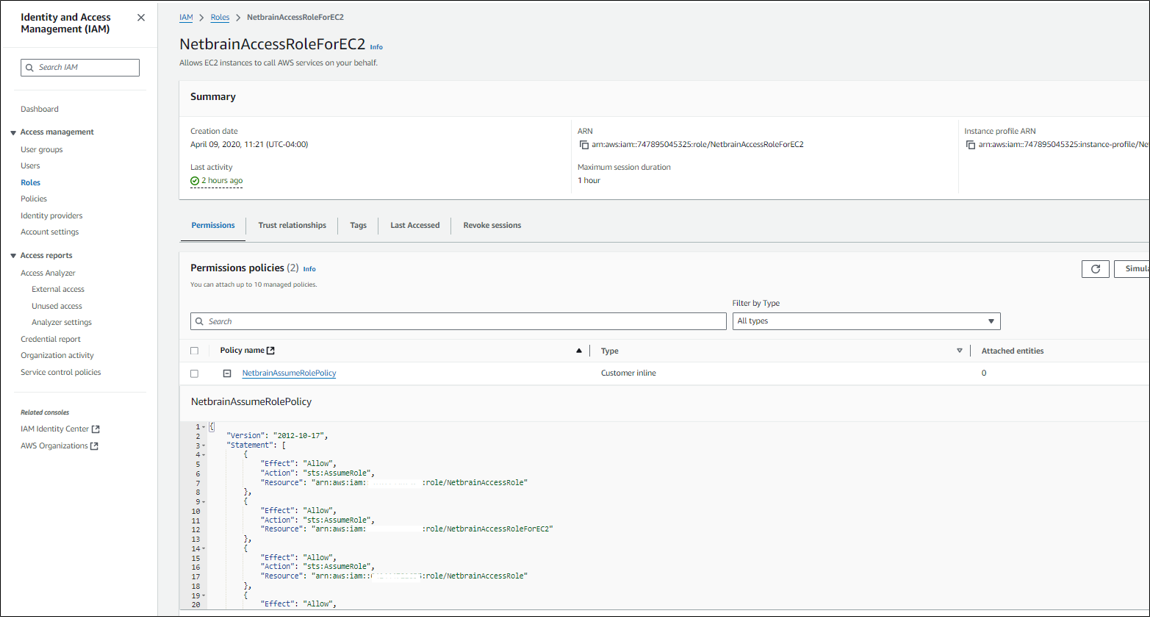
A sample policy JSON is as follows.
Note: Use the account ID to monitor your environment.
Code{ "Version": "2012-10-17", "Statement": [ { "Effect": "Allow", "Action": "sts:AssumeRole", "Resource": "<ARN of the IAM role created in Monitor Account 1 (NetbrainAccessRole)>" }, { "Effect": "Allow", "Action": "sts:AssumeRole", "Resource": "<ARN of the IAM role created in Monitor Account 2 (NetbrainAccessRole)>" } ] }
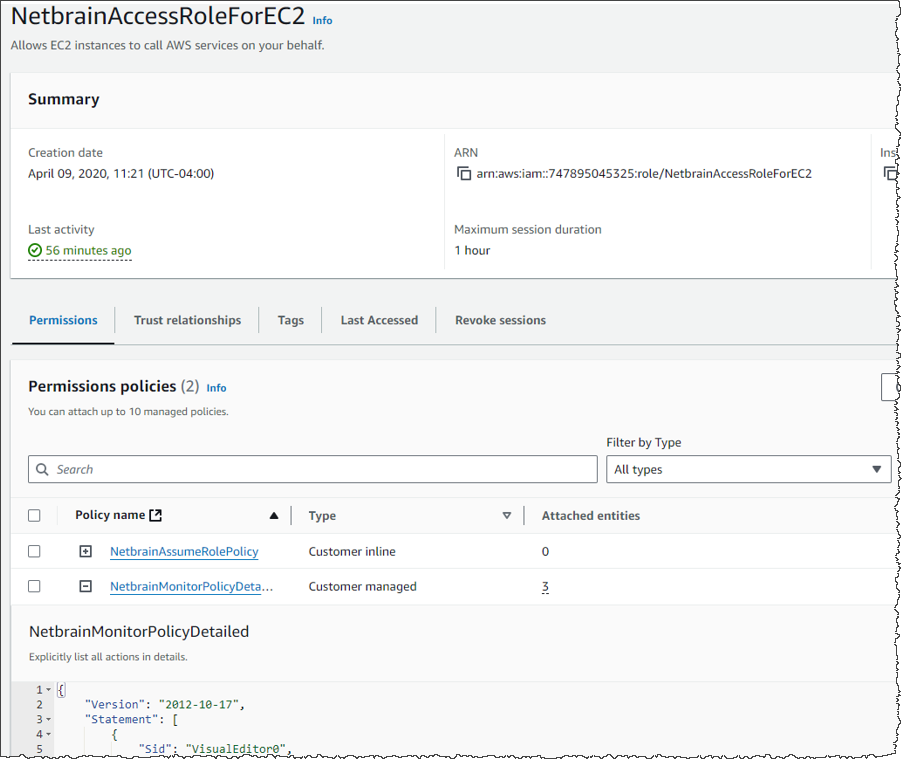
- If we want to discover the resources of AWS gateway account in Netbrain, then we need to add new resource access policy to this role to grant read access to the services.Code
6.	{
7.	  "Version": "2012-10-17",
8.	  "Statement": [
9.	        {
10.	            "Action": [
11.	                "autoscaling:Describe*",
12.	                "autoscaling:Get*",
13.	                "autoscaling-plans:Describe*",
14.	                "autoscaling-plans:GetScalingPlanResourceForecastData",
15.	                "cloudwatch:Describe*",
16.	                "cloudwatch:Get*",
17.	                "cloudwatch:List*",
18.	                "directconnect:Describe*",
19.	                "ec2:Describe*",
20.	                "ec2:Get*",
21.	                "ec2:SearchTransitGatewayRoutes",
22.	                "network-firewall:DescribeFirewall",
23.	                "network-firewall:DescribeFirewallPolicy",
24.	                "network-firewall:DescribeRuleGroup",
25.	                "network-firewall:ListFirewallPolicies",
26.	                "network-firewall:ListFirewalls",
27.	                "network-firewall:ListRuleGroups",
28.	                "network-firewall:ListTagsForResource",
29.	                "elasticloadbalancing:Describe*",
30.	                "batch:Describe*",
31.	                "batch:List*",
32.	                "batch:Get*",
33.	                "ecs:Describe*",
34.	                "ecs:List*",
35.	                "ecs:Get*",
36.	                "apigateway:GET",
37.	                "globalaccelerator:Describe*",
38.	                "globalaccelerator:List*",
39.	                "route53:List*",
40.	                "route53:Get*",
41.	                "route53:TestDNSAnswer",
42.	                "vpc-lattice:Get*",
43.	                "vpc-lattice:List*",
44.	                "dynamodb:Describe*",
45.	                "dynamodb:List*",
46.	                "dynamodb:Get*",
47.	                "memorydb:Describe*",
48.	                "memorydb:List*",
49.	                "cassandra:Get*",
50.	                "cassandra:List*",
51.	                "neptune-db:connect",
52.	                "fsx:Describe*",
53.	                "fsx:List*",
54.	                "backup:List*",
55.	                "backup:Get*",
56.	                "backup:Describe*",
57.	                "storagegateway:List*",
58.	                "storagegateway:Describe*",
59.	                "connect:Describe*",
60.	                "connect:List*",
61.	                "connect:Get*",
62.	                "sns:Get*",
63.	                "sns:List*",
64.	                "events:Describe*",
65.	                "events:List*",
66.	                "sqs:Get*",
67.	                "sqs:List*",
68.	                "swf:List*",
69.	                "swf:Describe*",
70.	                "swf:Get*",
71.	                "mq:Describe*",
72.	                "mq:List*",
73.	                "lightsail:Get*",
74.	                "elasticbeanstalk:Describe*",
75.	                "elasticbeanstalk:List*",
76.	                "lambda:Get*",
77.	                "lambda:List*",
78.	                "cloudfront:Get*",
79.	                "cloudfront:List*",
80.	                "cloudfront:Describe*",
81.	                "rds:Describe*",
82.	                "rds:List*",
83.	                "elasticache:Describe*",
84.	                "elasticache:List*",
85.	                "s3:Get*",
86.	                "s3:List*",
87.	                "elasticfilesystem:Describe*",
88.	                "elasticfilesystem:List*",
89.	                "athena:StartQueryExecution",
90.	                "athena:Get*",
91.	                "athena:StartQueryExecution",
92.	                "athena:Get*"
93.
94.	            ],
95.	            "Effect": "Allow",
96.	            "Resource": "*"
97.	        }
98.	    ]
99.	}
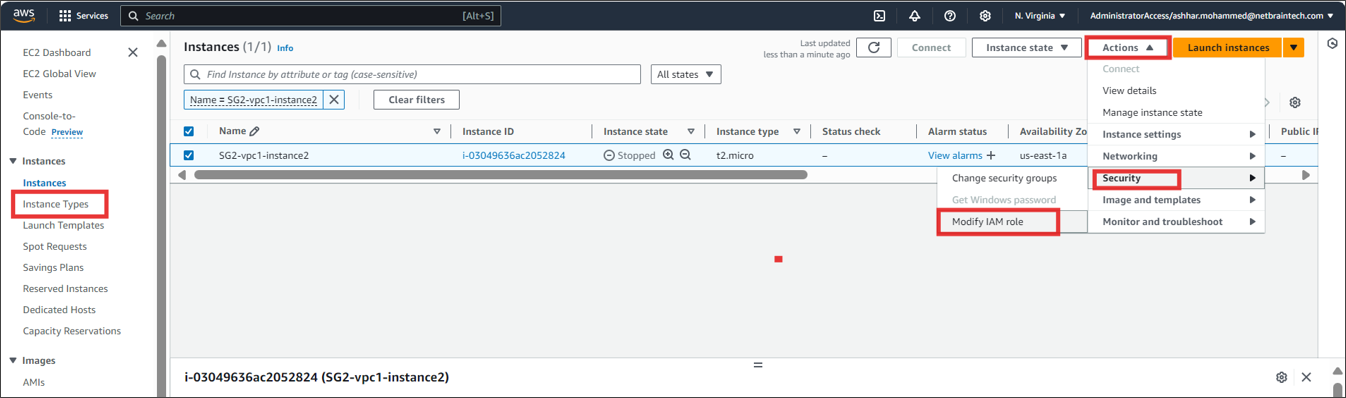
Find the EC2 instance where you run NetBrain Front Server, and attach the role to it. You can also specify the role when first launching an EC2 instance.