R12.3-2026Apr21
Create Intent Data View
The Intent Data View is aimed to display the diagnosis data and results on an intent map or any map, so you can view the network design or monitor the network status on the map. When define the Intent Data View, you are allowed to select other device objects instead of $this_device only. You can select another relevant device of $this_device, e.g. LWAP device of the current WLC device, or a virtual device of the current physical device.
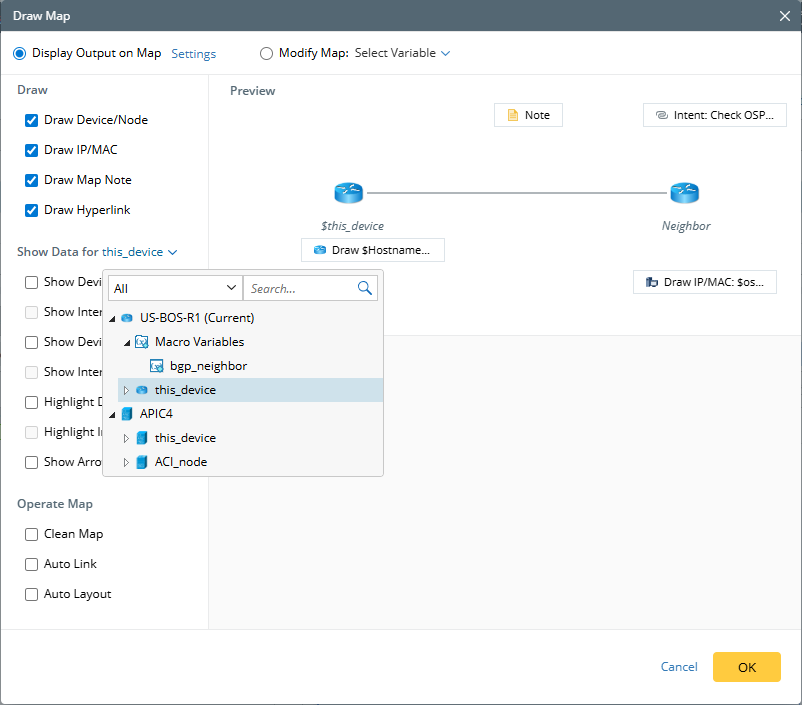
When a node is selected, interface-related functions are not available because nodes do not have an interface concept. Only the following options are supported: Show Node Data, Show Node Note, Highlight Node, and Show Arrow.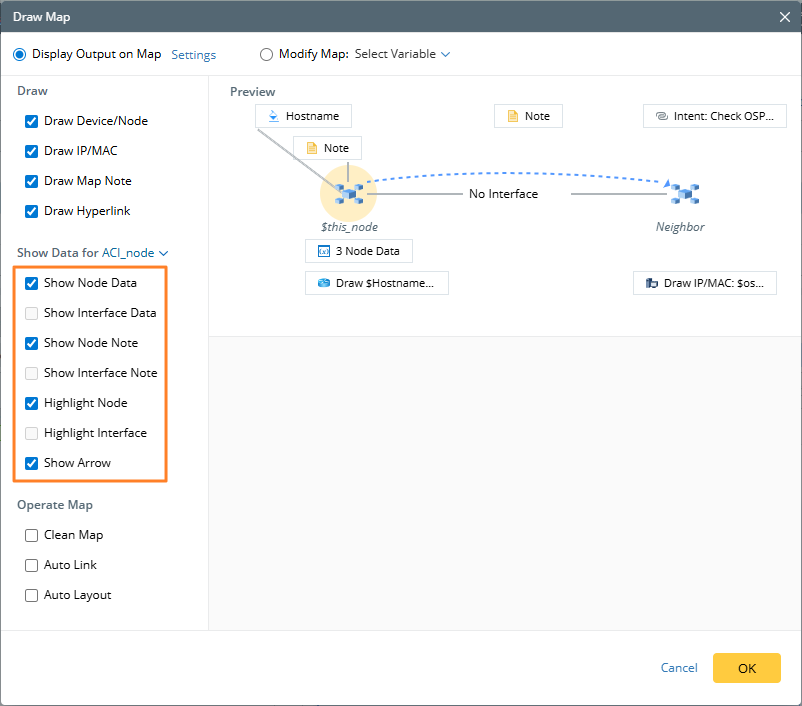
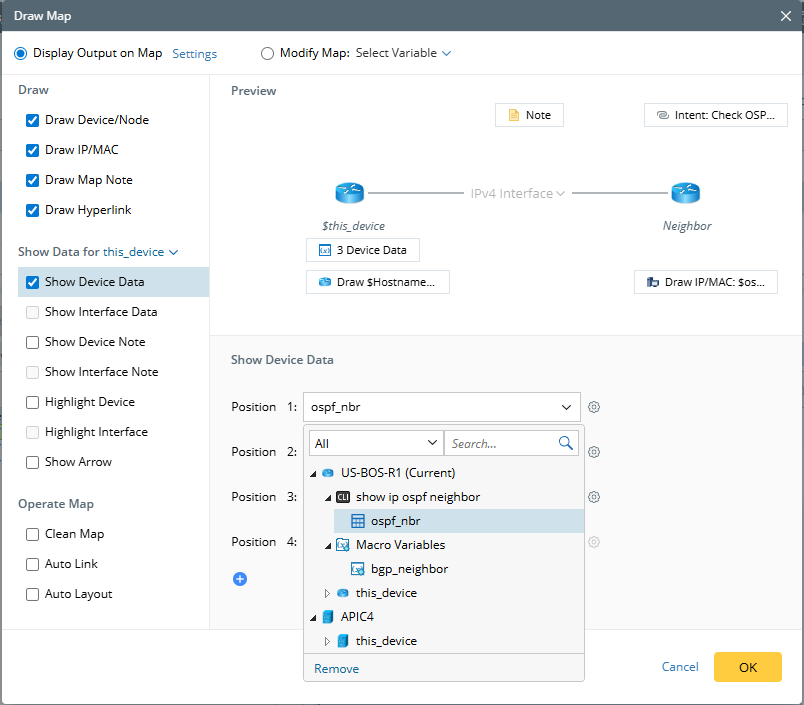
- Select device/interface data units to display in the intent data view.
-
Define devices/interfaces highlight. A random color is automatically assigned based on the variable’s value. See Supported Variables for more details.
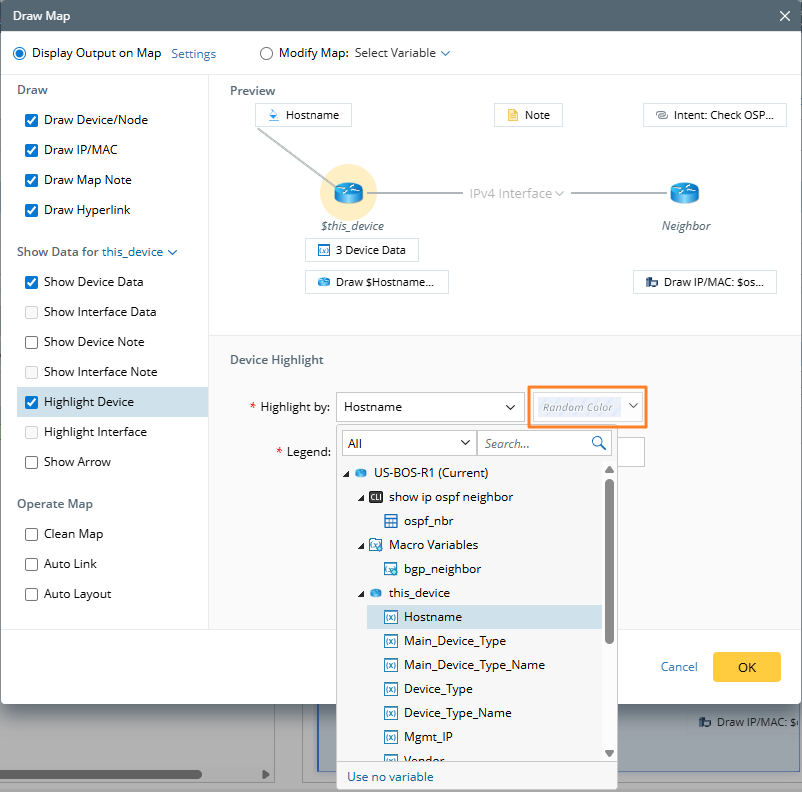

Note: Since the number of possible values is unknown at definition time, users cannot manually define the random colors. - Draw device/interface note.
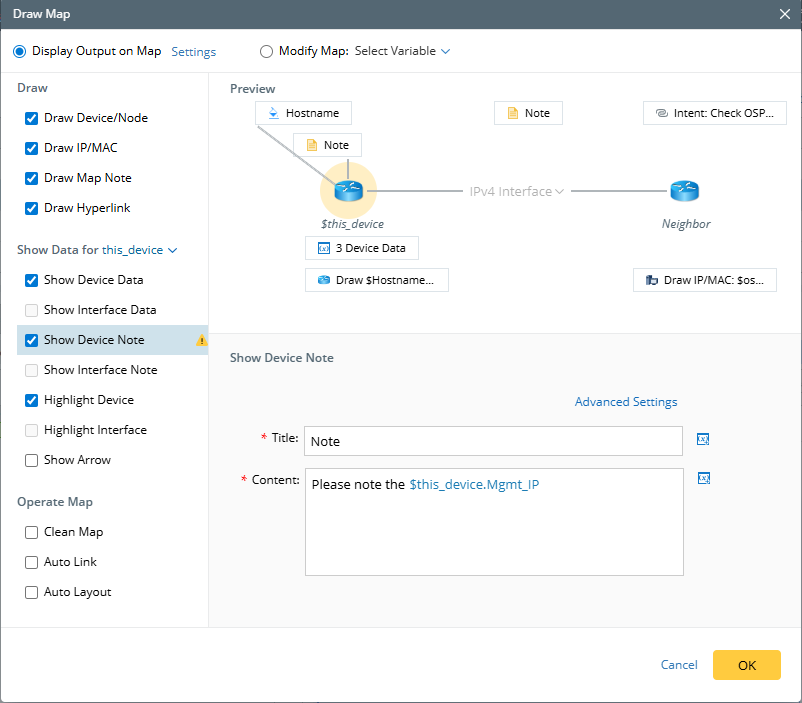
- Draw a relationship arrow between devices.
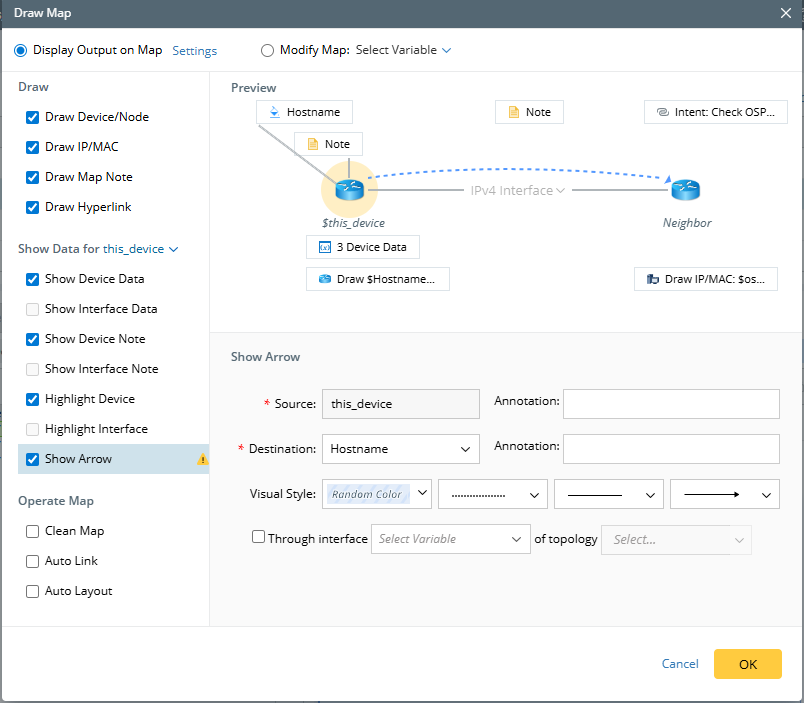
Note: If you select an IP address as the Destination Device, it will be converted to device hostname automatically.
When definition includes both nodes and devices, a confirmation dialog appears when you save the definition.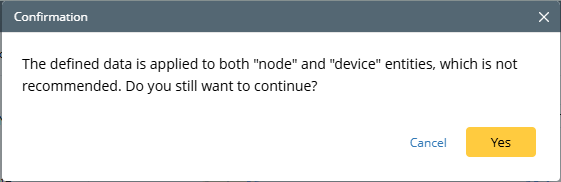
Supported Variables in Intent Data View
You are allowed to select almost all types of variables for intent data view. But for interface-level data (Show Interface Data, Show Interface Note, and Highlight Interface), you also need attention as follows:
- If this data view is in a loop, you can only select the column variables under the current table/list variable (the root nodes cannot be selected) and other single-value variables (single-value variables in parser, global variable, and local variable).
- If this data view is not within a loop, the three interface-level data options mentioned above are disabled.