R12.3-2026Apr21
Create Single Variable Pattern with AI
AI generates a single-variable pattern based on the provided prompt. In the example below, variables are parsed using the generated pattern.
- Command: show version
- Prompt: Please parse the version and each number in the uptime as an int variable.
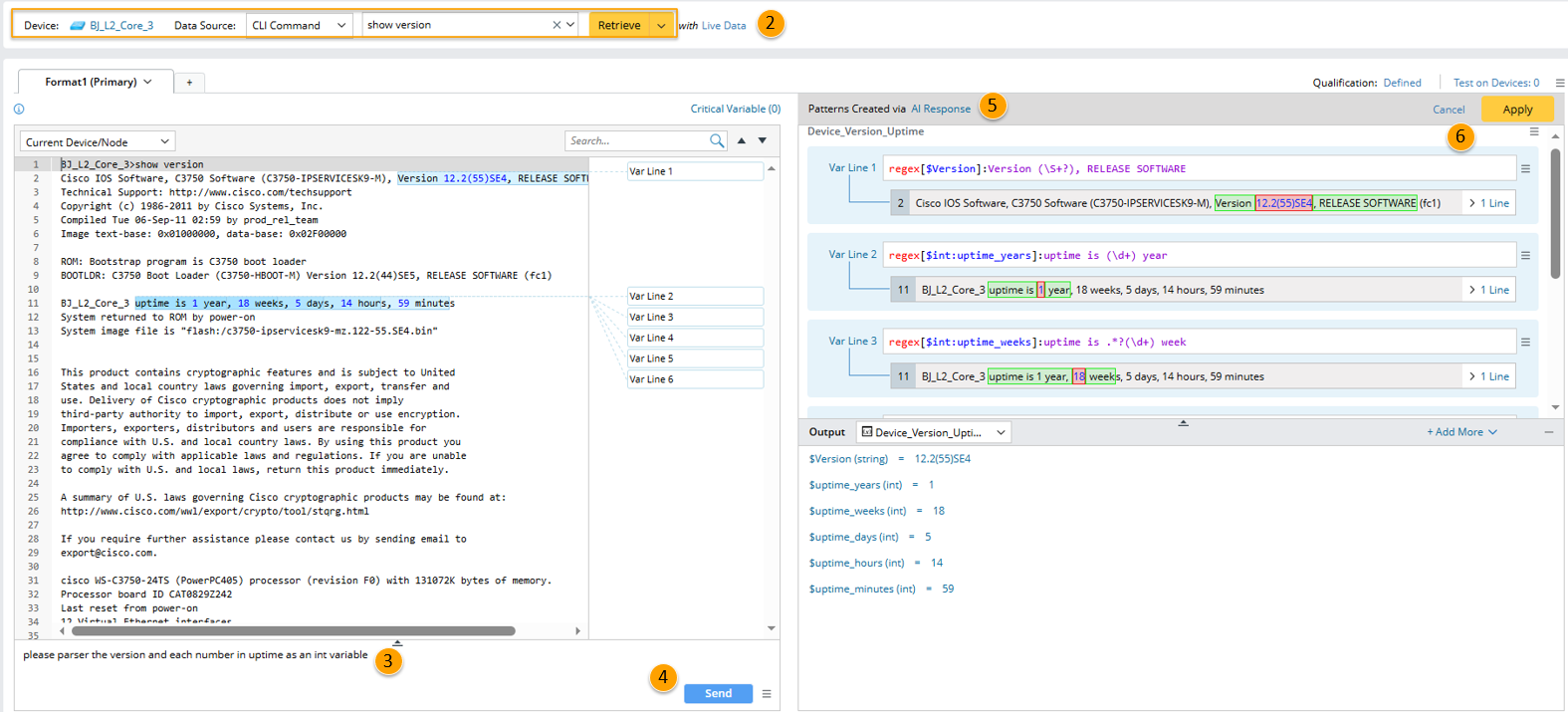
- Create a parser and define the parser name and description.
- Select device and input CLI command "show version" to retrieve sample text.
- In the Prompt Input Pane, a default prompt "Please parse key information" is shown. Change the prompt to "please parser the version and each number in uptime as an int variable".
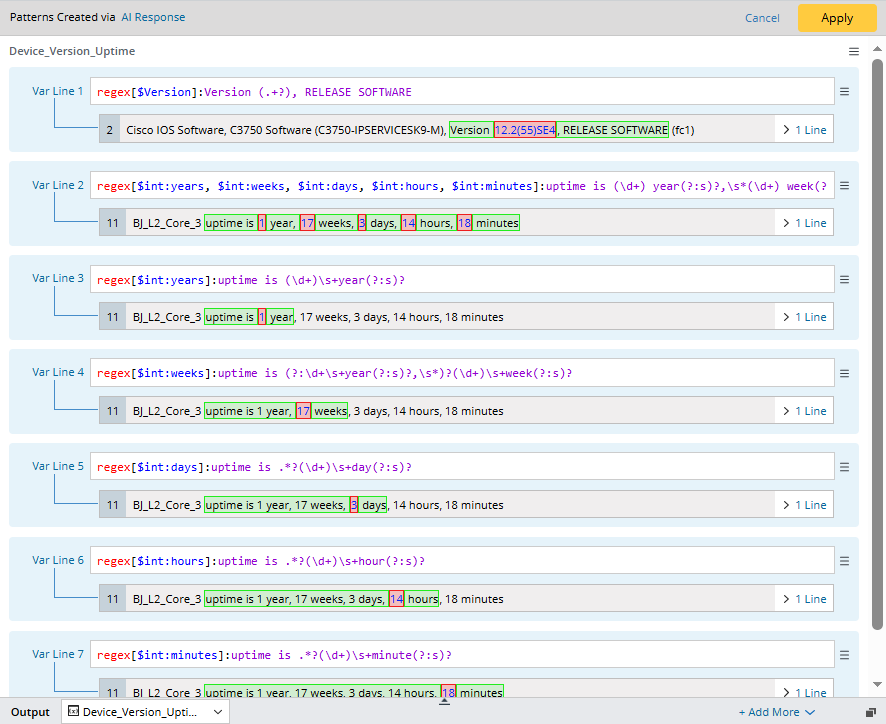
- Click the Send button, user prompt, system prompt and the whole sample texts will be sent to AI as input, then AI creates a parser pattern containing 7 parser rules upon reasoning. The pattern type is automatically determined by AI.

Note: The default user prompt in the Prompt Input pane can be configured in AI Settings. - (Optional) Click "AI Response" to view the whole reasoning process. The users prompt, AI thoughts, details of the parser pattern are shown in the dialog.
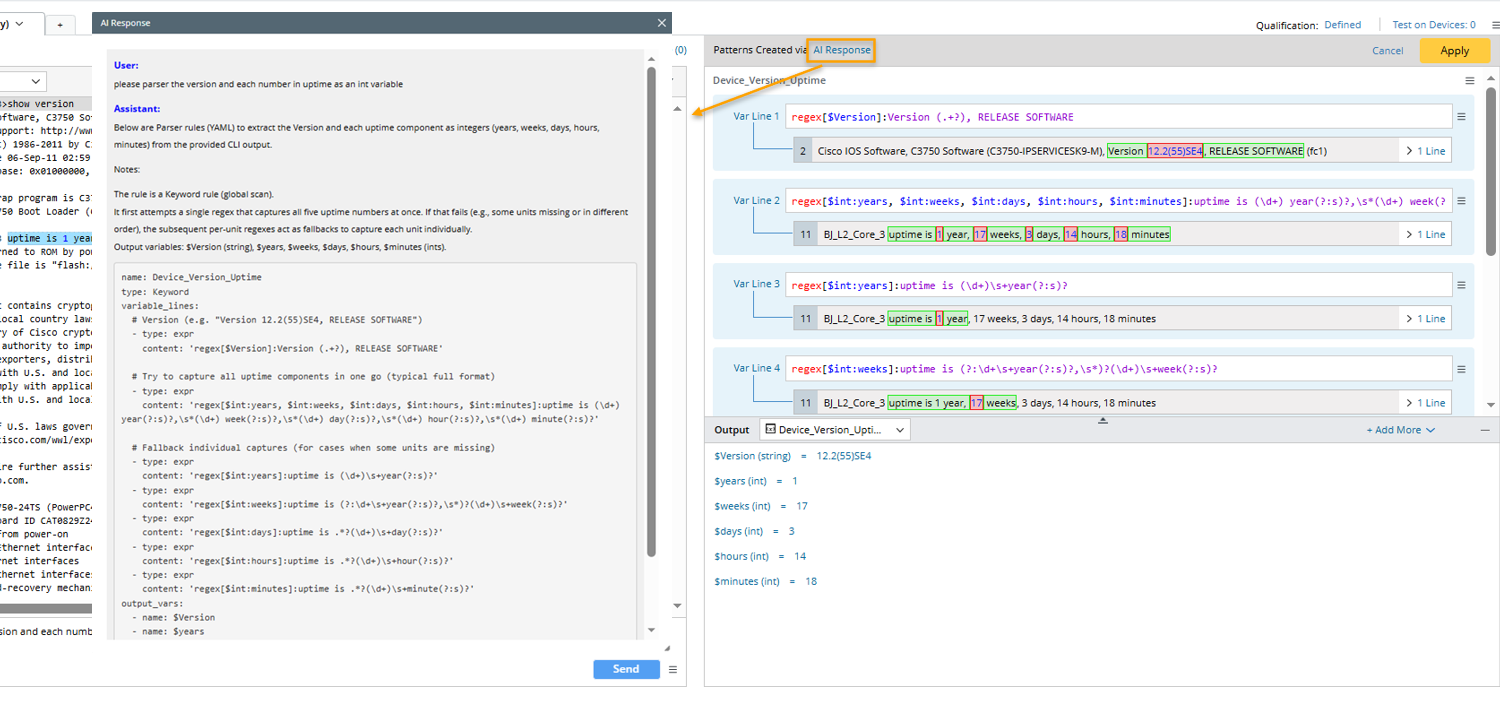
- Click Apply to save the parser pattern to the current parser.