R12.3-2026Apr21
Create Paragraph Pattern and Support LinesByVariable Function
Create Paragraph Pattern and Support LinesByVariable Function
The AI can generate a paragraph pattern based on the given prompt. It also supports the 'linesByVariable' function as part of its capabilities.
- Command: show interface
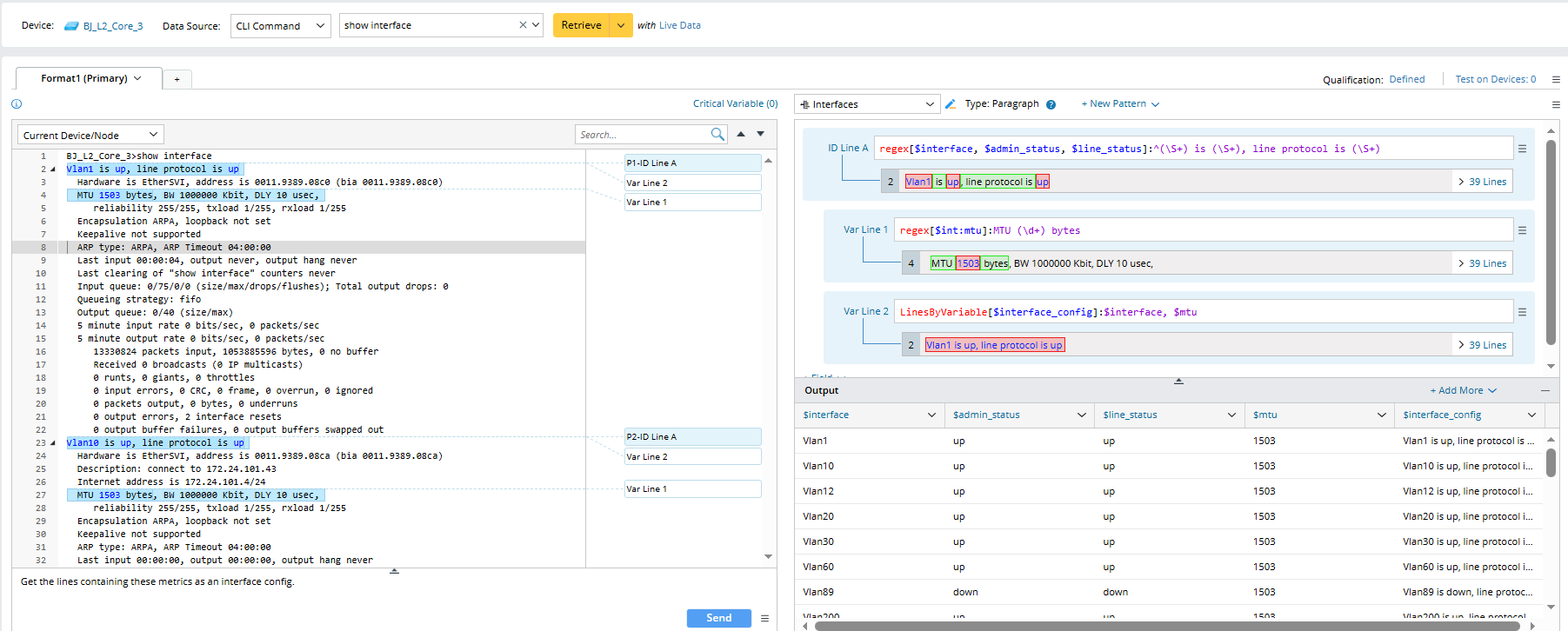
- Prompt: (1) Please parse the interface name, interface status, mtu; (2) Get the lines containing these metrics as an interface config.
Steps:
- Create a parser and define the parser name and description.
- Select device and input CLI command "show interface" to retrieve sample text.
- In the Prompt Input Pane, input the prompt (1), then click the Send button. a paragraph pattern "interface_summary" containing interface configuration data is created.

- Input the prompt (2), then click the Send button, then another pattern is created with a variable column "$interface_config" containing a summary of data from the first pattern.
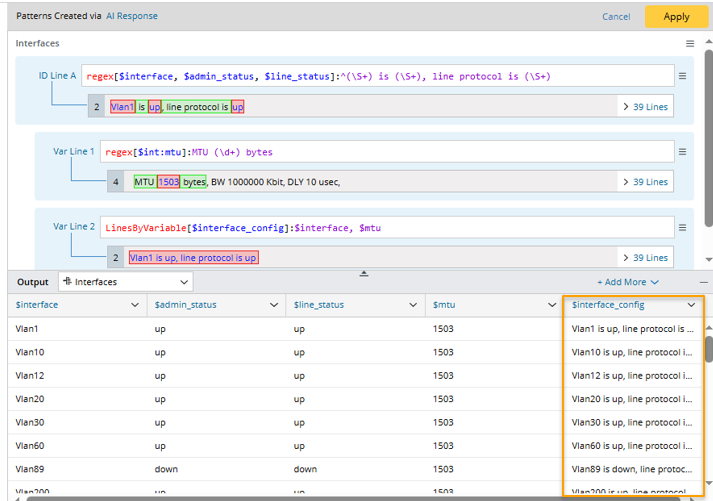
- Click Apply to save the two patterns to parser.

|
Note: AI creates parser rules by following the “pattern overwriting rule”: if two or more prompts are given in one session, each prompt will create new pattern. If the patterns have the same name, the latter one will overwrite the previously AI-generated patterns. In this example, two prompts are given, producing two patterns with the same name. The latter pattern will replace the first one. |