R12.3-2026Apr21
Creating a Network Change Task
This section introduces how to create a network change task and the nodes and functions involved in the network change task.

|
Tip: Before creating a network change task, ensure that you have sufficient privilege. See Access Controls for more details.
|
-
Click the start menu
 and select Incident & Change > Network Change.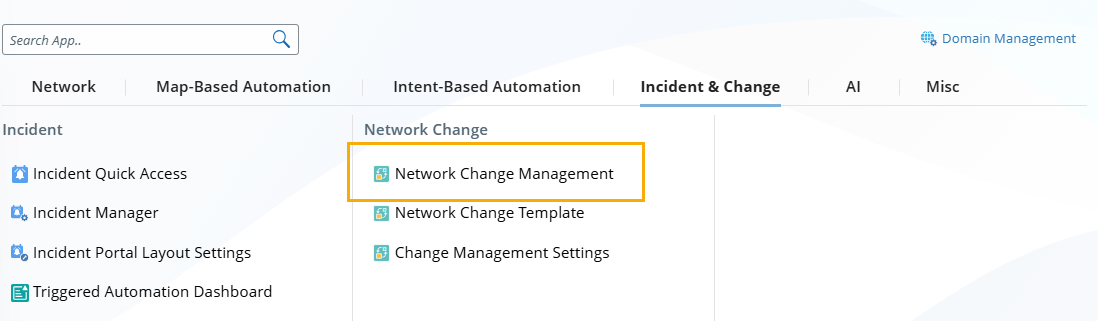
-
In the Network Change pane, click New Network Change.

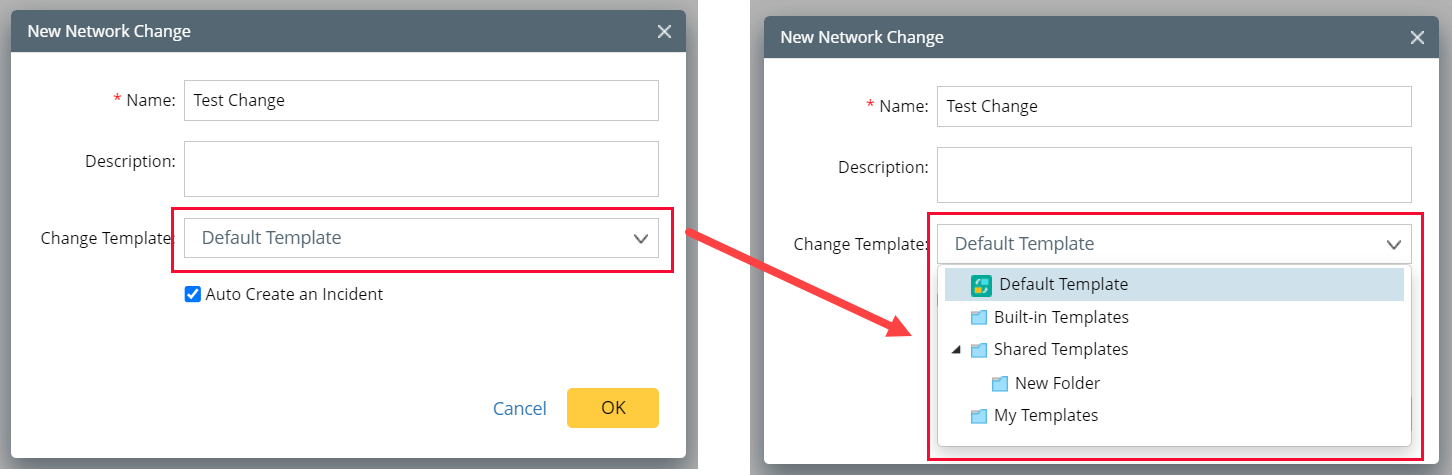
- In the New Network Change dialog, enter the task name, select a template, and click OK. The Runbook pane opens. Then you can define the network change task node by node in the runbook.
|
|
Tip: The Network Change pane displays all network change tasks created in a domain. |
|
|
Note: You can decide whether to select the Auto Create an Incident check box to create an incident for cross-team collaboration. See Using Incident for more details.
|
|
|
Note: To define your Change Template, see Network Change Templates for more details. |