R12.3-2026Apr21
Creating AWS Access Policy and Role for Monitored Accounts
Follow the steps to create AWS Access Policy and Role for Monitored Accounts.
- Go to Policies in Identity and Access Management (IAM).
- Create a new resource access policy to grant read access to the services for monitoring purposes.

{
"Version": "2012-10-17",
"Statement": [
{
"Action": [
"autoscaling:Describe*",
"autoscaling-plans:Describe*",
"autoscaling-plans:GetScalingPlanResourceForecastData",
"cloudwatch:Describe*",
"cloudwatch:Get*",
"cloudwatch:List*",
"directconnect:Describe*",
"ec2:Describe*",
"ec2:Get*",
"ec2:SearchTransitGatewayRoutes",
"network-firewall:DescribeFirewall",
"network-firewall:DescribeFirewallPolicy",
"network-firewall:DescribeRuleGroup",
"network-firewall:ListFirewallPolicies",
"network-firewall:ListFirewalls",
"network-firewall:ListRuleGroups",
"network-firewall:ListTagsForResource",
"elasticloadbalancing:Describe*"
],
"Effect": "Allow",
"Resource": "*"
}
]
}
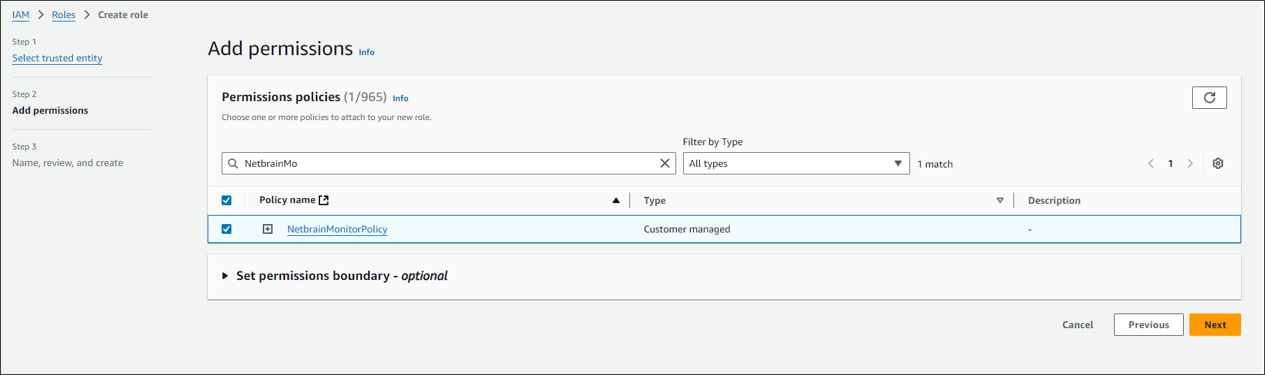
Once the policy is created, you need to attach this policy to the role.
Follow the steps below to configure the role (NetBrainAccessRole):
- Go to Roles in Identity and Access Management (IAM).
- Create a new role by selecting Trusted entity type as Custom trust Policy. Add a Trust policy to allow the user from the gateway account to assume this role.
 The sample trust relationship JSON statements are as follows. In the policy JSON, instead of the placeholder value, you should specify the full ARN of the user created in the gateway account.The ExternalId value in the policy JSON can be any user-defined string. This same value must be entered in the NetBrain API Server configuration to ensure successful role assumption.
Note: The role name of the EC2 instance, for example, NetbrainAccessRoleForEC2, must match the EC2 instance role name configured in the gateway account. - Attach the policy (created previously) to the role.