R12.3-2026Apr21
Follow-up Intent Template Settings
The key settings of follow-up intent template is as follows:
Replicate Follow-up Intent Template to: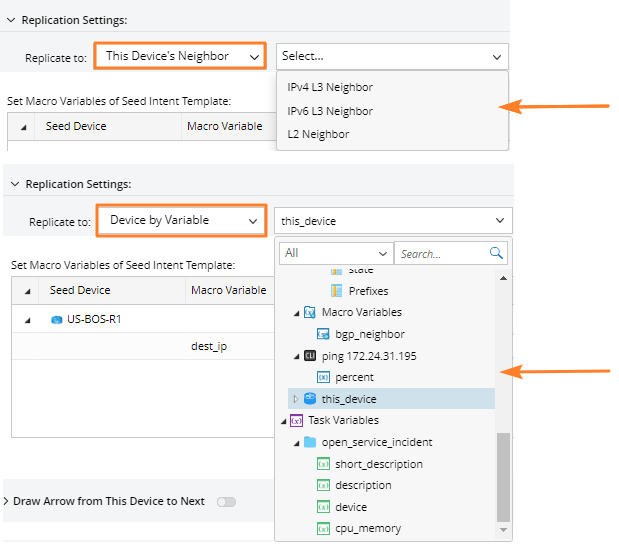
You can replicate the follow-up intent template to:
- This Device’s Neighbor, IPv4 L3 Neighbor, IPv6 L3 Neighbor, and L2 Neighbor can be selected.
- Device by Variable, the range of variables that can be selected includes:
- $this_device
- Intent Variables under Calling Intent
- Macro Variables under Calling Intent
- Variables from Automation Data Table
- Task Variables
- Variable from Golden Neighbor Table
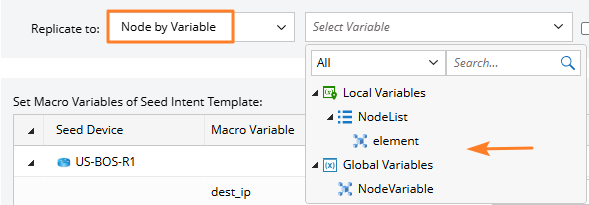
- Node by Variable, node variables and list node variables can be selected.
Moreover, the system supports converting IP address to device hostname when the corresponding intent is applied.
Set Macro Variables of Follow-up Intent Template: 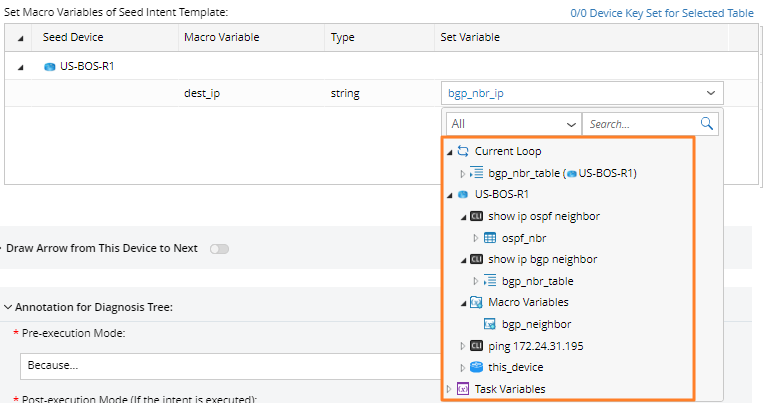
Assign a value to each macro variable defined in the follow-up NIT. The range of variables that can be selected is the same as the Device by Variable in Replicate Device Scope.
Other Settings
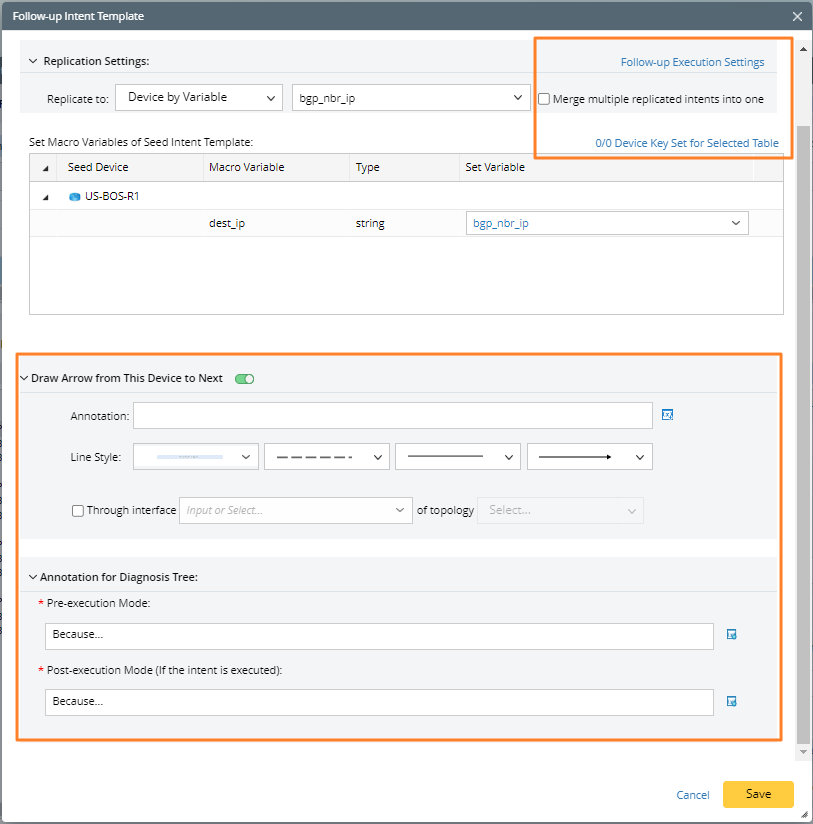
- Follow-up Execution Settings: Define the following settings for the current intent.
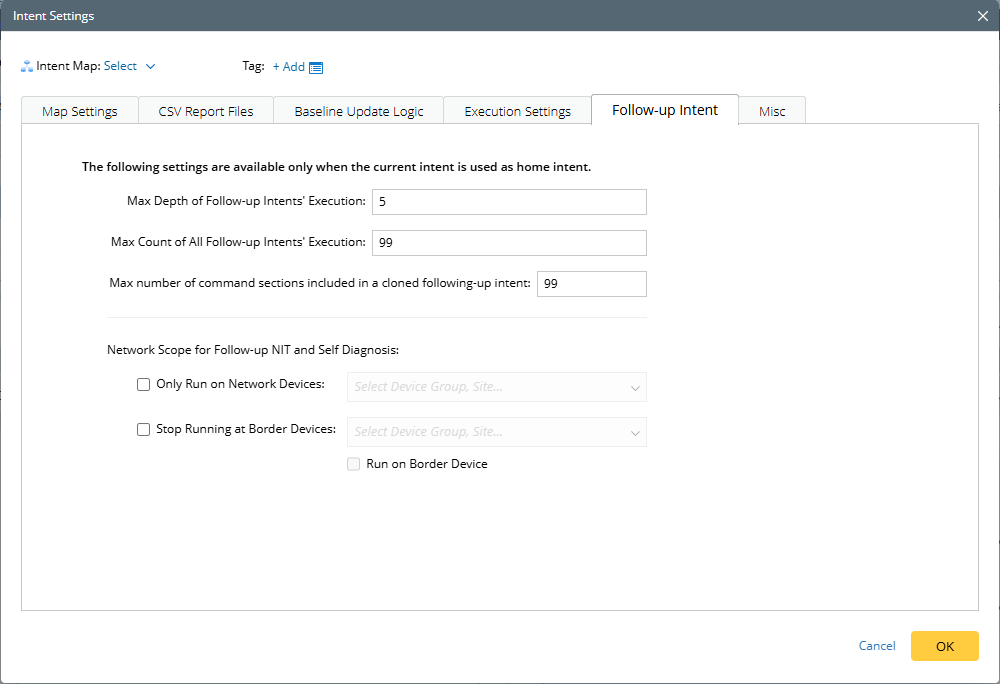
- Merge multiple replicated intents into one: This check box is not selected by default, which indicates each device generates an intent.
- Set Device Key for Selected Table: Set the device key to match table variable values precisely.
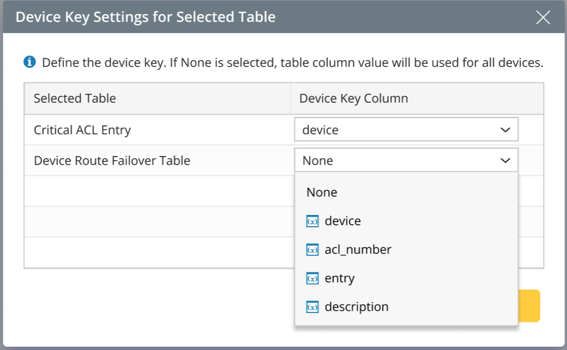
For example, replicate the current intent to R1. A variable value is set to target_subnet of the following table: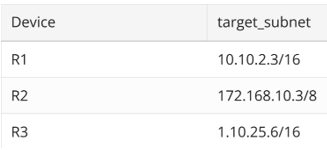
If no key is defined, all three values will be passed to R1.
If column “Device” is set as key, only 10.10.2.3/16 will be passed to R1.
- Draw Arrow from This Device to Next: Draw an arrow directly from the current device to the next device whose intent is to be replicated.
An arrow example on a map: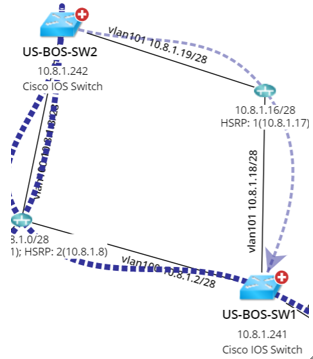
- Annotation for Diagnosis Tree: Annotations are displayed on the line of diagnosis tree.