R12.3-2026Apr21
Intent Replication Wizard
Practicing functions in PDAS often involves multiple steps across different features, which can make the setup process complex—especially for entry-level users. The workflow typically requires completing several steps, navigating multiple function managers, and understanding different concepts.
The Intent Replication Wizard simplifies the process of replicating Intents to ADTs for problem diagnosis and preventive automation. It consolidates the required steps into a single, unified interface, reducing overall configuration effort. With this streamlined UI, users—especially power users—can complete core operations more efficiently and independently.
Each step of the Intent Replication Wizard aims to:
-
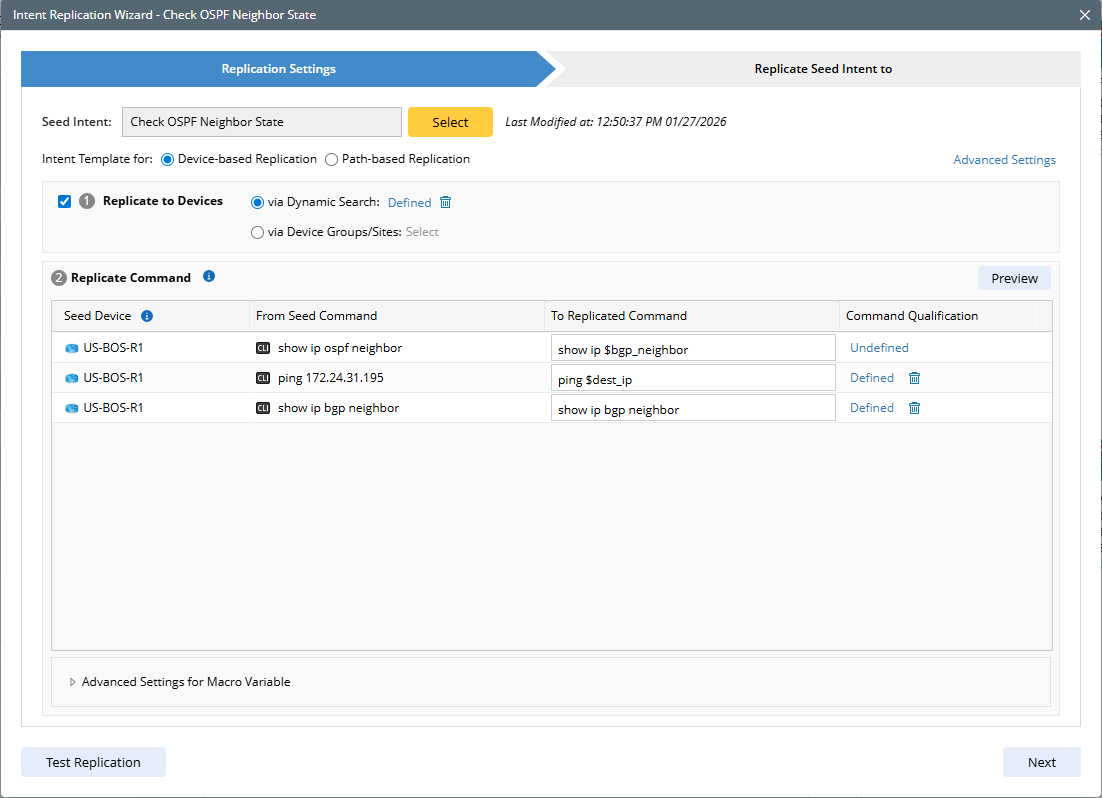
Replication Settings: Select the seed intent for intent replication and define replication settings.
-
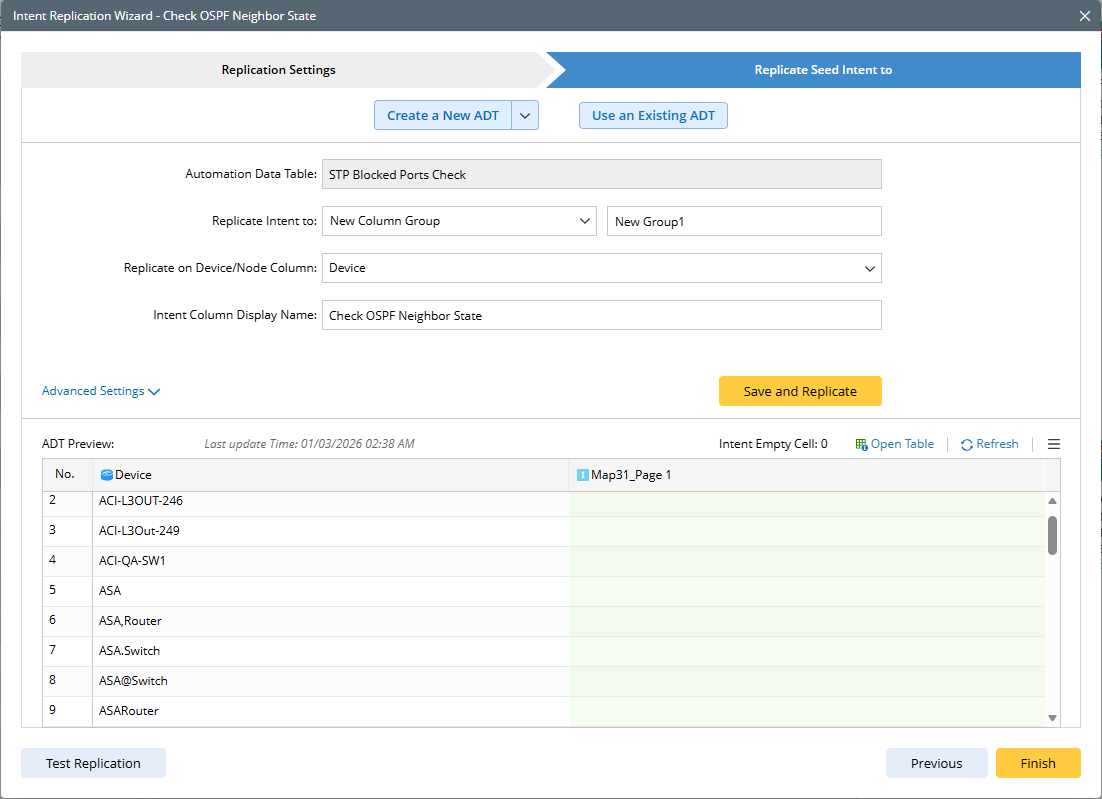
Replicate Seed Intent to: Define All ADT configurations.

|
Tip: After finishing each step, the information about the Selection Mode will be shown at the bottom to record the completed main steps. |
Where to Start
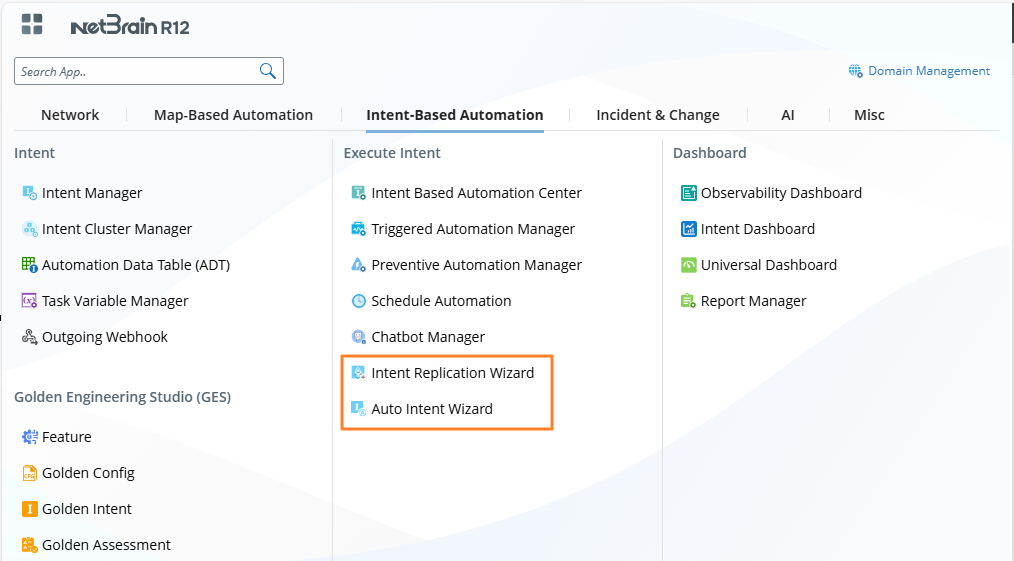
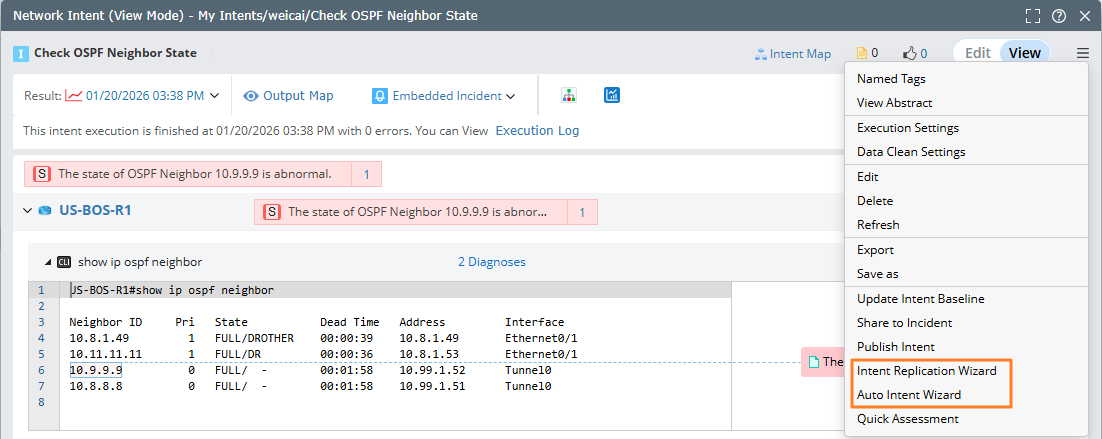
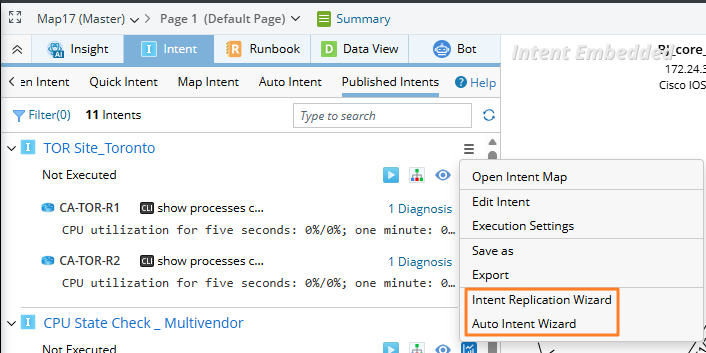
The following table lists the entry points for launching the Intent Replication Wizard and the Auto Intent Wizard.
|
No.
|
Feature
|
Description
|
|
1
|
Start Menu
|
|
|
2
|
Intent (view Mode) |
 |
|
3
|
Intent (Edit Mode)
|

|
|
4
|
NI Manager
|

|
|
5
|
Map (Map Intent tab)
|

|
|
6
|
Map (Published Intents tab)
|
|
|
7
|
Path Browser (Path Intent tab)
|

|
|
8
|
Search Results
|

|