R12.3-2026Apr21
Manage Settings
Manage General Settings
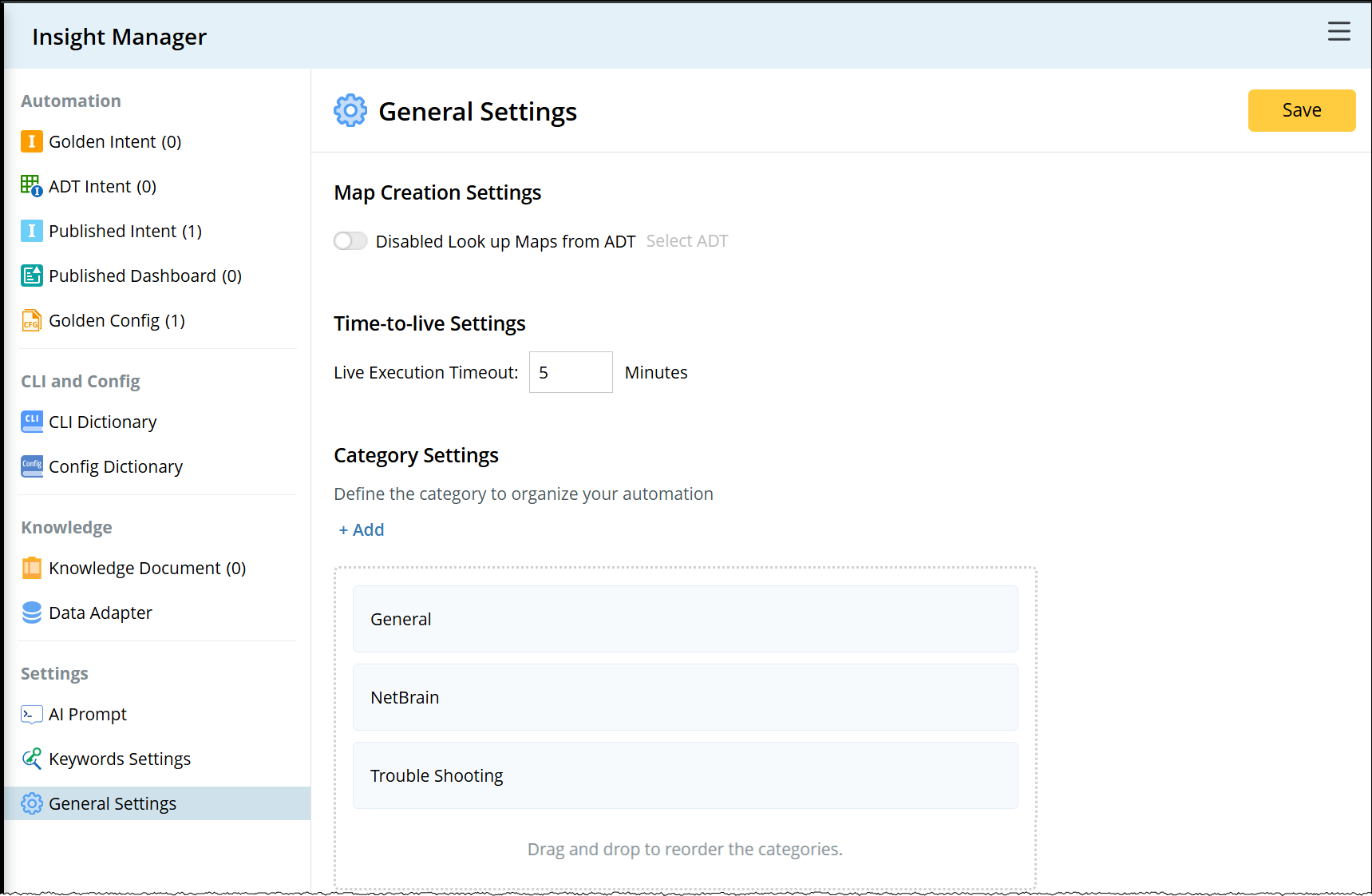
You can define the Map Creation Settings, Time-to-live Settings, and Category Settings.
-
Map Creation Settings controls the method to create the map. When the Enabled Look up Maps from ADT option is enabled, the devices will be matched against the ADT device column to identify a row. When a row is matched, the system will list the maps from the ADT’s map column for you to choose from.
- Click Select to select ADT/ADTs for matching. (Only ADT with both Device and Map columns can be selected).
- Live Execution Settings: When the live execution exceeds the timeout value, it will be terminated, and the cached data will be used.
-
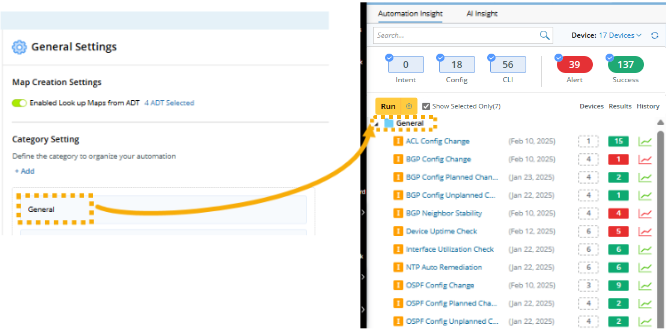
Category Setting: You can create categories to organize the automations in NetBrain Insight. The order of the category is also customizable.
Manage AI Prompt
The prompts used by NetBrain Insight are maintained in AI Prompt. These prompts are managed and maintained by the system engineers.
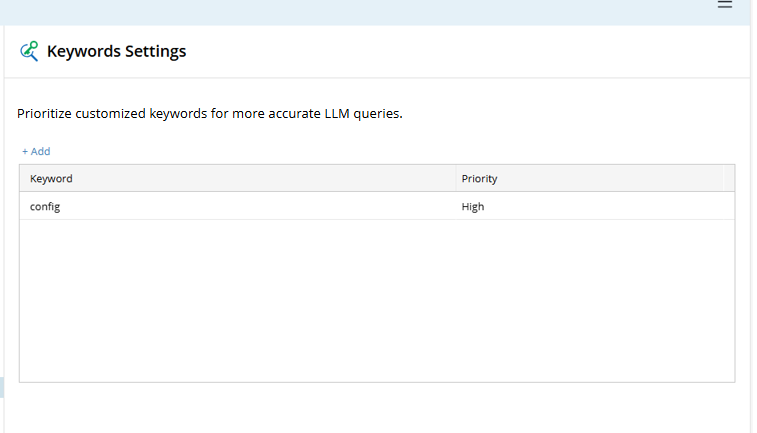
Manage Keywords Setting
You can add keywords to increase their relevance for LLM matching. Adding customized keywords can improve their chances of being matched in the results. Additionally, you can assign a priority to each keyword. When a keyword has a high priority, it will have a higher level of importance during the matching.