R12.3-2026Apr21
Microsoft Teams Integration
Many users are accustomed to using Teams for instant communication when solving problems, so the incident provides the capability to automatically send all the messages from our system to Microsoft Teams via webhook so that users do not type the same data twice.
The users are now a part of the collaboration with existing groups in Teams.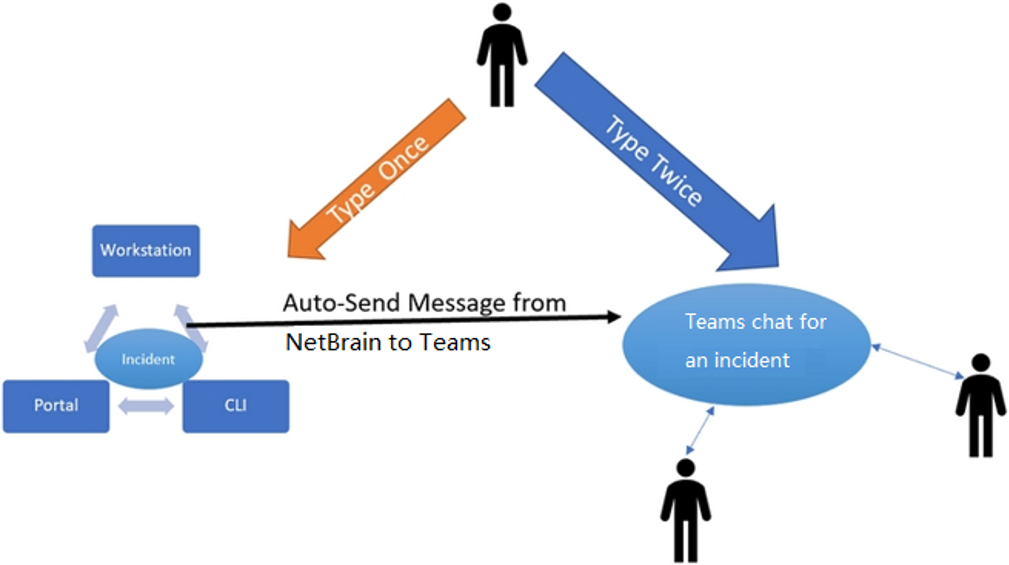
Set Webhook in Teams Channel
Webhook URL created automatically in Teams channel can be used to connect our system with Teams. You can set three key elements: name, image, and URL.
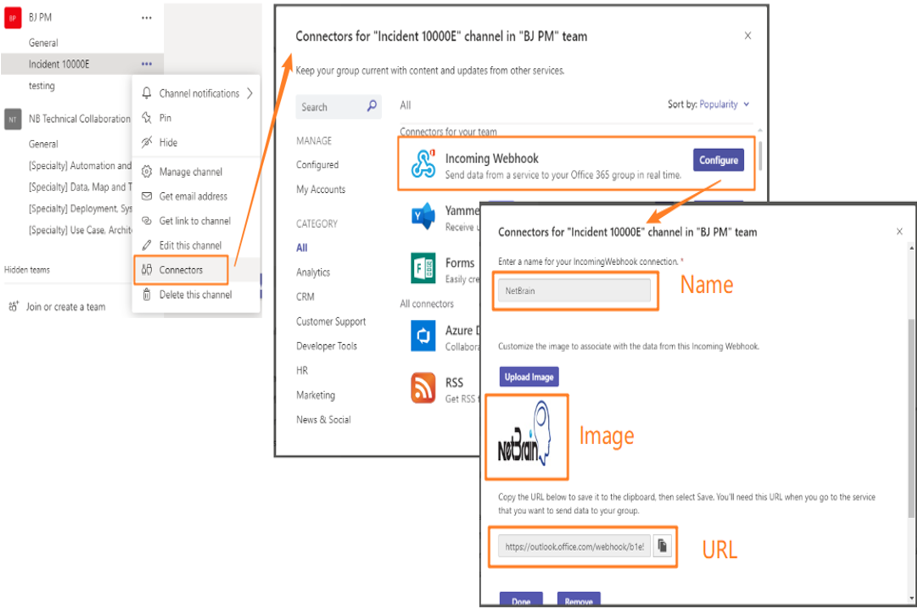
- Select your team and click General> Connectors.
- Select Incoming Webhook.
- Input a name and copy the URL, and click Done.