R12.3-2026Apr21
View Device Details Pane
You can open and view the device details in one of the following ways:
From a Map
On the map, double-click a device or right-click a device and go to View Device data > View Device Details.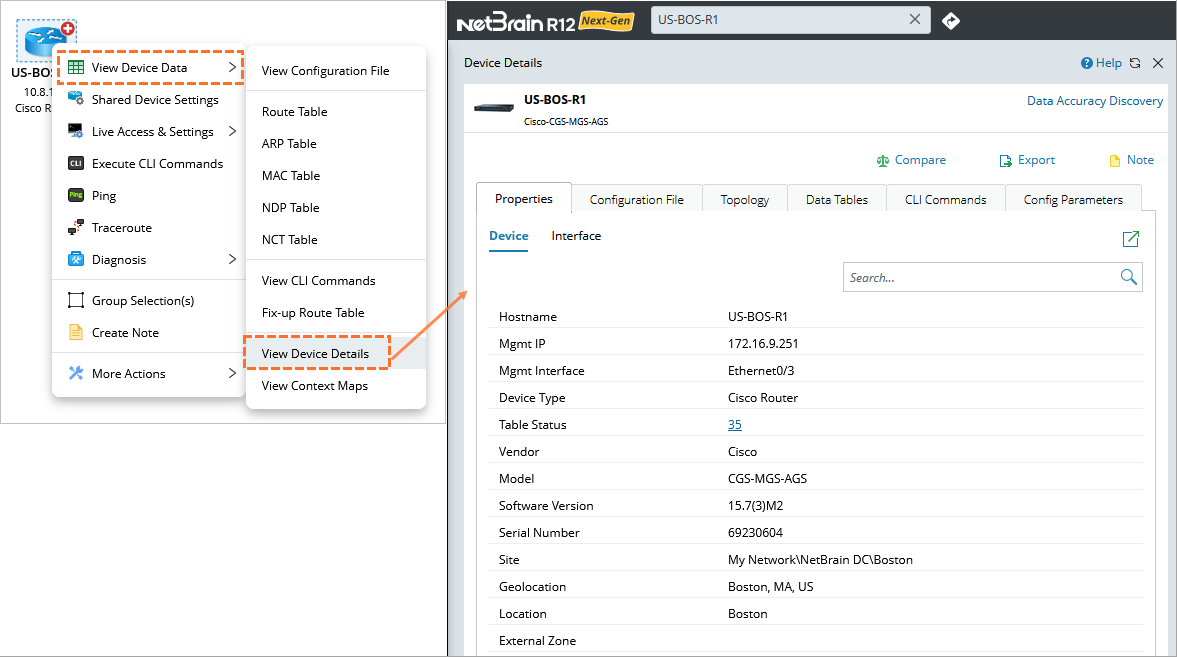

|
You can view the location of an individual device. The Geolocation field displays the physical location of a device as a readable address (for example, New York City, NY, US) instead of an internal ID. |
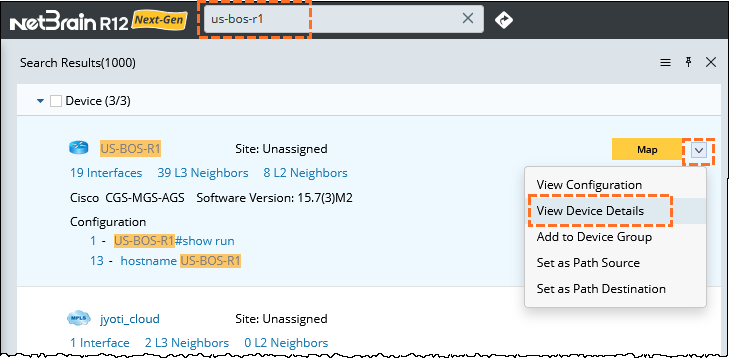
From Search Results
From the search results, point to the device and click the  icon to select View Device Details.