R12.3-2026Apr21
Run Network Intents
Executing Network Intent from a Runbook
Network Intents can be executed either manually or dynamically from a runbook as part of the diagnosis workflow. The execution results can be saved locally or shared with the team for collaboration. You can execute a Network Intent as a node in a Runbook by following these steps:
-
Add a Network Intent Node: Open a map, go to Runbook pane, click the
 icon and select Network Intent.

-
Configure the Network Intent in the expanded Network Intent pane:
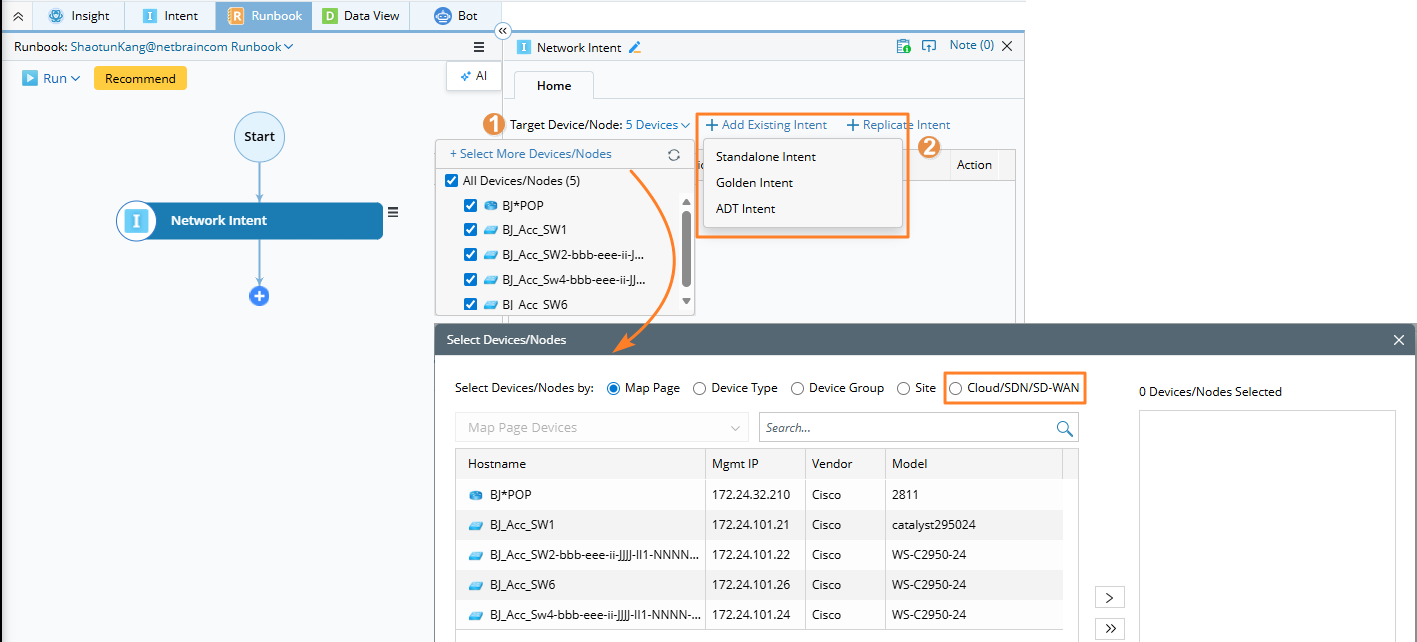
-
Target Device: By default, the node applies to all existing devices on the current map. To customize the target devices, click on the hyperlink next to the field Target Device.

Note: You can select logic nodes when setting target devices for intent node. - Add one or more Standalone Intents. You can add all types of intents.
-
Target Device: By default, the node applies to all existing devices on the current map. To customize the target devices, click on the hyperlink next to the field Target Device.
-
Define Task Variables: If the selected intents contain task variables, define their values accordingly.
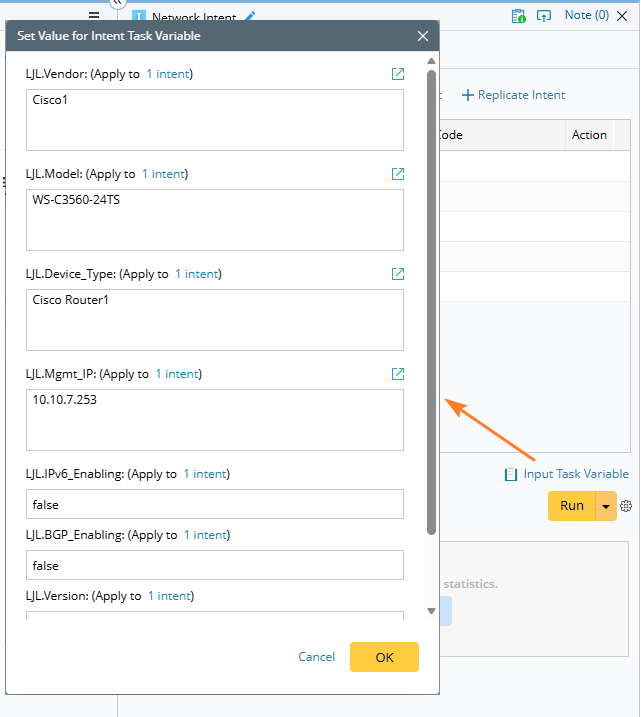
-
Additional Settings:
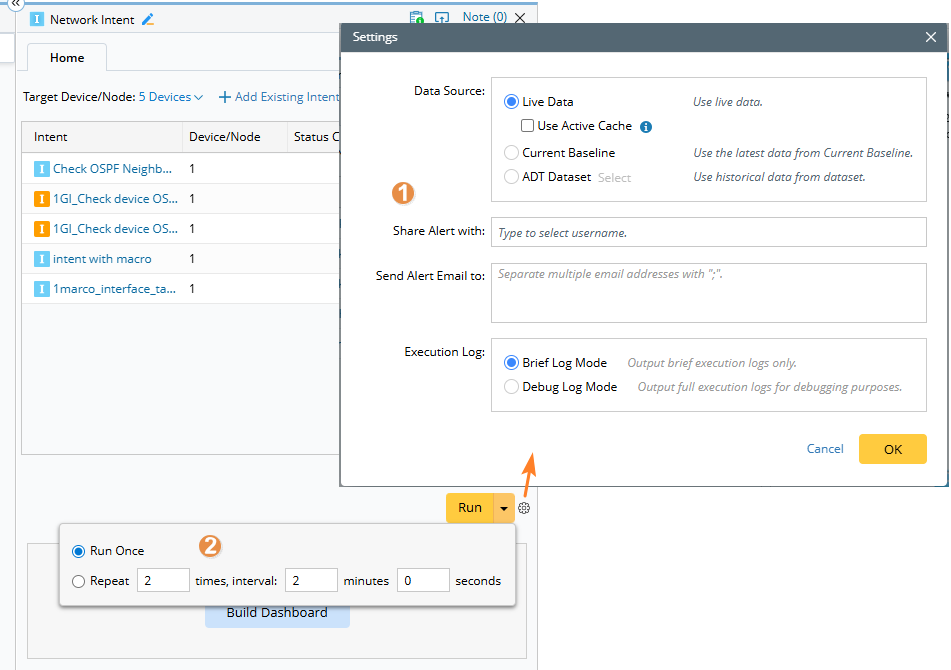
-
Click the
 icon to set the data source, configure alert email notifications, and define the execution log mode.
-
Repeat Run Support: You can execute the same node multiple times using the Repeat Run option.
- Multiple results from repeated runs are recorded within the current node result, not overwritten.
- Use the timestamp selector to switch between results and review changes over time.
-
Click the
-
Run and Monitor: Click Run to execute the node. Once the execution is complete:
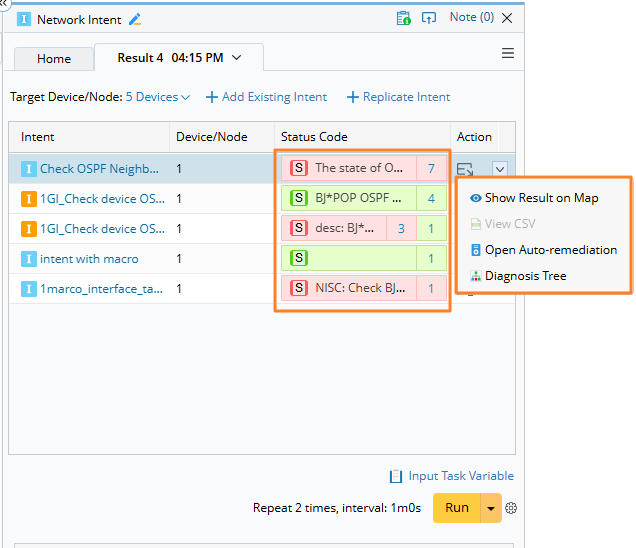
- You can view the results directly within the node.
-
Click the status code and
 icon in Action column for more detailed output options.