R12.3-2026Apr21
Set Up Checkpoint Manager APIs
The system uses both Checkpoint Manager APIs and CLI/SNMP to discover Checkpoint Firewall R80. To enable discovery, configure Network Settings and API Server Manager in the system.
Configure Network Settings
In the Domain Management page, configure the network settings required for Checkpoint Firewall R80, such as SSH/Telnet Login, Privilege Login, and SNMP String credentials. Refer to Configure Network Settings for more information.
Configure API Server
Configure the endpoints and credentials that will be used to access the Checkpoint Management Domain during the discovery.
-
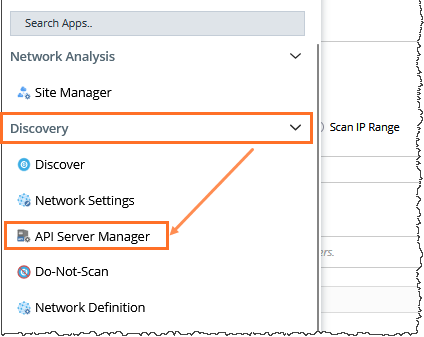
On the Domain Management page, click the start menu, navigate to Discovery > API Server Manager.
-
On the API Server Manager tab, click Add API Server and configure the required fields.
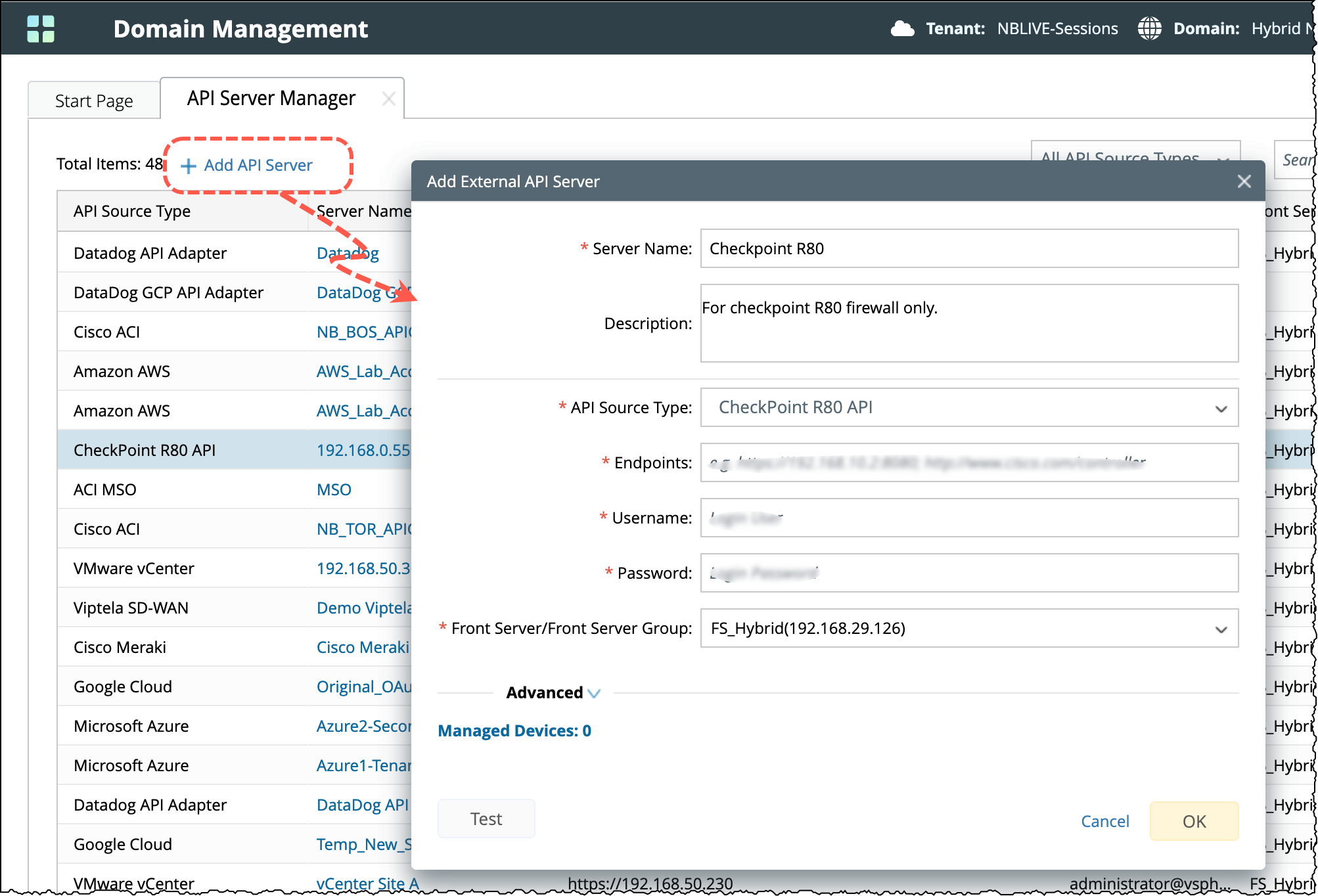
- Enter a unique name and a description of the API server.
- From the API Source Type dropdown, select CheckPoint R80 API.
-
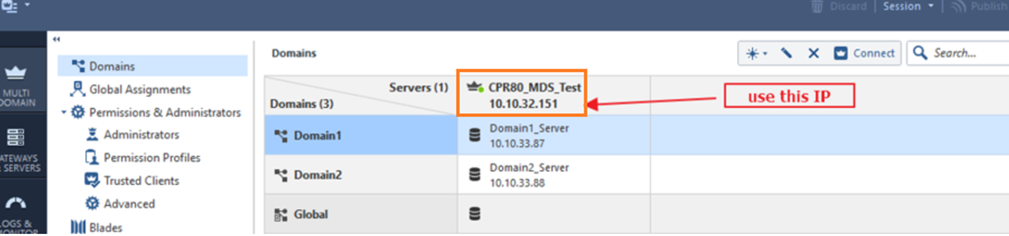
In the Endpoints field, enter the address of the Checkpoint Management Domain. The format is https://IP_Address.

Note: Use the multi-domain server IP address in the table header as follows:
- In the Username and Password fields, enter the username and password of the account that you have configured in the Checkpoint Manager.
- From the Front Server/Front Server Group drop-down, select a Front Server that can connect to the Checkpoint Manage.
- Click Test to check the connectivity between your NetBrain Front Server and Checkpoint Management Domain.