SSH Decode Challenge Settings
Set Decode Challenge Rules
The encrypted text in a challenge must be decoded. Challenge decoding rules are defined at the domain level. Since challenge prompts vary among device types, different challenge decoding rules must be specified accordingly. When a challenge is sent to the server, it is checked against the challenge decoding rules sequentially from top to bottom. Upon the first match, the challenge text is decoded, and the response is generated according to the defined format. If no rule matches, the standard login process is used. Each challenge decoding rule consists of a Challenge Format and a Challenge Response.
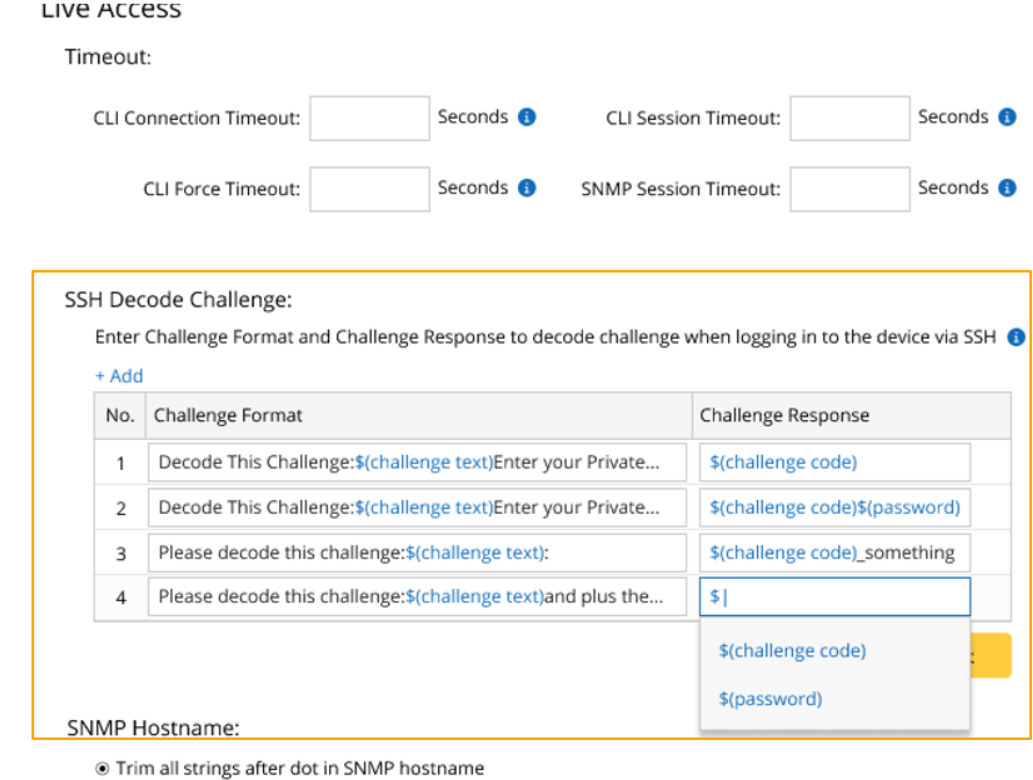
- Challenge Format: Users define the challenge format. The challenge format includes the challenge text, which can be represented by $(challenge text), while the remaining input serves as the challenge prompt used to match the challenge with this rule.
- Challenge Response: The challenge response specifies the response format. For instance, $(challenge code) returns only the challenge text to the device, whereas $(challenge code)$(password) returns both the challenge text and the password for authentication.
When defining the challenge format or challenge response, a list of commonly used variables appears for selection once “$” is entered.

From the dropdown menu of each rule, users can change the rule’s sequence or delete the rule.
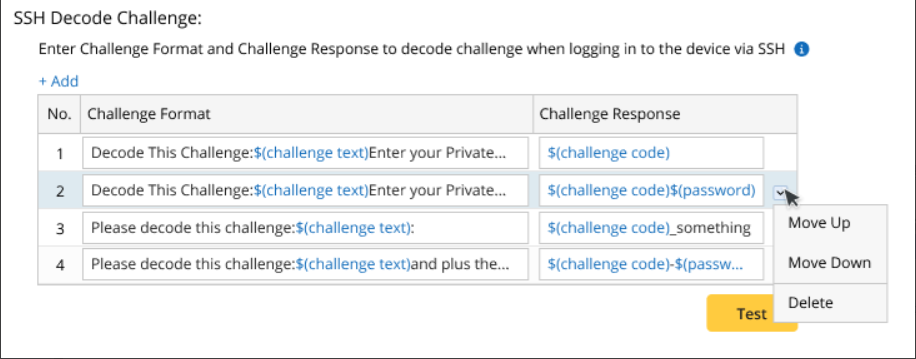
Test Decode Challenge Rules
To make sure the challenge-decoding rules can work property, the challenge-decoding rule can be tested before being applied.
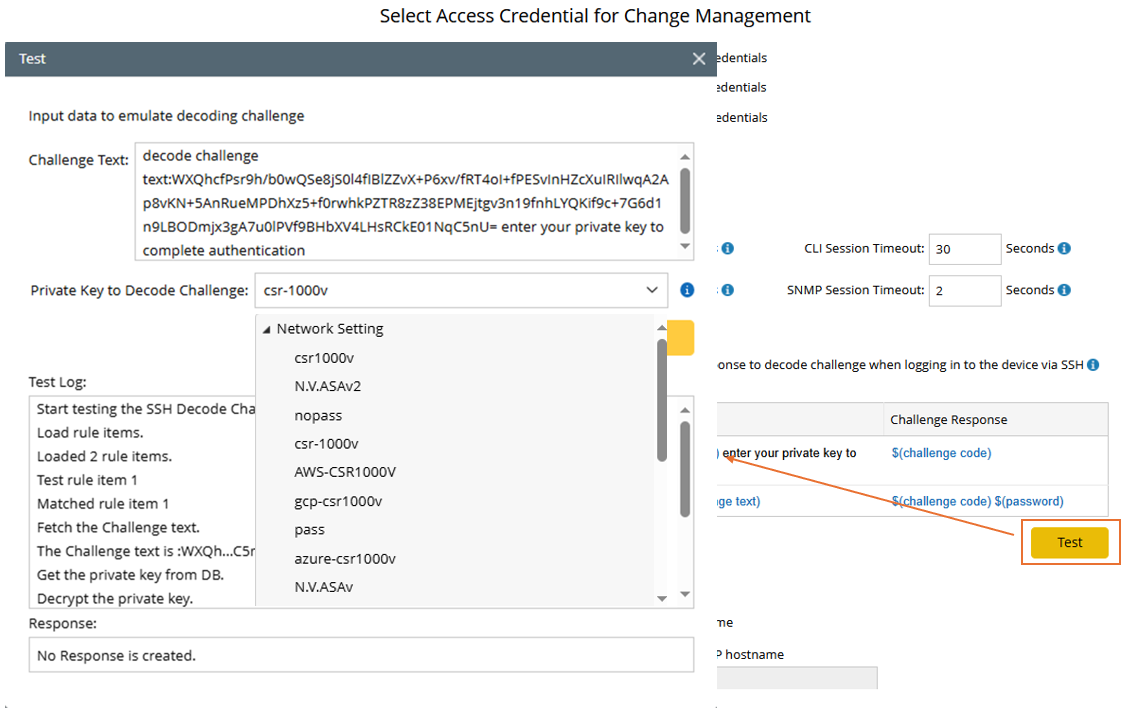
- Input the challenge text.
- Select a private key in the domain for testing. All private keys in Network Settings and Private Network Settings can be selected.
- During testing, each rule is evaluated from top to bottom until a match is found. The test log records the entire process.
- Response to be returned are displayed.