Task variables are used to transfer values between multiple intents executed together in one task (for example, from a home intent to its follow-up intents). In Chatbot, power users can define how values are assigned to these variables before making the bots available to end users.
Use Case: A power user designs a chatbot that accepts an IP address from end users and automatically finds its gateway and checks connectivity.
Use Case
A power user wants to design a chatbot that allows end users to input an IP address, after which the chatbot can automatically find the gateway of the IP address and check the connectivity.
Prerequisites
- Looks up the gateway via the One-IP table.
- Contains a task variable $IP_MAC, to transfer the value to a follow-up intent.
- Contains a follow-up intent Host Gateway Connectivity Check in the Intent Diagnosis Block, to check the connectivity with the task variable’s value.
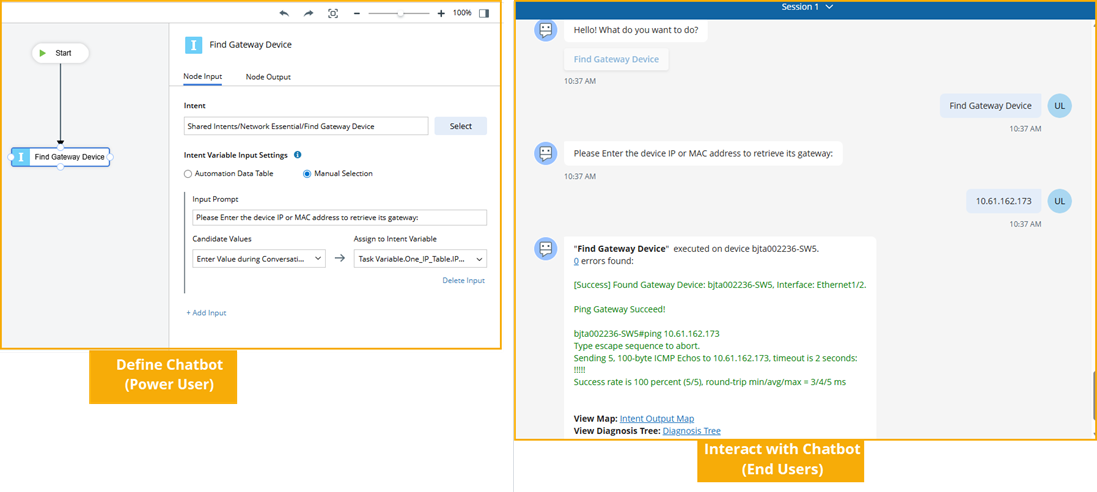
Power User Defines Chatbot
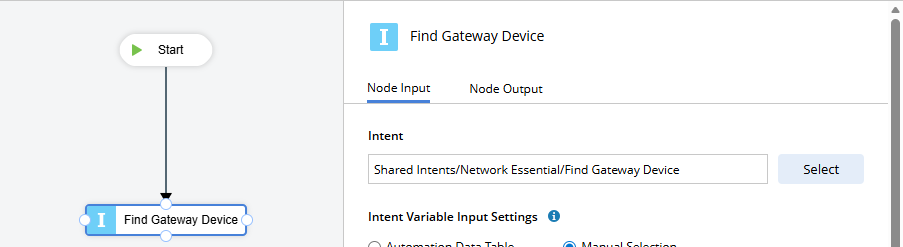
- Create a new chatbot and add an intent node configured with the intent Find Gateway Device.
- Configure Intent Variable Input Settings to define both the method of assigning values to task variables and the values they receive.
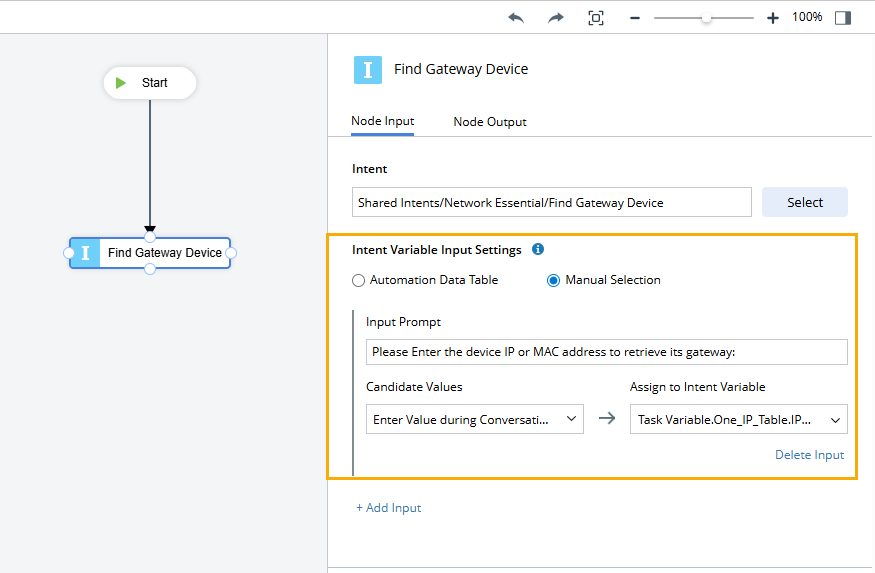
- Select Manual Selection to receive input from end users.
- Input Prompt. Enter Please Enter the device IP or MAC address to retrieve its gateway: as the input prompt to ask end users to provide an IP or MAC address.
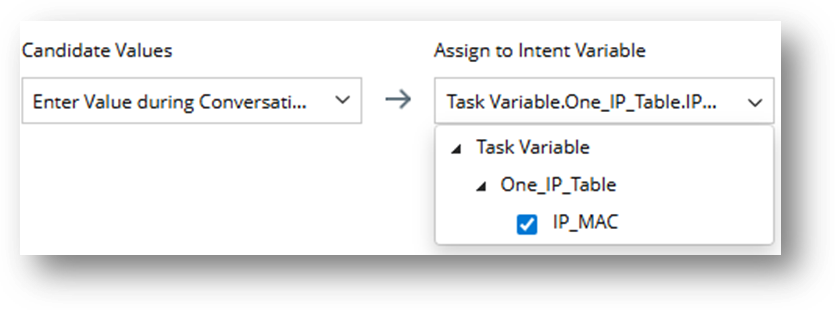
- Candidate Values. Select Enter Value during Conversation, as end users need to manually enter the value during the interaction with the bot.
- Assign to Intent Variable. Select the task variable IP_MAC to receive the value.
End User Interacts with Chatbot
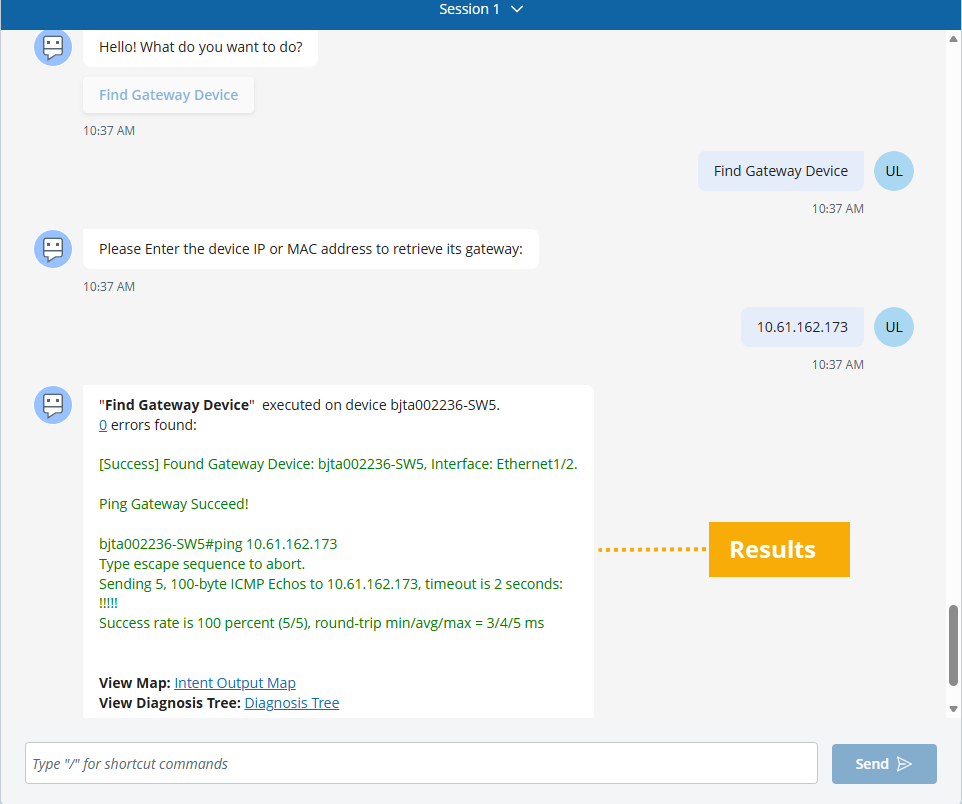
After an end user selects Find Gateway Device and provides the IP address 10.61.162.173, the intent and its follow-up intent will be executed in the backend.
Once execution is complete, end users can view the results.