R12.3-2026Apr21
View and Use Guidebook
Recommended Automation can be viewed in the Guidebook interface on a map as follows:
- Open a map and on the top bar, click Network, and then select Guidebook from the drop-down menu.
- Target Devices: All devices on the map are selected by default as the target devices. You can Modify Target Device.
-
Guidebook: The system lists all Guidebooks qualified for the target devices, including the Auto-Created (automatically created by the system for these target devices) and predefined Guidebooks.

Note: GuideBook is a deprecated feature.
It is hidden by default to simplify the user interface. Administrators can enable it from System Management > Advanced Settings, if required.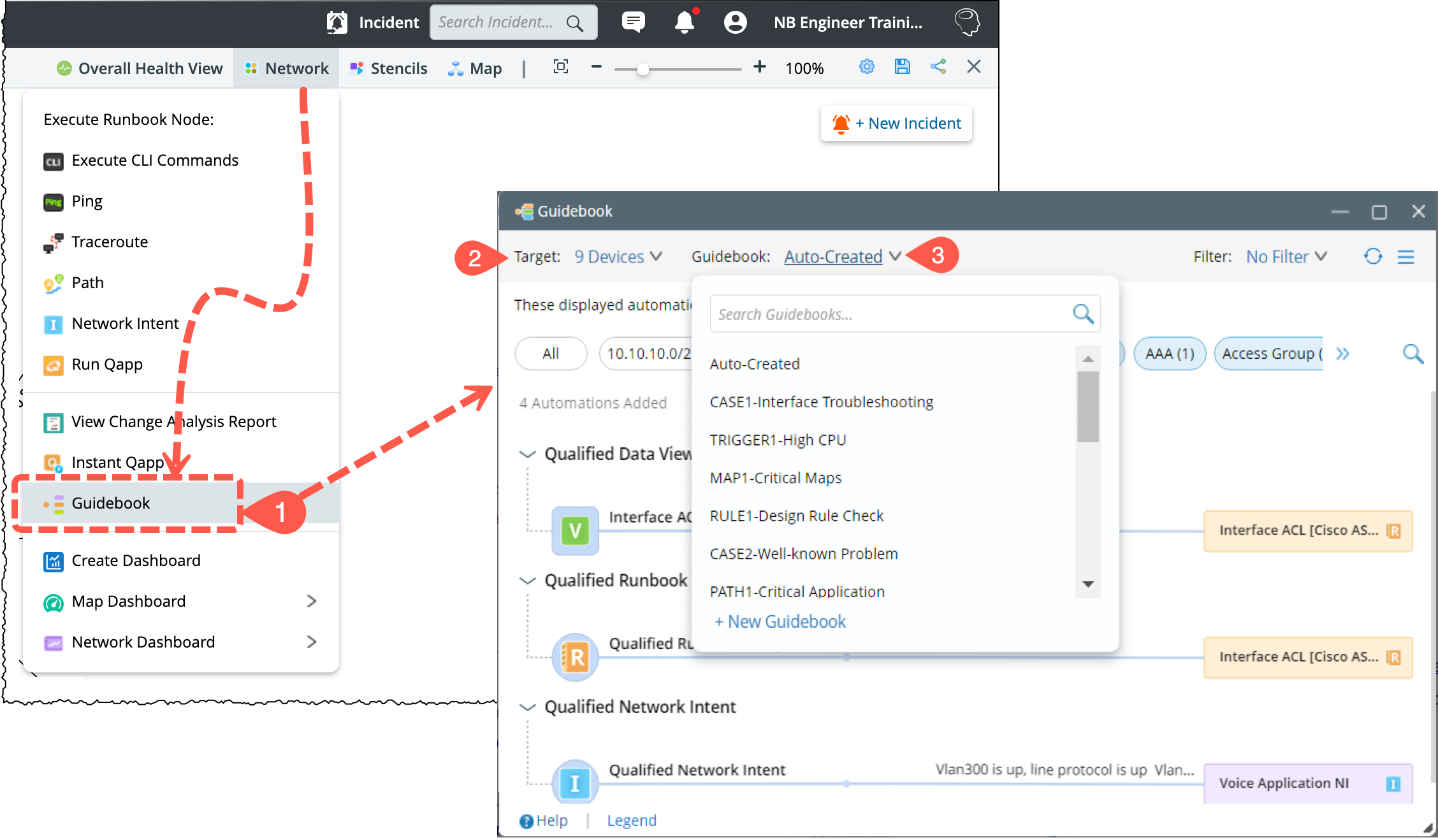
-
Follow the steps below to view the desired Recommended Automations:
- Modify Target Device
- View Auto-Qualified Recommended Automation in Auto-Created Guidebook
- View Recommended Automation in Predefined Guidebook
- Filter Recommended Automation
-
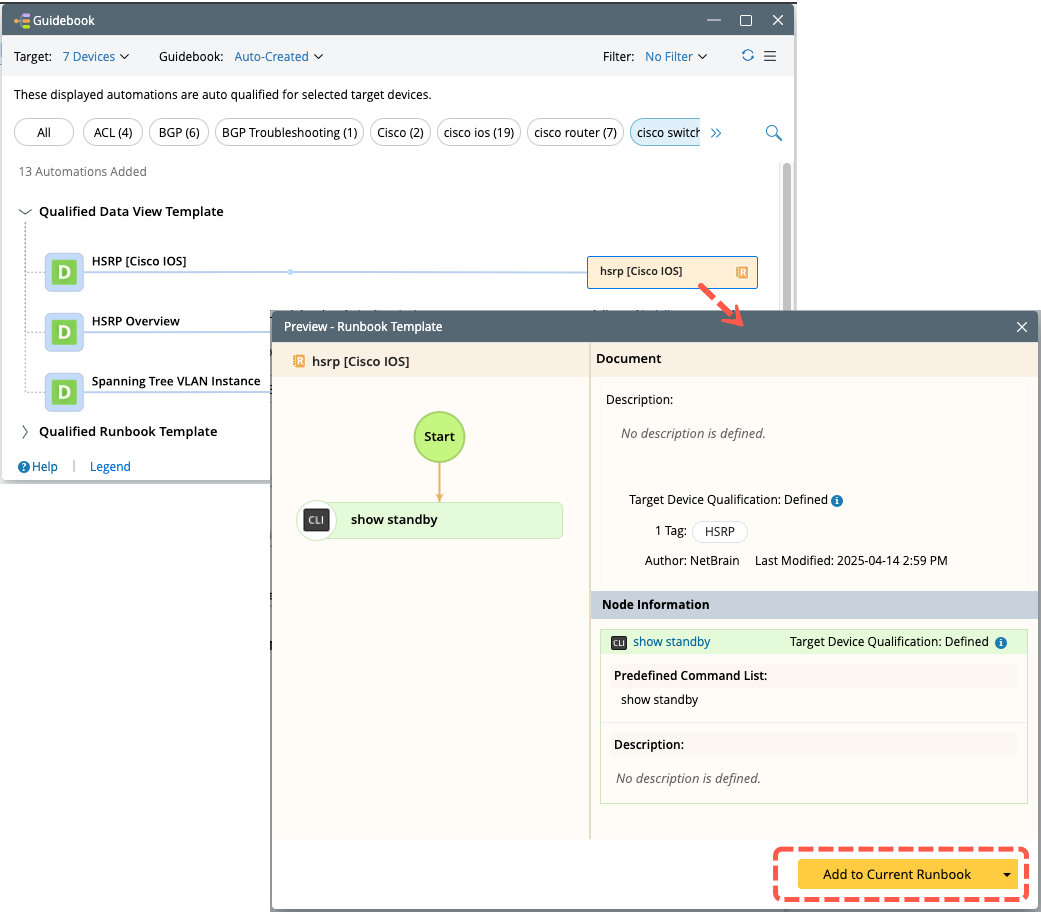
Add the Automation into Runbook for Execution, by clicking the Automation > Add to Current Runbook.