R12 Publication-2025July16
Create Network Intent
An NI defines the diagnosis on the specific target devices of a particular network.
The following steps to define an intent.
-
Click the
 icon and select New Intent.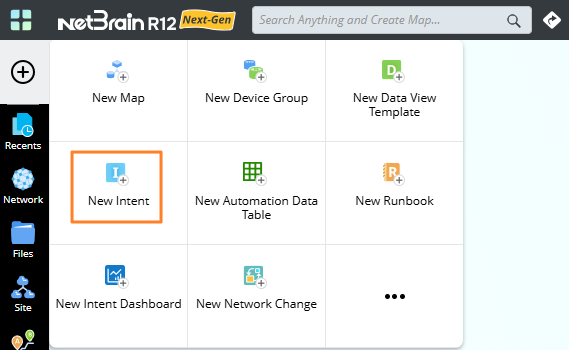

Note: You can also create a NI from Network Intent Manager:
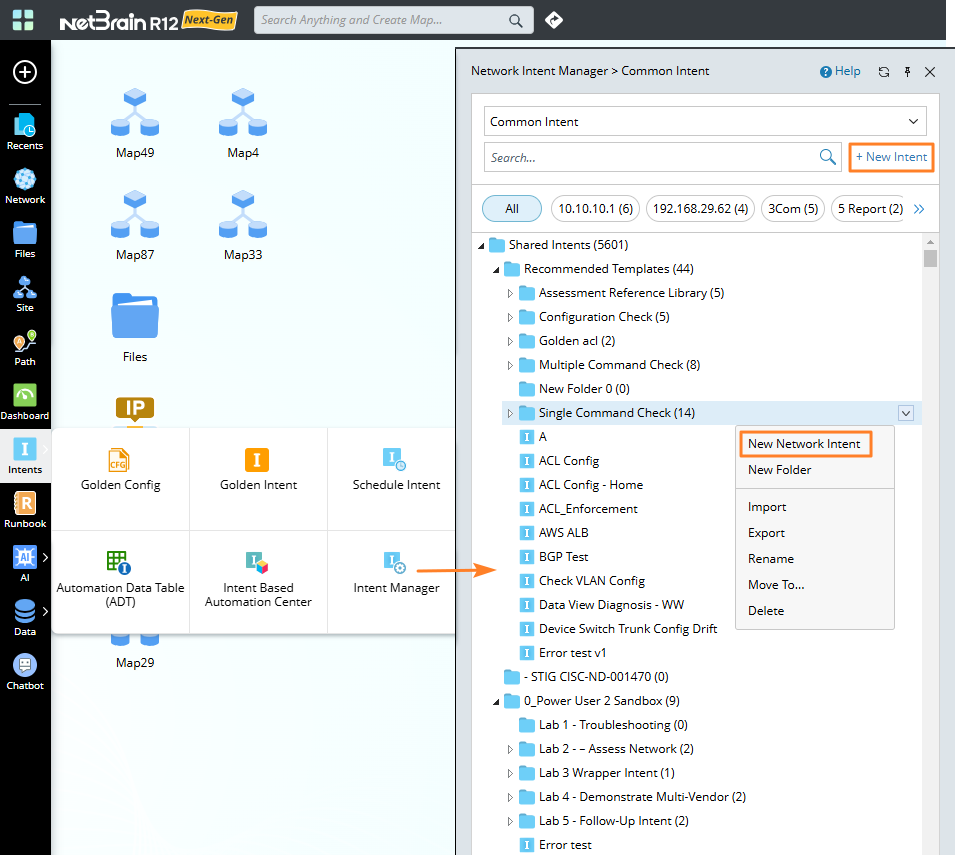
-
Enter an NI name and add the following components.
-
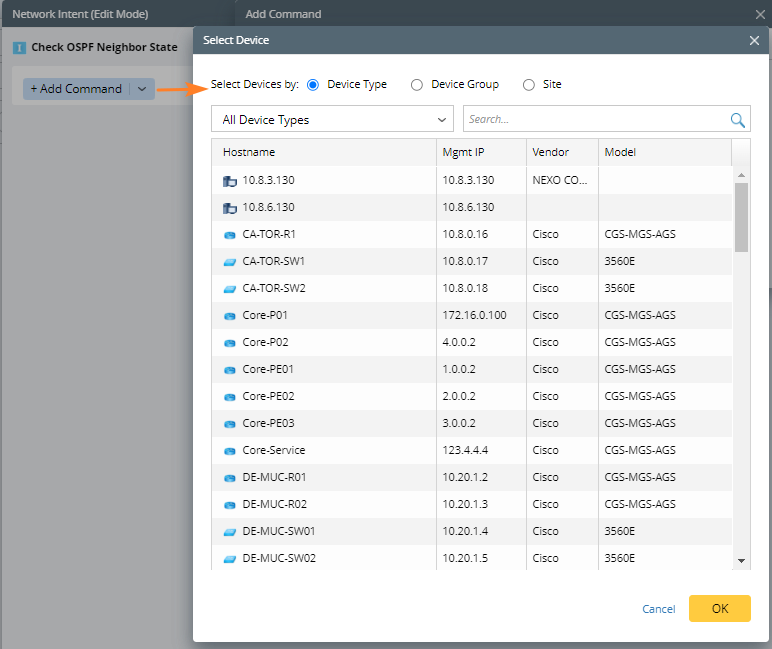
Click Add Command to add the target devices. You can add devices by device type, device group, or site, and when define NI on a map, you can also add devices by map.
-
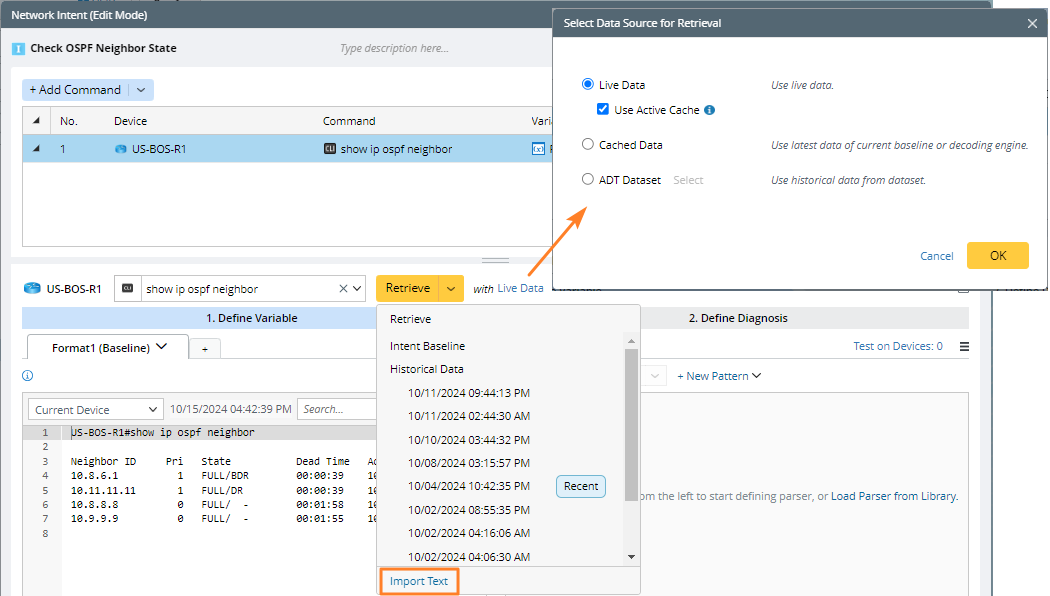
Select CLI Command or Configuration to add diagnosis to this NI. Enter a command and retrieve the data from the live data, cached data, or ADT dataset. You can also directly import text. After the data is retrieved or imported, you can edit the sample data.
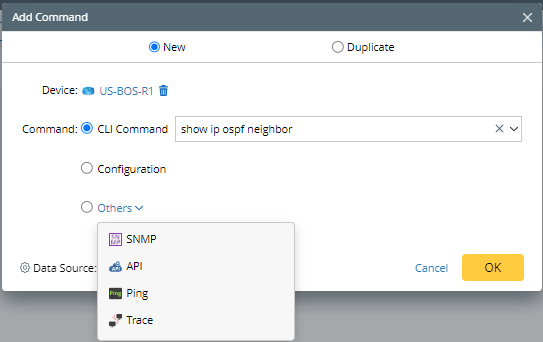
Note: See Critical Functions of Intent Creation for more typs of diagnosis, such as SNMP and API. -
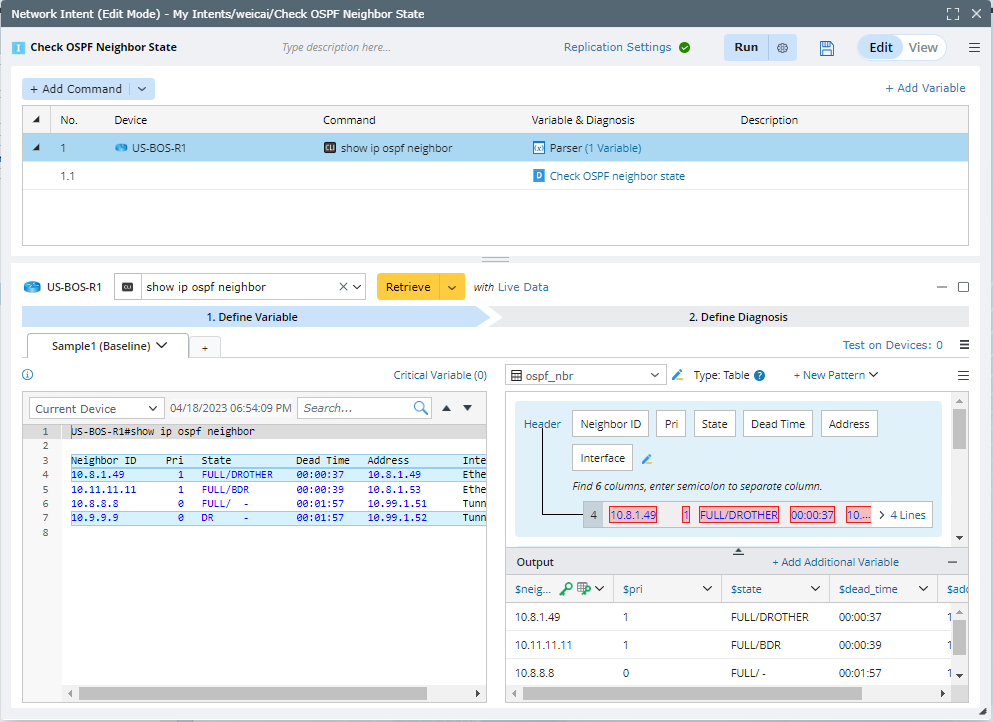
Define parser for Config or CLI commands. See Define Variables for more details.
-
Define the diagnosis. See Define Diagnosis for more details.

-
Define parser for Config or CLI commands. See Define Variables for more details.
-
Click Add Command to add the target devices. You can add devices by device type, device group, or site, and when define NI on a map, you can also add devices by map.
-
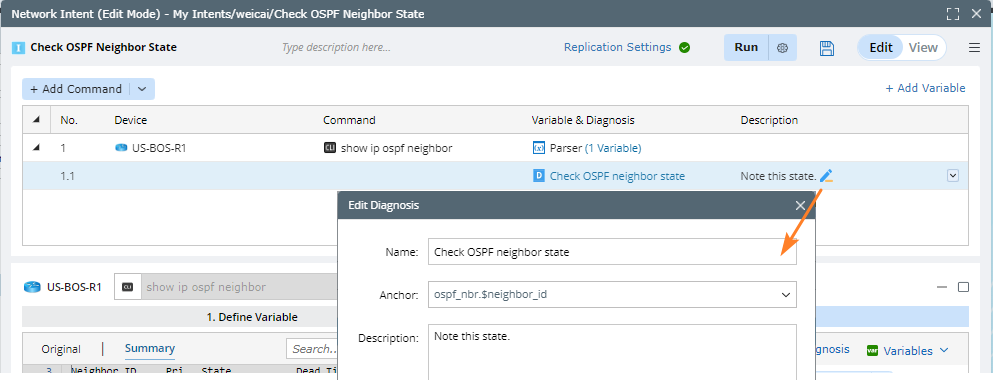
You can add description to this diagnosis by hovering on the row and clicking the edit icon.
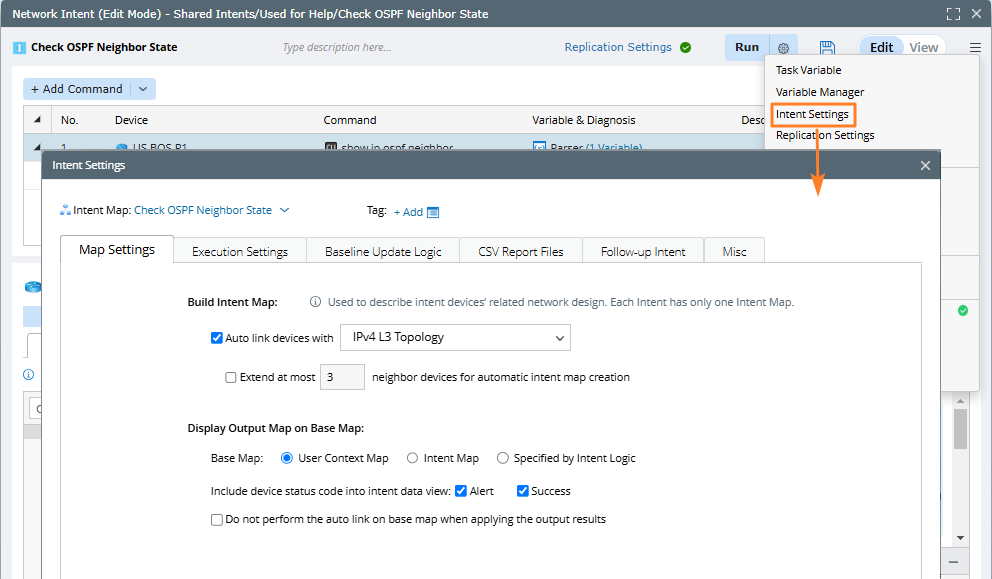
- Define the Intent Settings before you execute the current intent, such as intent map, map settings, and execution settings.
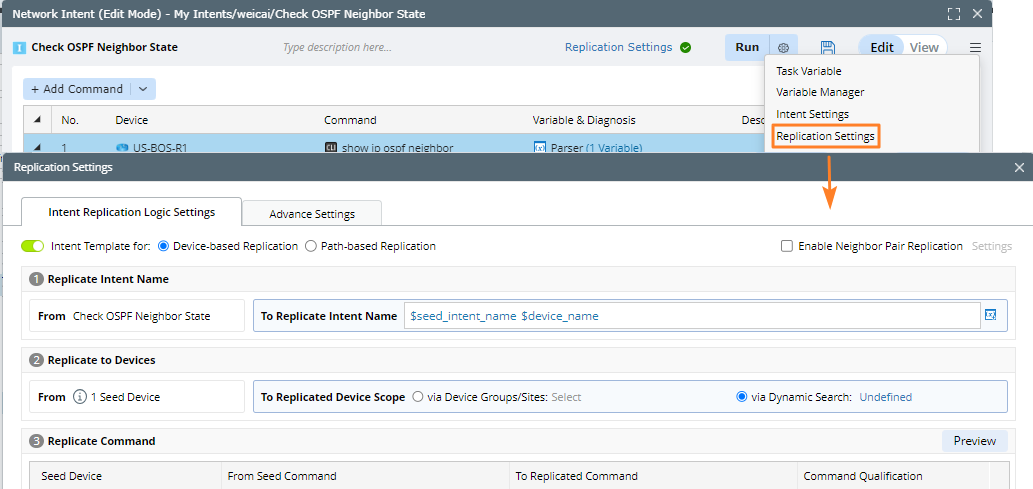
- Navigate to the Intent Replication Logic Settings tab to transform the current intent into an intent template.
|
|
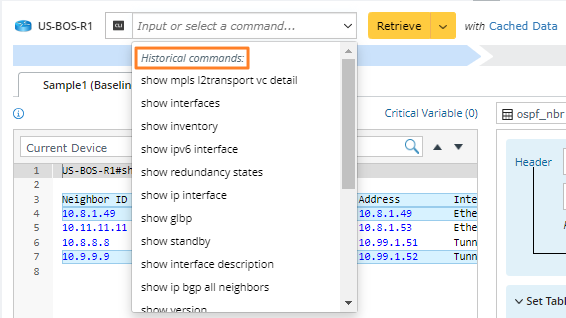
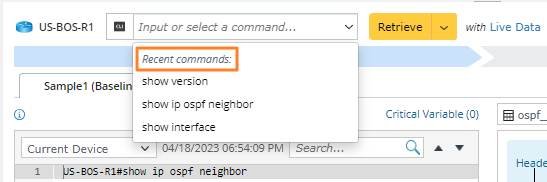
Note: To input commands more conveniently and quickly, the Netbrain system provides command lists under different data sources and prompts based on the characters entered by you. Two categories of commands can be listed in the intelligent prompt: Historical commands and Recent commands entered by the user during live access.
|